Need help?
Do you have a question about the Toshiba 4818-ET1 and is the answer not in the manual?
Lists all items included in the device package.
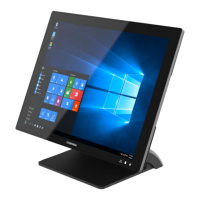
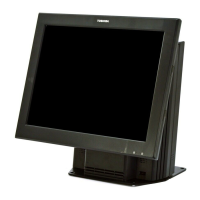
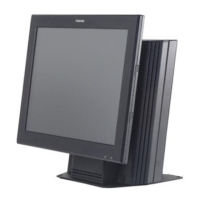
Provides a visual overview of the device's front and back views and LED indicators.
Explains how to connect various peripherals to the POS device using its ports.
Step-by-step guide for safely removing and installing M.2 storage devices.
Detailed instructions on how to replace the memory module in the system board box.
Explains how to adjust the display's tilt angle from 25 to 90 degrees.
Instructions on how to properly turn on the POS device after connections are made.
Details the serial port configuration (DB9 and RJ50) and pinouts.
Describes the Cash Drawer's pinout and control logic using I/O addresses.
Lists the tools and safety equipment required for wall-mounting the POS PC.
Provides critical safety warnings regarding the weight, power, and sharp edges of the POS PC.
Outlines preparatory steps, including device disconnection and shutdown, before stand removal.
Step-by-step instructions to remove the POS PC stand, starting with the cable cover.
Guide on attaching the VESA wall-mounting plate using an M4 screwdriver.
Lists the tools and safety equipment needed to reinstall the POS PC stand.
Repeats safety warnings about the weight, power, and sharp edges of the POS PC.
Details the preliminary steps, including device shutdown and disconnection, before stand reinstallation.
Instructions for removing wall-mounting screws and the cable cover before stand reinstallation.
Provides detailed technical specifications for the main board, display, storage, and I/O ports.
Lists optional components such as 2nd Display, Customer VFD, MSR, and MSR + iButton.
 General
| Brand | Toshiba |
|---|---|
| Model | 4818-ET1 |
| Category | Touch terminals |
| Language | English |

 To Next Page