EasyManua.ls Logo

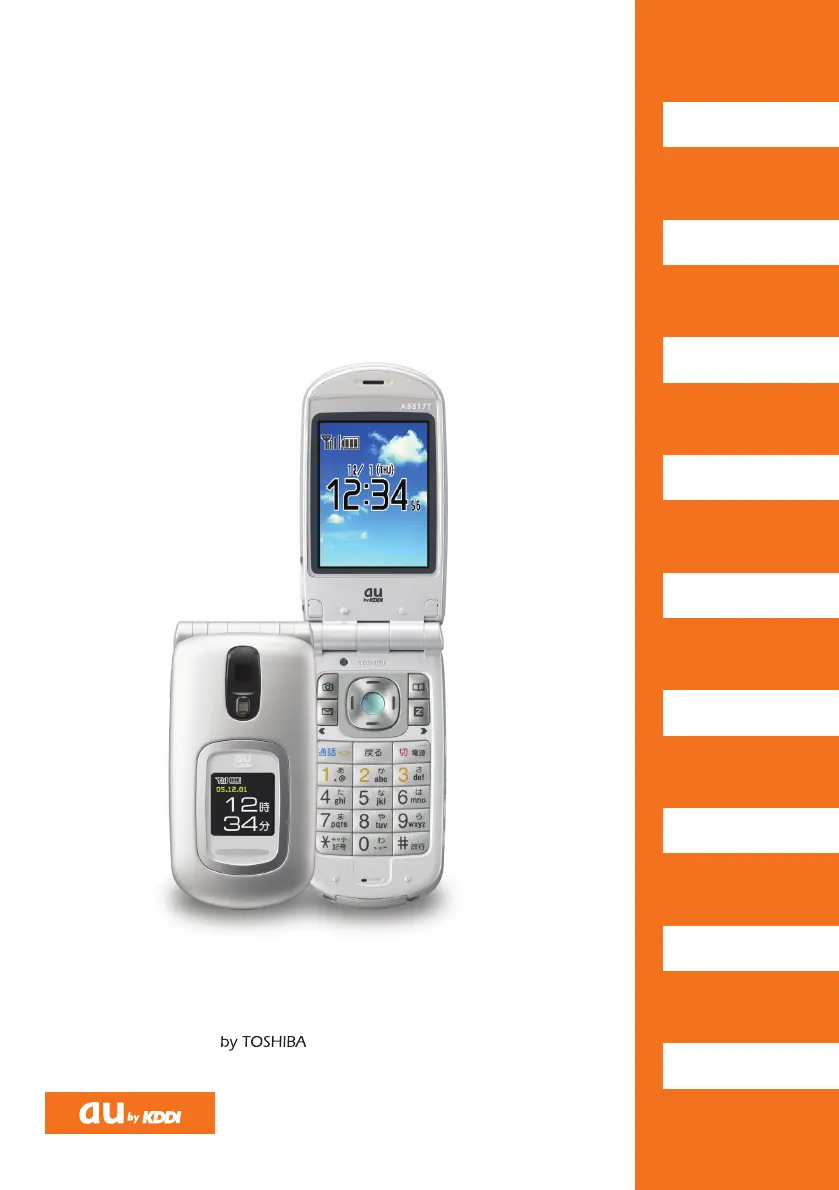
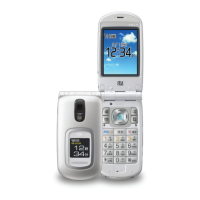
Toshiba A5517T - User Manual

Toshiba A5517T
62 pages
Print Icon
To Next Page IconTo Next Page
Loading...
A5517T
Read this code for
an easy access to
au Online Manual.
Sales: KDDI CORPORATION
OKINAWA CELLULAR TELEPHONE COMPANY
Manufactured by:
TOSHIBACORPORATION
November 2005 Edition
Cellphone and PHS operators collect and
recycle unused telephones, batteries and
battery chargers at stores bearing the
logo regardless of brand and
manufacturer to protect the environment
and reuse valuable resources.
For inquiries, call:
au Customer Service Center (General Information)
(toll free)
Pressing "zero" will connect you to an operator,
after calling "157" on your au cellphone.
From regular phones:
(toll free)
From au cellphones:
area code not required
157
0077
-
7
-
111
フリ
Contents/
Getting Ready
Making and
Answering Calls
Character Input
Phone Book
Pair Function
Mail
Camera
EZweb
Others/Index
Basic
Manual
A5517T BASIC MANUALM60Y94
C M Y B

Table of Contents

Questions and Answers

  • A
    Alicia WoodwardAug 15, 2025
    What to do if I cannot make calls on my Toshiba Cell Phone?
    • J
      Jennifer HillAug 15, 2025
      If you're unable to make calls on your Toshiba Cell Phone, try the following: Ensure that you hold down the S button for at least one second. Move to an area where the out-of-range indicator is not displayed and try again. Avoid touching the area around the built-in antenna with your fingers or hand. When calling a non-cell phone, always include the area code, even if you're in the same area.
  • W
    Willie Conway MDAug 18, 2025
    How to turn on my Toshiba A5517T?
    • J
      Justin AndersonAug 18, 2025
      If your Toshiba Cell Phone won't power on, try charging the battery pack. Also, make sure you hold down the S button for at least one second.
  • K
    Kelly RiceAug 22, 2025
    What to do if I cannot receive calls on my Toshiba A5517T Cell Phone?
    • T
      Tyler SmithAug 22, 2025
      If you're not receiving calls on your Toshiba Cell Phone, move to a location where the out-of-range indicator is not displayed. Also, ensure that you hold down the S button for at least one second.
  • D
    donald61Aug 25, 2025
    Why does my Toshiba Cell Phone make a warning tone and turn off?
    • T
      Tina RussoAug 26, 2025
      If your Toshiba Cell Phone emits a warning tone and then powers off, the solution is to charge the battery pack.
  • J
    Jesse MartinAug 28, 2025
    What to do if I cannot hear the other party on my Toshiba A5517T?
    • A
      allenstephanieAug 28, 2025
      If you cannot hear the other person during a call on your Toshiba Cell Phone, press the A button to increase the earpiece volume during the call.
  • T
    Timothy AllenSep 1, 2025
    What to do if my Toshiba A5517T Cell Phone is not responding to key presses?
    • G
      George DavenportSep 1, 2025
      If your Toshiba Cell Phone doesn't respond when you press a key, try holding down the S button for at least one second.
  • J
    Janice BrownSep 4, 2025
    Why do I hear a beeping sound and cannot connect when calling from my Toshiba A5517T Cell Phone?
    • N
      Nathan CopelandSep 4, 2025
      If you hear a beeping sound from the earpiece and can't establish a connection when making a call on your Toshiba Cell Phone, move to a location where the out-of-range indicator is not displayed. If that doesn't work, end the call and try again later.
  • L
    Lucas NelsonSep 7, 2025
    How to disable automatic call answering on my Toshiba A5517T?
    • B
      Barbara KimSep 7, 2025
      If your Toshiba Cell Phone is answering calls automatically, hold down the R button for at least one second to turn off voice memo.
  • J
    jonathanmurphySep 12, 2025
    Why is my Toshiba A5517T flashing but not ringing?
    • P
      philip74Sep 12, 2025
      If the incoming call indicator flashes on your Toshiba Cell Phone but the ringtone doesn't play, hold down the T button (side key 2) for at least one second to turn off manner mode.

Toshiba A5517T Specifications

General IconGeneral
StatusDiscontinued
SIMMini-SIM
TypeTFT, 256K colors
Camera2 MP
Alert TypesVibration; Downloadable polyphonic, MP3 ringtones
LoudspeakerYes
3.5mm JackNo
BrowserWAP 2.0/xHTML
GamesYes
JavaYes, MIDP 2.0
Predictive Text InputYes
OrganizerYes
Resolution240 x 320 pixels
Call RecordsYes
MessagingSMS, MMS
BatteryLi-Ion 1000 mAh battery

Related product manuals