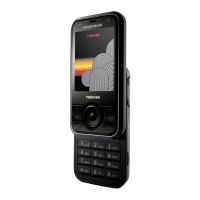
Need help?
Do you have a question about the Toshiba TS705-G and is the answer not in the manual?
General advice for maintaining the phone and its parts and accessories.
Compliance statement regarding FCC rules and potential interference.
Details on compliance with FCC limits and steps to correct interference.
Lists the items included in the sales pack for the phone.
Identifies and describes the physical components and buttons of the phone.
Explains the meaning of various icons shown on the phone's display.
Provides step-by-step instructions for installing SIM, battery, and microSD card.
Details how to charge the phone's battery and indicators for battery status.
Instructions on how to power the phone on and off, including PIN code entry.
Guide for installing USB drivers and PC management software.
Steps to initiate voice and video calls, adjust volume, and reject calls.
How to accept or reject incoming calls and adjust volume.
Instructions for setting up and using speed dial numbers for quick calls.
Features available during an active call like hold, mute, speakerphone, and DTMF.
How to view dialled, missed, received calls and call duration/costs.
Information on making and answering video calls, including requirements and steps.
Step-by-step guide to adding new contact details to the phone's memory.
Lists functions available in the Contacts option menu for managing entries.
How to modify existing contact information.
Steps to assign contacts to speed dial numbers.
How to add existing contacts to contact groups.
Steps to create new groups for organizing contacts.
How to modify existing contact groups.
Instructions for creating contacts directly on the SIM card.
How to filter contact lists based on various criteria.
Guide to setting up and using voice commands for dialling numbers.
How to compose and send Short Message Service (SMS) messages.
Steps to create and send Multimedia Messaging Service (MMS) messages.
Instructions for composing and sending e-mail messages from the phone.
How to view received SMS, MMS, and CBS messages in the inbox.
Method to access and read incoming e-mail messages.
How to view WAP Push notifications received on the phone.
Accessing and managing saved draft messages.
How to review SMS, MMS, or e-mail messages that have been sent.
Steps to access and manage voicemail messages.
Using pre-defined text templates for quicker message composition.
How to create custom templates for MMS messages.
Configuration options for SMS messages, including profiles and auto-features.
Settings for MMS messages, covering retrieval, reports, and signatures.
Options for configuring e-mail accounts, including activation and editing.
Settings for receiving cell broadcast messages and displaying cell information.
Options for configuring voicemail numbers and notifications.
Explains different text input methods like T9, ABC, Number, and Symbolic modes.
Customizing sound and vibration settings across six preset profiles.
Personalizing the phone's appearance with wallpaper, themes, and screensavers.
Configuring language, T9 mode, key tone, info tones, phone identity, flight mode, clock, ringtones, vibration, accessories, and shortcuts.
Adjusting call-related features like Hide ID, Call Waiting, Call Barring, Call Divert, Auto Redial, Any Key Answer, and Video Calls.
Managing phone memory, including files and performing a master reset.
Options for auto key lock, fixed dialling, PIN codes, SIM lock, rights management, and download prompts.
Configuring network information, choosing operators, search modes, and preferred networks.
Managing Bluetooth connections, connection profiles, and internet profiles.
Using the stopwatch feature to measure elapsed time with lap recording.
Setting alarms with options for subject, time, repeat, and snooze.
Creating and viewing scheduled events and appointments, with alarm reminders.
Accessing and using the built-in calculator for arithmetic operations.
Instructions for making and saving audio recordings.
Creating and managing tasks with details like title, content, and due dates.
Tool for converting between different units of measurement.
Setting time zones and viewing the time in different cities worldwide.
Accessing services preinstalled on the SIM card.
Accessing online services, browsing, and downloading content via Vodafone Live!
Downloading and playing JAVA-compatible games on the phone.
Downloading melodies and ringtones for the phone.
Downloading images, animations, and wallpapers.
Accessing latest news and weather reports.
Accessing sports news, results, and scores.
Explains how navigation keys function when browsing the web.
Managing saved web page addresses for quick access.
Configuring browser options for multimedia, look and feel, security, and profiles.
Instructions for playing music, creating playlists, and managing playback.
Controls available during music playback like volume, pause, rewind, and track selection.
Creating and managing playlists for music files.
Steps to add music files to existing or new playlists.
How to add/delete tracks, rename, or delete playlists.
Viewing images stored on the phone, with options for zoom, slideshow, and wallpaper.
Watching video files stored on the phone, with playback controls.
Accessing bookmarked streaming content links.
Instructions for capturing still images, saving, and viewing them.
Options available after taking a picture, like sending or renaming.
How to use the self-timer function for delayed picture capture.
Adjusting resolution, default name, save location, white balance, and flicker adjustment for pictures.
Steps to record video clips, pause, resume, stop, and rename them.
Configuring video quality, resolution, frame rate, and save location.
Overview of default and custom folders for storing files.
How to search for files within the My files menu.
Accessing information about protected content and rights objects.
Guide to connecting the phone to a PC via USB for data transfer and management.
Important safety precautions for using the phone and accessories correctly.
Guidelines for safe phone usage in various environments like driving or hospitals.
Warnings about potential interference with pacemakers, hearing aids, and other medical/electronic devices.
Precautions for handling, charging, and disposing of the phone's battery.
Information on making emergency calls and conditions that might affect service.
Details on radio frequency (RF) energy exposure limits and SAR values.
Guidelines for body-worn accessories to maintain RF exposure compliance.
Information on European RF exposure guidelines and SAR limits.
 General
| Brand | Toshiba |
|---|---|
| Model | TS705-G |
| Category | Cell Phone |
| Language | English |

 To Next Page