EasyManua.ls Logo

Toshiba BDX2300 - User Manual

Toshiba BDX2300
89 pages
Print Icon
To Next Page IconTo Next Page
Loading...
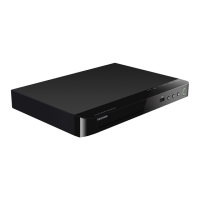
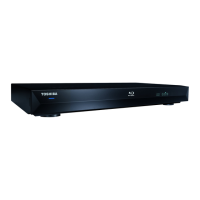
Blu-ray Disc™/DVD Player
User’s Guide:
BDX2300KC/BDX3300KC
If you need assistance:
Toshiba’s Support Web site
www.toshiba.ca/support
Toshiba Customer Support Center
Please contact our Customer Service Department at: 1-800-268-3404
For more information see “Troubleshooting & Maintenance” on page 42 in this guide.
Owner's Record
The model number and serial number are on the back and underside of your player.
Record these numbers in the spaces below. Refer to these numbers whenever you
communicate with your Toshiba dealer about this equipment.
Model name______________________________________
Serial number____________________________________
Question and Answer IconNeed help?

Do you have a question about the Toshiba BDX2300 and is the answer not in the manual?

Summary

Product Safety Precautions

Important Safety Instructions

Key safety instructions to follow for proper and safe operation.

Additional Safety Instructions

Further safety guidelines and warnings for product usage.

Features

Player Controls Overview

Remote Control Operation

Remote Control Layout

Diagram identifying each button and its function on the remote.

Connecting the Player

Connecting to TV via HDMI

How to connect the player to a television using HDMI.

Disc Playback

Disc and File Compatibility

Lists supported disc types, file formats, and region codes.

Basic Playback Operations

Step-by-step guide for inserting discs and starting playback.

Customizing Player Settings

Performing Easy Setup

Initial setup for OSD language, resolution, and screen type.

Security

Password and Parental Control

Managing security settings including password and content restrictions.

Connected Online Services

Troubleshooting and Maintenance

Troubleshooting Common Issues

Solutions for problems like no power, sound, picture distortion, or unresponsiveness.

Summary

Product Safety Precautions

Important Safety Instructions

Key safety instructions to follow for proper and safe operation.

Additional Safety Instructions

Further safety guidelines and warnings for product usage.

Features

Player Controls Overview

Remote Control Operation

Remote Control Layout

Diagram identifying each button and its function on the remote.

Connecting the Player

Connecting to TV via HDMI

How to connect the player to a television using HDMI.

Disc Playback

Disc and File Compatibility

Lists supported disc types, file formats, and region codes.

Basic Playback Operations

Step-by-step guide for inserting discs and starting playback.

Customizing Player Settings

Performing Easy Setup

Initial setup for OSD language, resolution, and screen type.

Security

Password and Parental Control

Managing security settings including password and content restrictions.

Connected Online Services

Troubleshooting and Maintenance

Troubleshooting Common Issues

Solutions for problems like no power, sound, picture distortion, or unresponsiveness.

Toshiba BDX2300 Specifications

General IconGeneral
Weight2.6 lbs
3D PlaybackYes
Built-in Wi-FiNo
DLNA CertifiedYes
Video OutputHDMI
Audio OutputHDMI
ConnectivityHDMI, USB, Ethernet
Supported Disc FormatsBD, DVD, CD
BD ProfileBD-Live (Profile 2.0)

Related product manuals