Retuning: Toshiba Televisions
If your remote control is different to the one below
take a look to see if the buttons are similar - you may
still be able to retune using the steps below.
1) Press the Menu button
5) Don’t worry!
Press the OK button to
select Yes.
Manufacturer Helpline: 0844 856 0730
www.toshiba.co.uk
Please note retuning can affect your favourites list, please refer to your manufacturer’s instruction book.
= Handy tip
!
= Attention
2) Use the Right Arrow
button to select
Install and Retune.
(open carton icon)
Press the OK button.
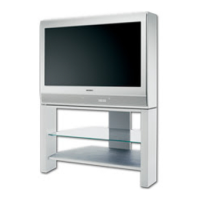
This guide can be used to help you retune the following
models: __BL502B, __BL505B, __BL702B - __BL712B
series, __BV501B - __BV504B series, __BV512B, __BV701B
- BV 715B series, __BV801B, __DL502B, __DL504B,
__DL702B - __DL712B series, __DL833B, __DL933B,
__DL934B, DV501B - __DV504B series, EL833B, KV501B,
KV701B
( __ = Screen size)
3) Use the Down Arrow
button to select
Automatic channel
scan (Retune).
Press the OK button.
4) Use the Down Arrow
button to select Digital.
Press the OK button.
The message ‘Do you want to start an automatic channel scan?’ will appear
These retune steps will work for most cases, however, if
you fi nd after retuning you are missing services or have
the wrong regional news, you can try a manual retune
using the steps on pages 3-4

 Need help?

 To Next Page
 General