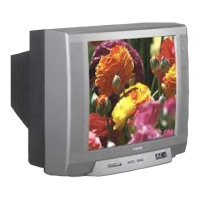
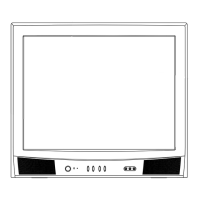
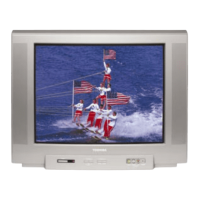
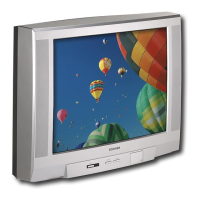
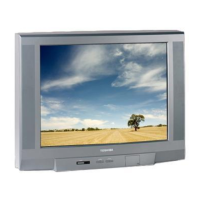
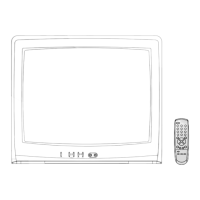
This document is an owner's manual for the Toshiba 28/32Z44/47 Series televisions, providing comprehensive information on setup, controls, features, teletext, problem-solving, and technical specifications.
Function Description
The Toshiba 28/32Z44/47 Series televisions are designed for home entertainment, offering a range of features for viewing television broadcasts, connecting external equipment like VCRs, DVD players, and decoders, and utilizing teletext services. The television supports various picture formats, including widescreen viewing, and offers sound enhancements like Virtual Dolby Surround on Z47 models.
Important Technical Specifications
- Broadcast Systems/Channels: PAL-I, UHF UK21-UK69.
- Video Input: PAL, SECAM, NTSC 3.58/4.43.
- External Connections:
- SCART 1 (EXT1): 21-pin SCART, RGB, A/V.
- SCART 2 (EXT2): 21-pin SCART, A/V, S-video.
- Input (front) EXT3: Phono jack for Video, Phono jacks for Audio L + R.
- Programme Positions: 100.
- Stereo: Nicam, 2 carrier system.
- Visible Screen Size (approx.): 28 inches (66cm) for 28Z models, 32 inches (76cm) for 32Z models.
- Display: 16:9 aspect ratio.
- Sound Output (at 10% distortion): Main 5W + 5W.
- Power Consumption (as specified in EN60107-1: 1997): 28Z - 95W, 32Z - 95W.
- Standby Power Consumption: 28Z - <3W, 32Z - <3W.
- Dimensions (approx.):
- 28Z: 51cm (H) 68cm (W) 50cm (D).
- 32Z: 55cm (H) 75cm (W) 55cm (D).
- Weight (approx.): 28Z - 38kg, 32Z - 50kg.
- Headphone Socket: 3.5mm stereo.
- Accessories: Remote control, 2 batteries (UM-3, AA, IEC R06 1.5V).
- Sound Technology: Manufactured under license from Dolby Laboratories, supporting "Dolby," "Pro Logic," and the double-D symbol.
Usage Features
- Remote Control: A comprehensive remote control (CT-90179) is provided for all functions, including power on/standby, teletext, menu navigation, volume, programme selection, input selection, and VCR/DVD control.
- On-Screen Menus: The television uses an intuitive on-screen menu system for setup and adjustments, categorized by symbols for easy navigation.
- Language Selection: Users can select their preferred language for the on-screen display.
- Auto Tune: Automatically searches and stores all available television stations.
- Manual Tune: Allows for manual tuning of channels, useful for connecting VCRs/decoders without SCART or for fine-tuning weak signals.
- Programme Sorting: Enables users to reorder stored channels to their preferred positions.
- Programme Skip: Allows specific programme positions to be skipped when cycling through channels, though they remain accessible via number buttons on the remote.
- Manual Fine Tuning: Used to improve picture and sound quality in cases of interference or weak signals.
- Panel Lock: Disables the buttons on the front of the television, preventing unintended changes, especially useful for households with children. All remote control functions remain active.
- General Controls: Includes volume adjustment, sound mute, and programme position changes (up/down or direct entry).
- Sound Controls: Offers adjustments for bass, treble, and balance. Z47 models include "Volume Correction" to reduce volume differences between channels and "Dynamic Sub Bass" for richer sound, with settings for OFF, LOW, MID, and HIGH.
- Stereo and Bilingual Transmissions: Automatically detects and displays "Stereo" or "Dual" for bilingual broadcasts, allowing selection between Dual 1, Dual 2, or Mono.
- Widescreen Viewing: Multiple formats are available (Super Live, Cinema, Subtitle, Wide, 4:3) to optimize viewing for different broadcast types and external sources, minimizing black bars or adjusting for subtitles. The television can automatically switch to Widescreen format when "Auto format" is ON and a true Widescreen picture is received.
- Picture Controls:
- Picture Preferences: Offers preset picture modes (1-3) and a customizable "Picture mode-M" for contrast, brightness, colour, tint (for NTSC signals), and sharpness.
- Noise Reduction: Softens screen representation of weak signals.
- Picture Position: Allows adjustment of the picture's horizontal and vertical position, especially useful for external inputs and different widescreen formats.
- Virtual Dolby Surround (Z47 models only): Enhances sound from Dolby Surround soundtracks without additional speakers. Offers "Spatial" for wider sound, "Panorama" for surround sound sensation, and "Dolby Virtual" for convincing surround sound from two speakers.
- Timer: Allows setting the television to turn off automatically after a specified time.
- Time Display: Shows the current time from the broadcaster on screen for about 5 seconds when activated.
- Input Selection and AV Connections: Automatically switches to external equipment when a signal is detected via SCART. Manual input selection is available for EXT1, EXT2, and EXT3. Users can specify the signal type for SCART 2 (EXT2) as AV or S-VIDEO.
- Teletext: Multi-page memory teletext with "AUTO" mode for Fastext and "LIST" mode to store four favourite pages. Features include index/initial page display, concealed text reveal, page hold, and display size enlargement.
Maintenance Features
- Cleaning: The screen and cabinet should be cleaned with a soft, dry cloth after turning off the power. Proprietary polishes or solvents are not recommended.
- Safety Precautions: Emphasizes proper air circulation (10cm clearance), avoiding direct sunlight, high temperatures, humidity, and extreme cold. Warns against obstructing ventilation, exposing to liquids or flames, using makeshift stands, listening to headphones at high volume, leaving unattended, or operating damaged equipment. Crucially, advises against removing covers or inserting objects into openings to prevent electric shock.
- Mains Supply: Specifies 230V AC 50Hz. Warns against cutting off the mains plug (contains a special Radio Interference Filter) and ensures proper fuse replacement (BS1362 approved type).
- Disposal: Recommends disposing of the television in accordance with Local Government Regulations or at a recycling centre at the end of its useful life.
- Battery Disposal: Advises disposing of used batteries in a designated disposal area.
- Image Retention Warning: Notes that stationary images (teletext, logos, computer displays, video games, menus) left on screen for extended periods could become conspicuous, recommending reduced brightness and contrast settings.

 Need help?

 To Next Page
 General