EasyManua.ls Logo

Toshiba Camileo Pro HD - User Manual

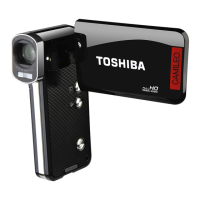
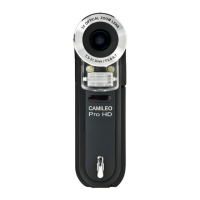
Toshiba Camileo Pro HD
194 pages
Print Icon
To Next Page IconTo Next Page
Loading...
User’s Manual
Camileo Pro HD
NL
PT
TR
DE
ES
FR
IT

Table of Contents

Questions and Answers

  • R
    Richard WallaceAug 3, 2025
    What to do if Toshiba Camileo Pro HD does not display on TV?
    • H
      hughesjillianAug 3, 2025
      If the TV screen does not display after connecting your Toshiba Camcorder to the TV, it might be because the camcorder is not correctly connected to the TV. Reconnect the camcorder to the TV correctly.
  • D
    Dr. Nathaniel Shaw MDAug 7, 2025
    Why my Toshiba Camileo Pro HD does not respond when connecting to PC?
    • J
      Joseph YangAug 8, 2025
      If your Toshiba Camcorder doesn't respond when connected to a PC, it might be because the [USB Mode] is set to [Printer]. To fix this, set the [USB Mode] option to [Menu].
  • K
    keithjacobAug 13, 2025
    What to do if LCD screen of Toshiba Camileo Pro HD Camcorder does not display?
    • E
      Edwin SheppardAug 13, 2025
      If your Toshiba Camcorder's LCD screen doesn't display, even though the camcorder is powered on, it might be because the LCD screen automatically shuts down to save power after one minute of inactivity. To reactivate the display, press any button except the power button.
  • D
    David WhiteAug 18, 2025
    What to do if Toshiba Camileo Pro HD cannot read the memory card?
    • D
      Dennis DiazAug 18, 2025
      If your Toshiba Camcorder displays “MEMORY ERROR” or “CARD ERROR” message, or the camcorder cannot read the memory card, it could be due to two reasons. First, the format of the memory card might not be compatible with the camcorder. Use the camcorder’s “Format” function to format the card. Second, the memory card might be corrupted, in which case you should replace it with a new one.
  • J
    Joseph SpearsAug 23, 2025
    Why can't I take pictures with my Toshiba Camileo Pro HD Camcorder?
    • R
      Robert HenryAug 25, 2025
      If you can't take pictures or video clips with your Toshiba Camcorder when pressing the Shutter or Record button, it could be due to several reasons: 1. You might be out of memory. Try freeing up some space from the SD/MMC card or the internal memory. 2. The camcorder might be recharging the flash strobe. Wait until the flash strobe is fully charged. 3. You might be using a 'protected' SD card. Set the SD card to be writable.
  • M
    melissa78Aug 27, 2025
    How to fix Toshiba Camcorder that can not be powered on?
    • H
      holsonAug 28, 2025
      If your Toshiba Camcorder cannot be powered on normally, it might be due to the following reasons: * The battery is out of power. Replace the battery. * The battery is incorrectly installed. Re-install the battery.

Summary

Safety Instructions

Water Exposure and Hearing Protection

Provides crucial safety guidelines regarding water exposure and hearing damage.

Getting Started: Camcorder Overview

Initial Setup Procedures

Battery Installation and Charging

Guides on battery installation and initial charging.

LCD Display Indicators

Performing Basic Operations

Recording Video and Voice Clips

Details how to record video clips and voice clips.

Taking Still Pictures

Playback and File Access

Connecting to PC

Saving Files to PC

Steps to connect the camcorder to a PC and transfer files.

Connecting to HDTV

Connecting to Standard TV

Advanced Menu Operations

Menu Items in Setting Mode

Product Specifications

Remote Control Operations

Troubleshooting Camcorder Issues

Resolving Operation Problems

Lists common problems with camcorder operation and their solutions.

Troubleshooting Connectivity Issues

Toshiba Camileo Pro HD Specifications

General IconGeneral
Display diagonal2.5 \
Optical zoom3 x
Total megapixels5 MP
Minimum RAM512 MB
Minimum storage drive space1024 MB
Weight and Dimensions IconWeight and Dimensions
Depth70 mm
Width112 mm
Height35 mm
Weight178 g

Related product manuals