3 SETTING OPTIONS
Setting up the N/W-Fax Driver Options 25
Setting up the N/W-Fax Driver Options
N/W-Fax driver options are the attributes to define the way a fax job is transmitted. For example, you can specify the
recipients, resolution, and paper size.
P.25 “Setting up the [Layout] tab”
P.26 “Setting up the [Send] tab”
P.28 “Setting up the Cover Sheet”
P.29 “Setting up the SNMP”
P.31 “Setting up the [Device Settings] tab”
P.32 “Setting up LDAP servers”
Setting up the [Layout] tab
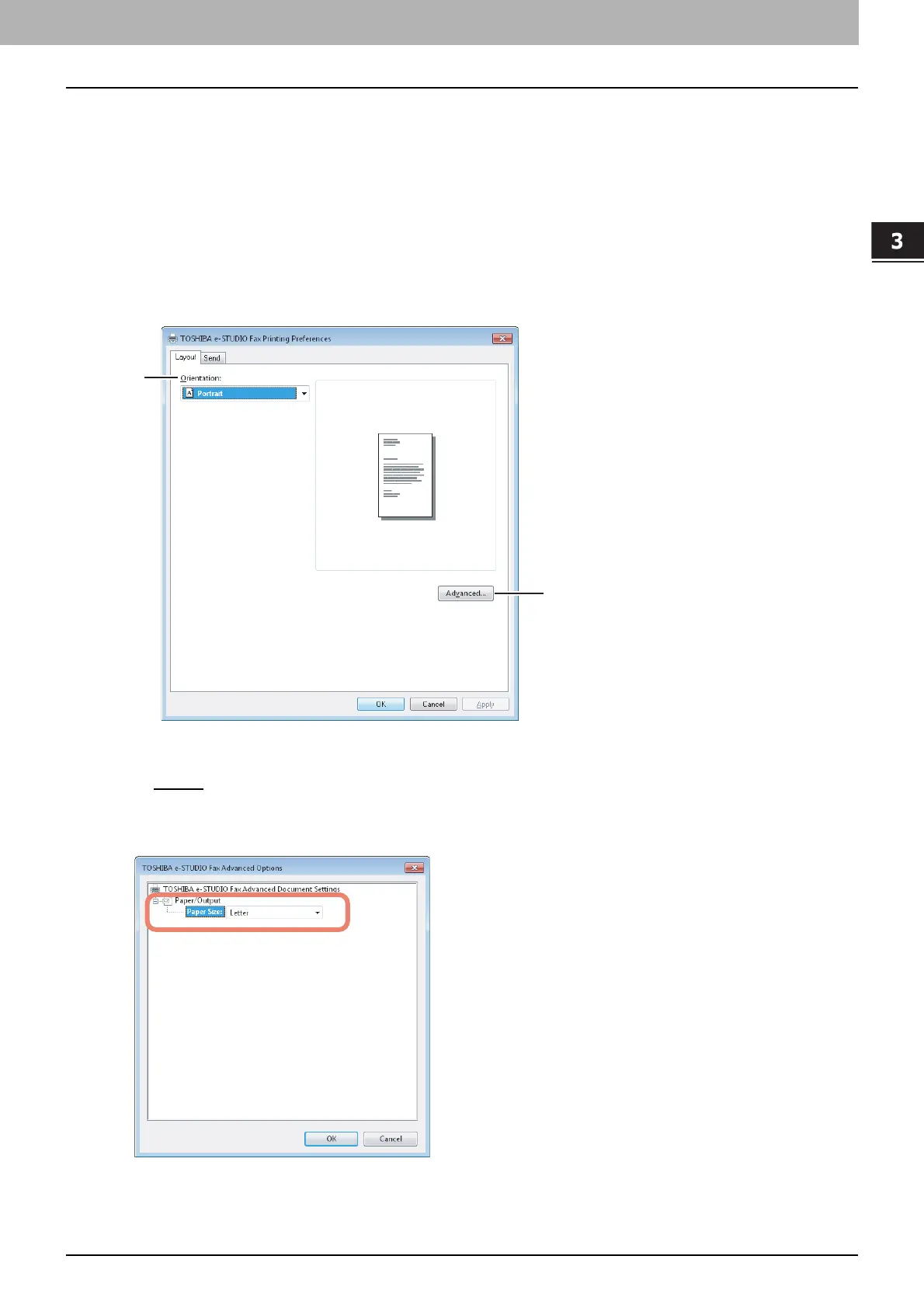
On the [Layout] tab, you can set the size and the orientation of the paper.
1) Orientation
Set the printing orientation of the document.
- Portrait
— Data are printed vertically to the paper.
- Landscape — Data are printed horizontally to the paper.
2) [Advanced]
Click this to display the [Advanced Option] dialog box. You can select the paper size of the document.
2
1



 To Next Page
 Loading...


