3.Setting the IP Fax Function
28 Setting the IP Fax Function from TopAccess
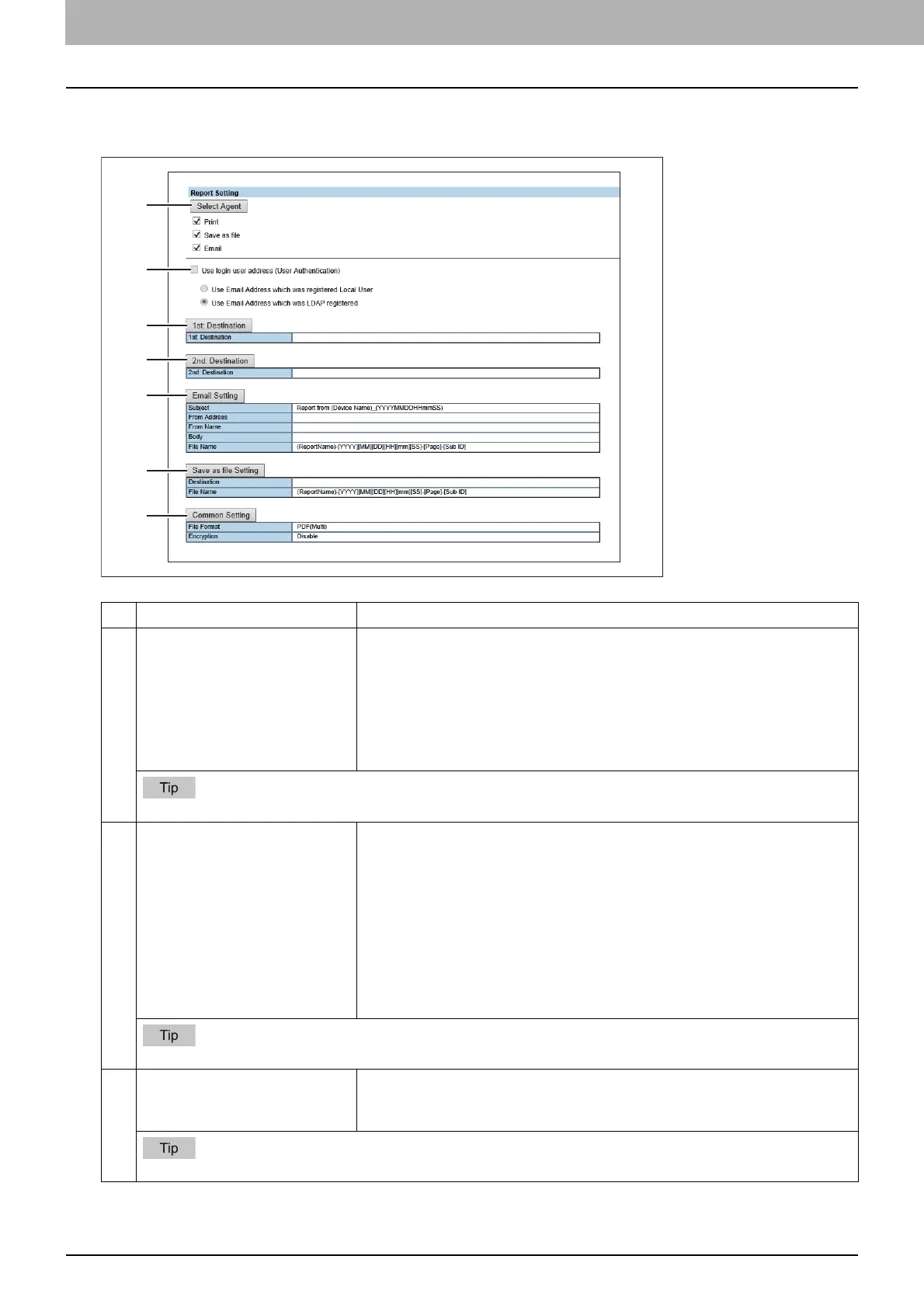
Report Setting
You can set the result report of the IP Fax.
Item name Description
1 Select Agent You can make detailed settings by selecting one of the following items, and
then clicking [Select Agent].
Print — Select this to print. There are no settings available in [Select Agent].
Save as file — Select this to save as a file. Click [Select Agent] to make
settings for [Save as file Setting] and [Common Setting].
Email — Select this to send an E-mail. Click [Select Agent] to make address
settings, and settings for [Email Setting] and [Common Setting].
For details about [Email Setting], [Save as file Setting] and [Common Setting], refer to the TopAccess Guide.
2 Use login user address (User
Authentication)
Sets whether or not to use the E-mail address for a login user as the
destination for E-mail transmission during user authentication. You can set
the following items when you select this check box.
Use Email Address which was registered Local User — The E-mail address
for a user set in MFP Local Authentication is used as the destination for E-
mail transmission.
Use Email Address which was LDAP registered — The E-mail address for a
server registered in LDAP Client is used as the destination for E-mail
transmission. Click [Server Assignment]. Up to 4 LDAP servers can be
assigned.
For details about [LDAP Client settings], refer to the TopAccess Guide.
3 [1st Destination]/[2nd
Destination] button
This is enabled when you select [Email] from Report Settings, and then click
the [Select Agent] button.
Click to display the address list where you can set addresses.
For details about the [1s Destination] and [2nd Destination] buttons, refer to the TopAccess Guide.



 To Next Page
 Loading...




