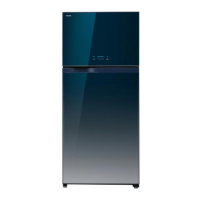
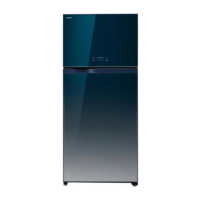
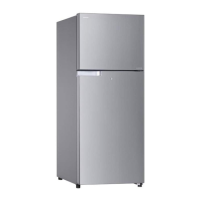
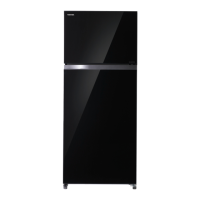
The provided document is an Owner's Manual for a Toshiba refrigerator, model GR-W77MD. It offers comprehensive information on the appliance's function, technical specifications, usage, and maintenance.
Function Description
The Toshiba GR-W77MD is a refrigerator designed for safe and efficient food storage. It features separate compartments for freezing and refrigeration, with independent temperature controls. The appliance is equipped with a self-defrosting system for convenience, eliminating the need for manual defrosting. A key feature is the LED Hybrid Deodorizer Unit, which aims to eliminate bacteria, disintegrate ethylene gas (which promotes vegetable aging), and deodorize odors using photocatalysts activated by LED light. Additionally, a UV LED Bacterial Eliminating Device is installed in the refrigerator compartment, specifically targeting bacteria in the meat case.
Important Technical Specifications
- Model: GR-W77MD
- Total Volume: 608 liters
- Freezer Volume: 163 liters
- Refrigerator Volume: 445 liters
- Outside Dimensions (Width x Depth x Height): 803 mm x 739 mm x 1848 mm
- Voltage: 230-240V
- Frequency: 50Hz
- Net Weight: 86 kg
- Refrigerant: HFC-134a (190 g)
Usage Features
The manual emphasizes safe and correct usage of the refrigerator.
- Installation: The refrigerator should be installed on a strong, level floor in a dry, well-ventilated place, away from direct sunlight, gas ranges, or heaters. Specific clearances of at least 10 cm (4 inches) at the top and rear, and 4 cm (1.6 inches) on both sides, are recommended for proper air circulation.
- Temperature Control: Both freezer and refrigerator compartments have temperature control dials, typically set to "MID." Users can adjust these to "COOL" if the refrigerator is not cold enough, or "WARM" if it's too cold, especially when the ambient temperature is below 5°C (e.g., in winter) to prevent food from freezing. The manual warns against obstructing cool air circulation outlets and inlets with food or containers.
- Ice Making: The ice maker typically produces 32 ice cubes within 2 hours under optimal conditions (30°C ambient temperature, door closed). Factors like frequent door opening, large amounts of food in the freezer, high ambient temperature, or poor ventilation can extend ice-making time. For first-time use or after extended power outages, it may take 5 to 6 hours, or even over 24 hours in very high ambient temperatures. Ice is removed by twisting the ice tray.
- Operation Notes: The compressor generates heat during normal operation, and the outer walls may become warm due to the condenser radiating heat into the room. These are not malfunctions. After initial power-on or after an extended power outage, the refrigerator may run continuously for 9 to 14 hours to reach the normal operating temperature before entering automatic control mode.
- Safety Precautions: The manual includes extensive safety warnings and cautions. Users are prohibited from storing inflammable substances, disassembling the appliance, damaging the refrigerant circuit, or placing heavy/liquid objects on top. It also warns against consuming spoiled food, sprinkling water on the appliance, or hanging on the doors. Grounding is essential in wet or humid places. When moving, the refrigerator should be lifted from the bottom, not laid on its side, and food should be removed first.
- Accessory Removal: Instructions are provided for easily removing and cleaning various internal parts, including freezer shelves, egg pockets, mini pockets, bottle pockets, meat case cover, meat case, shelves, crisper shelves, and vegetable crispers. These parts are removed by lifting, sliding, or pulling, often requiring the door to be open beyond 90 degrees for larger items like the crisper.
Maintenance Features
- Periodic Maintenance: Regular cleaning is crucial for the maximum lifespan of the refrigerator. Before cleaning, the refrigerator's plug must be disconnected from the socket, taking care not to pull the cord or get it caught. Water should not be poured directly on the refrigerator.
- Outside Surfaces: The exterior should be polished with a soft rag. Heavy stains can be wiped off with a rag soaked in a cleanser solution. The door handle should be wiped with a dry cloth.
- Door Packing: The door packing should be inspected occasionally, and any stains removed with a cleanser solution to prevent premature wear.
- Interior Plastic Units: Interior plastic units should be cleaned with a cleanser solution if stained or odorous. Oil smears (e.g., salad oil, cooking oil) should be wiped off immediately to prevent cracking of the plastic.
- Self-Defrosting: The refrigerator is self-defrosting, with frost on the evaporator (which is externally invisible) automatically removed by a time-controlled heater.
- LED Hybrid Deodorizer Unit: This unit operates continuously after plugging in and requires no maintenance.
- UV LED Bacterial Eliminating Device: This device also operates continuously after plugging in and requires no maintenance.
- LED Light Replacement: If the LED light blows, users should contact a TOSHIBA-approved service agent for replacement, as the LED light should only be removed by qualified service personnel.
- Troubleshooting: The manual includes a troubleshooting section for common issues like the refrigerator not being cold enough, food freezing in the refrigerator compartment, noise, moisture on the exterior, and moisture/flakes inside the refrigerator. It advises checking power connections, temperature settings, door closure, and ventilation before contacting customer service.

 Need help?
 General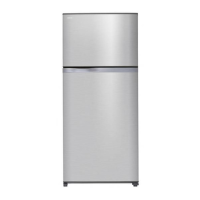

 To Next Page