EasyManua.ls Logo

Toshiba RAS-B07G3KVSG-E - User Manual

Toshiba RAS-B07G3KVSG-E
18 pages
Print Icon
To Next Page IconTo Next Page
Loading...
OWNER’S MANUAL
For general public use
ENGLISHENGLISH
AIR CONDITIONER
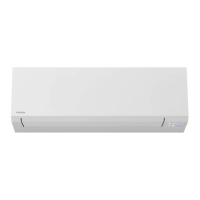
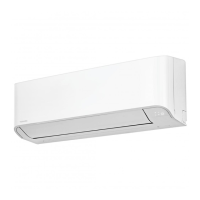
Indoor unit (Single Type)
RAS-B07, 10, 13, 16, 18, 22, 24G3KVSG-E
RAS-B07, 10, 13, 16, 18, 22, 24G3KVSGB-E
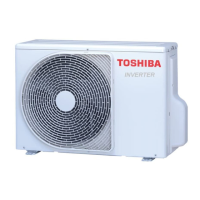
Outdoor unit (Single Type)
RAS-07, 10, 13, 16, 18, 22, 24J2AVSG-E1
Indoor unit (Multi Type)
RAS-M05G3KVSG-E
RAS-M05G3KVSGB-E
1144250207A
Scan QR CODE to access installation and owner’s manual on website.
https://www.toshiba-carrier.co.th/manuals/default.aspx
Manual are available in AR/BG/CZ/DA/DE/EL/EN/ES/ET/FI/FR/
HR/HU/IT/LT/LV/NL/NO/PL/PT/RO/RU/SK/SL/SV.

Other manuals for Toshiba RAS-B07G3KVSG-E

Question and Answer IconNeed help?

Do you have a question about the Toshiba RAS-B07G3KVSG-E and is the answer not in the manual?

Summary

Product Information

Indoor Unit (Single Type) Models

Lists various indoor unit models for single type operation.

Outdoor Unit (Single Type) Models

Lists various outdoor unit models for single type operation.

Indoor Unit (Multi Type) Models

Lists indoor unit models for multi type operation.

1. Indoor Unit Display and Preparation

Indoor Unit Display Icons

Explains the meaning of icons displayed on the indoor unit.

Preparing Air Filters

Instructions for filter maintenance and installation.

Remote Control Preparation

Steps for battery insertion and remote control reset.

3. Air Flow Direction

Louver Swing Operation

How to adjust the louver for desired airflow direction.

HADA Care Flow Operation

Details on the HADA Care Flow feature for optimized airflow.

4. Remote Control

Remote Control Buttons Overview

Identifies and explains the functions of the remote control buttons.

5. Cooling; Fan Only Operation

Setting Cooling;Fan Mode

How to set cooling or fan-only modes.

6. Automatic Operation

Setting Auto Operation

Setting the unit to operate automatically.

7. Heating and 8°C Operation

Setting Heating;8°C Mode

How to use heating and 8°C operation modes.

8. Dry Operation

Setting Dry Mode

How to set the unit for dehumidification.

9. Menu Setup

9.1 Louver Swing and HADA Care Flow Operation

Detailed steps to configure louver swing and HADA Care Flow.

Specialized Menu Operations

9.2 Silent Operation (Outdoor Unit)

How to enable silent operation for the outdoor unit.

9.3 Hi POWER Operation

Setting the Hi POWER mode for faster climate control.

9.4 ECO Operation

How to activate ECO mode for energy saving.

Timer and Fireplace Operations

9.5 Fireplace Operation

Using the fireplace mode for heat circulation.

9.6 Timer OFF Operation

Setting the timer to turn off the unit.

Cancel TIMER OFF

Procedure to cancel an active timer off setting.

Power, Defrost, and Restart Settings

9.7 Power-Selection Operation

Limiting power consumption for energy saving.

10. Manual Defrost Operation

Initiating manual defrost for the outdoor unit.

11. Display Lamp Brightness Adjustment

Adjusting or turning off the display brightness.

12. Auto Restart Function Setting

Configuring the unit to restart automatically after power loss.

13. Self Cleaning Operation

Self Cleaning Operation (Cool;Dry)

Activating self-cleaning to prevent indoor unit moisture.

Temporary Operation and Control Management

14. Temporary Operation

How to operate the unit manually if the remote is lost.

15. Remote Control A-B Selection

Pairing specific remote controls with indoor units.

16. Operation, Performance, and Maintenance

Operation Features and Performance

Details on operational features and performance considerations.

Air Conditioner Operating Conditions

Recommended operating conditions for different modes.

17. Maintenance: Cleaning

Instructions for cleaning the indoor unit, remote, and filters.

18. Troubleshooting

Unit Does Not Operate

Common causes and solutions for unit non-operation.

Low Cooling or Heating Performance

Troubleshooting steps for reduced cooling/heating efficiency.

19. Wireless LAN Connection

Toshiba Home AC Control Application

Guide to downloading and installing the mobile application.

About Toshiba Home AC Control

Overview of the app's features and capabilities.

User Registration Process

Step-by-step guide for registering a user account.

Application Login and Adapter Setup

Login to Toshiba Home AC Control

Steps to log in to the Toshiba Home AC Control app.

Add Wireless Adapter

Instructions for connecting the wireless adapter to the AC.

Wireless Adapter Wi-Fi Connection

AC Adapter Connection Methods

Options for connecting the AC adapter (WPS, Manual Input).

Connecting to Wi-Fi Router

Steps to connect the AC to the home Wi-Fi network.

Toshiba Home AC Control Application Interface

Home Screen Overview

Navigation and layout of the app's home screen.

Application Settings

Accessing and configuring app settings.

Energy Monitoring and Service Functions

Using energy monitoring and service features within the app.

Operation Mode Selection in App

Setting Operation Mode for All AC

Controlling the operation mode for all connected units.

Setting Operation Mode for Group AC

Adjusting the operation mode for specific AC groups.

Setting Operation Mode for Individual AC

Changing the mode for a single AC unit.

Available Operation Modes

Overview of the five selectable operation modes.

Advanced App Settings

Operation Mode and Louver Settings

Configuring the AC's operation mode and louver settings.

Timer Settings (0.5-12 Hours)

Setting the ON/OFF timer for the air conditioner.

Special Feature Activation

Activating special features like PURE, 8°C, HI POWER.

Group Management in App

Creating and Adding Groups

Steps to create new groups and add AC units to them.

Deleting AC from Groups

Removing AC units from existing groups.

Weekly Schedule Setup in App

Setting Weekly Schedules

Configuring daily and weekly operation schedules for AC units.

Mode Selection for Schedule Times

Choosing the operating mode for specific scheduled times.

Canceling Weekly Schedules

How to disable or remove set weekly schedules.

Energy Monitoring and Data Export

Energy Monitoring Setup and Display

Configuring and viewing energy consumption data.

Cost Calculation and Currency Settings

Setting up cost calculation and currency options.

Exporting Energy Data

Exporting energy consumption data via email.

Troubleshooting and Support

Checking Help Menu for Problems

Guidance on using the help menu for troubleshooting.

Wireless Adapter Installation Notes

Important considerations for wireless adapter installation and service.

Overview

This document is the owner's manual for Toshiba Inverter Air Conditioners, covering both single and multi-type indoor and outdoor units. It provides comprehensive instructions for operation, maintenance, and wireless LAN connection.

Function Description:

The Toshiba Inverter Air Conditioner is designed to provide cooling, heating, and dry operation for residential and commercial spaces. It features an inverter technology for energy efficiency and precise temperature control. The system can be controlled via a wireless remote control or through a smartphone application (Toshiba Home AC Control) via a Wireless LAN connection.

Important Technical Specifications:

The manual lists several indoor and outdoor unit models:

  • Indoor unit (Single Type): RAS-B07, 10, 13, 16, 18, 22, 24G3KVSG-E and RAS-B07, 10, 13, 16, 18, 22, 24G3KVSGB-E.
  • Outdoor unit (Single Type): RAS-07, 10, 13, 16, 18, 22, 24J2AVSG-E1.
  • Indoor unit (Multi Type): RAS-M05G3KVSG-E and RAS-M05G3KVSGB-E.

The remote control uses two AAA batteries. The temperature setting range is 17°C to 30°C for cooling/fan only and dry modes, and 5°C to 30°C for heating mode (with 8°C operation available for energy saving).

Usage Features:

Indoor Unit Display:

The indoor unit display includes indicators for:

  • ECO (White)
  • Wi-Fi access (White)
  • Hi POWER (White)
  • Timer (White)
  • Operation mode (Cool: Blue, Heat: Orange) Display brightness can be adjusted.

Remote Control:

The remote control features an infrared signal emitter and buttons for:

  • Start/Stop
  • Mode select (Cool, Fan Only, Auto, Heat, Dry)
  • Temperature adjustment (Up/Down)
  • Fan speed selection (AUTO, LOW, LOW+, MED, MED+, HIGH, QUIET)
  • Menu select
  • Louver Up-Down and Left-Right adjustment
  • Check button (under battery cover)

Air Flow Direction:

The louver can be adjusted for vertical (Up-Down) and horizontal (Left-Right) swing. A "HADA Care Flow" option directs airflow upward to the ceiling for indirect airflow and homogenized room temperature. Manual louver adjustment is not recommended.

Operation Modes:

  • Cooling / Fan Only Operation: Select Cool or Fan only mode, set desired temperature (17-30°C), and fan speed.
  • Automatic Operation: Automatically selects cooling, heating, or fan only operation based on a set temperature (5-30°C).
  • Heating and 8°C Operation: Select Heat mode, set desired temperature (5-30°C). The 8°C operation (for temperatures 5-16°C) uses less energy.
  • Dry Operation: For dehumidification, a moderate cooling performance is automatically controlled. Fan speed is set to Auto only.

The MENU button on the remote control allows access to advanced settings:

  • Louver Swing and HADA Care Flow Operation: Distributes airflow vertically and horizontally. HADA Care Flow directs air upward for indirect airflow.
  • Silent Operation (Outdoor Unit): Reduces outdoor unit noise. Two levels are available: Silent 1 (balances capacity and sound) and Silent 2 (prioritizes sound reduction, potentially compromising cooling capacity).
  • Hi POWER Operation: Automatically controls room temperature and airflow for faster cooling or heating (not available in DRY and FAN ONLY mode).
  • ECO Operation: Automatically controls room temperature to save energy (not available in DRY and FAN ONLY mode). In cooling, set temperature increases by 1 degree/hour for 2 hours (max 2 degrees). In heating, set temperature decreases.
  • Fireplace Operation: Keeps the indoor unit fan running continuously during thermo-off periods to circulate heat from other sources. Fireplace 1 maintains the user-selected fan speed, while Fireplace 2 uses a super-low speed. This mode operates only in Heating mode.
  • Timer OFF Operation: Sets a timer for the air conditioner to turn off (0.5 to 12 hours).
  • POWER-SELECTION Operation: Limits maximum current and power consumption to 100%, 75%, or 50% to prevent circuit breaker overload. Lower percentages offer higher savings and longer compressor lifetime, but may result in inadequate cooling capacity.
  • Manual Defrost Operation: Defrosts the outdoor unit's heat exchanger during heating operation. Activated by holding the MENU button for 5 seconds.
  • Display Lamp Brightness Adjustment: Adjusts the brightness of the indoor unit's display lamp in 4 levels (d0, d1, d2, d3) or turns it off.
  • Auto Restart Function Setting: Automatically restarts the unit in the previous operating mode after a power failure. This function is ON by default.
  • Self Cleaning Operation (Cool and Dry Operation Only): Runs the fan for 30 minutes after pressing the button in Cool or Dry mode to reduce moisture and prevent bad smells.

Temporary Operation:

If the remote control is misplaced or discharged, the unit can be started/stopped using the RESET button on the indoor unit. This sets the operation mode to AUTOMATIC, preset temperature to 24°C, and fan speed to automatic.

Remote Control A-B Selection:

Allows differentiation between two air conditioners in close proximity by assigning a remote control to either "A" (default) or "B" mode.

Wireless LAN Connection (Toshiba Home AC Control Application):

The air conditioner can be controlled via a smartphone or tablet application.

  • Application Support: iOS 9.0 or later, Android 5.0 or later.
  • Features: Everywhere control via internet, multi-user control (1 wireless adapter for max 5 users), multi-AC system control (1 user for max 10 ACs), group control (max 3 groups, max 10 ACs per group).
  • Registration Process: Involves registering an email address, selecting country, entering user name and password, agreeing to terms, and confirming information via email.
  • Adding Wireless Adapter: Connect the wireless adapter to the AC unit, turn on power, log in to the app, select "Add AC (Adapter)", press and hold the MODE button on the remote for 5 seconds to activate AP mode, then connect to the home Wi-Fi router (WPS mode or manual input of SSID and password).

Maintenance Features:

Indoor Unit and Remote Control:

  • Clean with a wet cloth when needed.
  • Do not use benzine, thinner, polishing powder, or chemically-treated duster.

Air Filters:

  • Clean every 2 weeks.
  • Open the air inlet grille, remove filters, vacuum or wash and dry them, then reinstall and close the grille.

Troubleshooting (Check Point):

The manual provides a list of common issues and their potential causes, such as the unit not operating (power switch off, circuit breaker activated, power stoppage, ON timer set) or abnormal cooling/heating (blocked filters, improper temperature setting, open windows/doors, blocked outdoor unit, low fan speed, FAN or DRY mode, POWER SELECTION active).

Operation and Performance Notes:

  • Three-minute protection feature: Prevents immediate restart after sudden power cycle.
  • Preheating operation: 5-minute warm-up before heating starts.
  • Warm air control: Fan speed reduces and outdoor unit stops when room temperature reaches set temperature.
  • Automatic defrosting: Fans stop during defrost.
  • Heating capacity: Heat is absorbed from outdoors. Supplemental heating may be needed in very low outdoor temperatures.
  • Accumulated snow: Position the outdoor unit to avoid snow drifts, leaves, or debris.
  • Minor cracking sound: Normal due to plastic expansion/contraction.

Air Conditioner Operating Conditions:

  • Heating: Outdoor Temperature -15°C to 24°C, Room Temperature 0°C to 28°C.
  • Cooling: Outdoor Temperature -15°C to 46°C, Room Temperature 21°C to 32°C.
  • Dry: Outdoor Temperature -15°C to 46°C, Room Temperature 17°C to 32°C.

Energy Monitoring:

The application provides energy monitoring features, including cost calculation, currency selection, and display of energy consumption data (daily, weekly, monthly, yearly) in stack, cluster, or line graphs. Data can be exported via email. The power consumption displayed is an estimate.

Help Menu:

In case of problems, users can check the Help menu within the application. It also states that the Wireless Adapter must be installed, maintained, repaired, and removed by a qualified installer or service person. Contact a dealer or service center if the equipment malfunctions.

Toshiba RAS-B07G3KVSG-E Specifications

General IconGeneral
BrandToshiba
ModelRAS-B07G3KVSG-E
CategoryAir Conditioner
LanguageEnglish

Related product manuals