EasyManua.ls Logo

Toshiba SD-43HT - User Manual

Toshiba SD-43HT
25 pages
Print Icon
To Next Page IconTo Next Page
Loading...
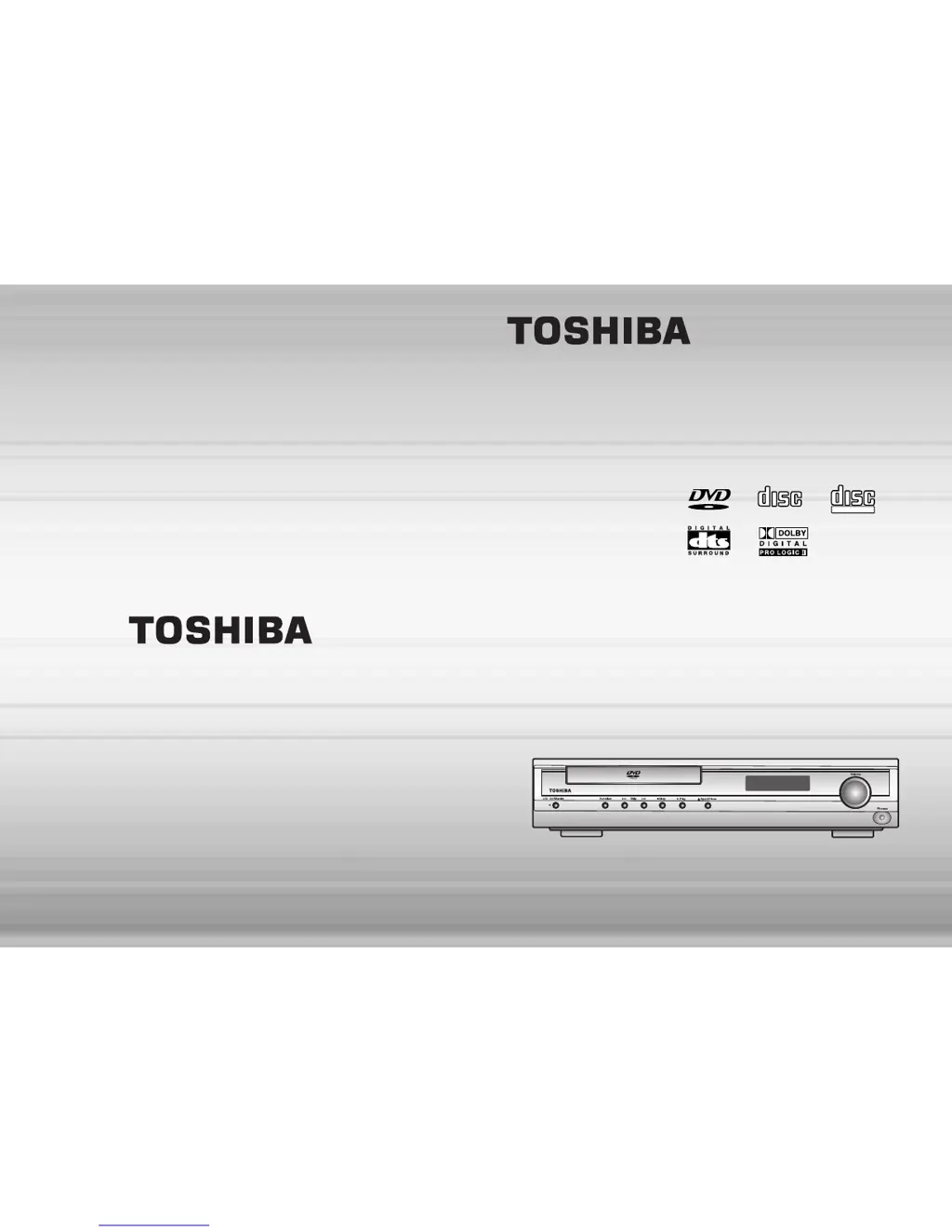
DVD HOME
THEATER SYSTEM
SD-43HT
OWNER’S MANUAL
Before connecting, operating or adjusting this product, please
read this instruction booklet carefully and completely.
V I D E O
COMPACT
DIGITAL AUDIO
COMPACT
DIGITAL VIDEO

Other manuals for Toshiba SD-43HT

Questions and Answers

  • B
    Brittany BrownJul 31, 2025
    Why is there no sound coming from my Toshiba SD-43HT?
    • E
      Erica Levy MDJul 31, 2025
      There might be several reasons for the lack of sound. First, check if the TV is turned on. Second, ensure that the equipment connected with the audio cable is set to receive DVD signal output by selecting the correct input mode on the audio receiver. Third, verify that the audio cables are securely connected. Fourth, make sure that the equipment connected with the audio cable is turned on. Finally, check that the Digital Audio Output is set to the correct position, then turn on the DVD receiver again.
  • P
    Philip MaysAug 6, 2025
    What to do if my Toshiba SD-43HT has no picture?
    • S
      Steven BergerAug 7, 2025
      If there is no picture, ensure that the TV is set to receive DVD signal output by selecting the appropriate video input mode so the picture from the DVD receiver appears on the TV screen. Also, check that the video cable is securely connected to the jacks.
  • L
    Lisa MccartyAug 12, 2025
    What to do if my Toshiba Home Theater System remote control does not work properly?
    • A
      Alicia DickersonAug 13, 2025
      If the remote control isn't working correctly, try these steps: First, point the remote control at the remote sensor of the DVD receiver. Second, ensure that you are operating the remote control within about 23 ft (7 m). Third, remove any obstacle in the path of the remote control and the DVD receiver. Fourth, replace the batteries with new ones.
  • C
    cathybrownAug 18, 2025
    Why won't my Toshiba SD-43HT Home Theater System DVD receiver start playback?
    • R
      reedkevinAug 19, 2025
      The DVD receiver might not start playback for several reasons. First, ensure that a disc is inserted, and the DVD or audio CD indicator is lit. Second, make sure you've inserted a playable disc, checking the disc type, color system, and regional code. Third, verify the disc is placed with the playback side down. Fourth, ensure the disc is placed correctly within the guide on the disc tray. Fifth, clean the disc if it's dirty. Finally, check if the Rating level is set and, if so, cancel the Rating function or change the rating level.
  • D
    Dana BlairAug 25, 2025
    Why is my Toshiba SD-43HT Home Theater System DVD receiver not working even though the power is on?
    • R
      ryantownsendAug 25, 2025
      If the power is on, but the DVD receiver does not work, it might be because no disc is inserted. Insert a disc and check that the DVD or audio CD indicator in the display window is lit.

Summary

Safety Precautions

Electrical and Laser Safety Warnings

Warnings regarding electric shock, laser product safety, and fire prevention.

Important Safety Instructions

General Operating and Servicing Guidelines

Comprehensive instructions for safe operation, installation, and maintenance of the apparatus.

Speaker Connection and Placement

Ideal Speaker Placement Guidelines

Guidelines for optimal placement of front, center, and rear speakers for surround sound.

TV Connection Methods

Video Connection Options

Instructions for connecting the DVD player to a TV using Video, S-Video, or Component Video.

DVD Playback Operations

Using the On-Screen Display for Playback

How to display and change playback settings like title, chapter, audio, and subtitle.

Playback Control: Pause and Stop

Instructions for pausing, resuming, and stopping DVD playback.

MP3;WMA CD Playback Features

Starting and Stopping MP3;WMA Playback

Steps to start and stop playback of MP3/WMA files.

Disc Menu and Repeat Functions

Accessing Disc Menus

How to access and navigate disc menus for language, subtitles, etc.

Using the Top Menu

How to access and remove the top menu for disc navigation.

Playback Language and Angle Selection

Selecting Audio Language

How to select different audio tracks and languages for DVD playback.

Selecting Subtitle Language

How to select different subtitle tracks, languages, or turn them off.

Program Playback

Programming Tracks in Order

How to select and store favorite tracks for programmed playback on CDs.

Setup Functions Overview

Initial Setup Operations

Steps for navigating the setup menu and making initial settings.

Adjusting TV Aspect Ratio

How to set the screen size (4:3 or 16:9) to match your TV.

Advanced Setup Options

Parental Control Management

How to set parental control ratings and passwords to restrict content.

Speaker Configuration

Speaker Mode and Delay Time Setup

How to set speaker modes (Small/None) and delay times for surround sound.

Detailed Speaker Delay Time Adjustment

Detailed instructions for adjusting delay times for center and surround speakers.

Sound Field Customization

Speaker Balance Adjustment

How to adjust the sound level for each channel (front, center, rear, sub).

Using Test Tone for Balance

How to use the test tone to help adjust speaker balance.

Dolby Pro Logic II Decoder Modes

Selecting Pro Logic II Playback Modes

How to select different Pro Logic II modes (Cinema, Pro Logic, Matrix, Music).

Troubleshooting Guide

Power and Picture Issues

Symptoms, causes, and corrections for power and picture display problems.

Sound and Playback Problems

Symptoms, causes, and corrections for audio and playback issues.

Video Quality and Remote Control Issues

Symptoms, causes, and corrections for poor video quality and remote control malfunctions.

Toshiba SD-43HT Specifications

Power Output IconPower Output
main channel power output50-Watts/Channel
subwoofer power output70-Watts
satellites power output6W
subwoofer power output (subwoofer)3W
Audio and Video Specifications IconAudio and Video Specifications
video d/a converter10bit/27mHz
audio d/a converter24bit/96kHz
tuner range87.5 - 108/100kHz
tuner presets15 AM + 15 FM
Weight and Dimensions IconWeight and Dimensions
box weight44 lbs
main system dimensions14/3/16” x 2-15/16” x 14-1/3”
satellite speaker dimensions4-3/4” x 5-3/16” x 7-1/3”
subwoofer dimensions8-1/4” x 13-1/4” x 14-1/3”
center speaker dimensions11-13/16” x 5” x 5-1/3”

Related product manuals