EasyManua.ls Logo

Toshiba SD-V55HT - User Manual

Toshiba SD-V55HT
50 pages
Print Icon
To Next Page IconTo Next Page
Loading...
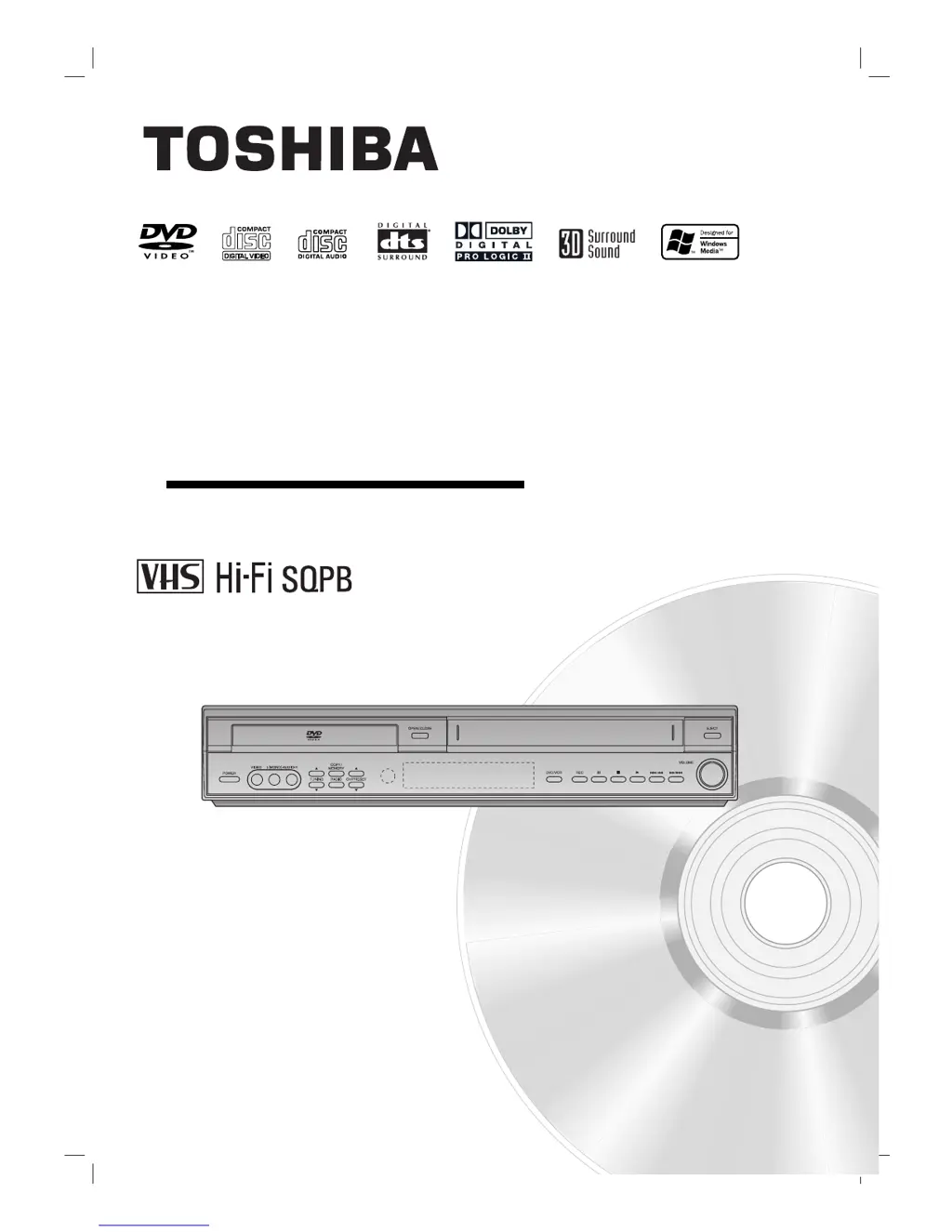
SD-V55HTSU
OWNER’S MANUAL
DVD/VCR
Home Theater System
Before connecting, operating or adjusting this product,
please read this instruction booklet carefully and completely.
©2004 Toshiba Corporation
This device does not tape-record copy protected DVD Video Discs.

Table of Contents

Other manuals for Toshiba SD-V55HT

Questions and Answers

  • R
    Rachael JohnsonAug 15, 2025
    How to get sound from DIGITAL AUDIO IN (OPTICAL) on my Toshiba SD-V55HT?
    • H
      hallsheilaAug 15, 2025
      If you are not getting any sound from DIGITAL AUDIO IN (OPTICAL) on your Toshiba Home Theater System, it might be because the DVD/VCR Receiver source is not set to DIGITAL AUDIO IN (OPTICAL). Select OPTICAL by pressing AUX once.
  • L
    Lauren CurtisAug 18, 2025
    Why is there severe hum or noise heard from my Toshiba SD-V55HT?
    • J
      Jeffrey KruegerAug 18, 2025
      If you are experiencing severe hum or noise with your Toshiba Home Theater System, it might be due to several reasons. First, check if the plugs and jacks are dirty and wipe them with a cloth slightly moistened with alcohol. Also, ensure that the disc is clean. Poorly connected speakers and components can also cause this issue, so make sure they are securely connected. Finally, the DVD/VCR Receiver might be too close to the TV, so try moving the TV away from the audio components.
  • O
    ochandlerAug 21, 2025
    How to fix a remote control that cannot operate my Toshiba SD-V55HT Home Theater System?
    • J
      Jennifer CarterAug 21, 2025
      If the remote control is not operating your Toshiba Home Theater System, it might be in the incorrect mode. For example, it could be in TV mode. To fix this, press DVD/CD, VCR, or FM/AM to select the correct mode on the remote.
  • C
    christinemoralesAug 25, 2025
    Why my Toshiba SD-V55HT Home Theater System cannot tune in radio stations?
    • M
      Michael VargasAug 25, 2025
      If you can't tune in radio stations on your Toshiba Home Theater System, it could be due to a poorly positioned or connected antenna. Connect the antenna securely. If you're using automatic tuning, the signal strength of the stations might be too weak, so try tuning in the station manually. Also, if you're tuning by scanning preset stations, ensure that the stations have been preset.
  • M
    Michael GarzaAug 27, 2025
    What to do if the receiver is not shown on TV screen with my Toshiba Home Theater System?
    • N
      nwilliamsAug 27, 2025
      If the receiver is not shown on the TV screen when using your Toshiba Home Theater System, the DVD/VCR Receiver INPUT SELECT might not be set to LINE1(L1) or LINE2(L2). Press the INPUT button to select the LINE input channel (LINE1(L1) or LINE2(L2)).
  • B
    Brittany ReeseAug 30, 2025
    Why picture and sound of broadcasting channel are weak or missing on my Toshiba Home Theater System?
    • A
      Adam WatkinsAug 30, 2025
      If the picture and sound of a broadcasting channel are weak or missing on your Toshiba Home Theater System, the antenna or cables might be loose. Tighten the connections or replace the cable. It could also be that the wrong CHANNEL SOURCE option is being used, so try all CHANNEL SOURCE options.
  • T
    tony08Sep 2, 2025
    Why is stereo audio record and/or playback not present on my Toshiba Home Theater System?
    • D
      Douglas JohnsonSep 2, 2025
      If you're missing stereo audio record and/or playback on your Toshiba Home Theater System, there could be several reasons. If your TV is not Stereo-compatible or the broadcast program is not in stereo format, no action is possible. Ensure the DVD/VCR Receiver A/V Out jacks are connected to the TV A/V In jacks. Also, make sure the DVD/VCR Receiver Audio/Video Out is selected for viewing at the TV by selecting AUX or A/V source as TV input. Finally, check that the DVD/VCR Receiver BROADCAST TYPE mode is set to STEREO.
  • G
    Geoffrey RodriguezSep 5, 2025
    Why timer recording is not possible on my Toshiba SD-V55HT Home Theater System?
    • F
      Fred RossSep 5, 2025
      If you are unable to perform timer recording on your Toshiba Home Theater System, ensure the clock in the DVD/VCR Receiver is set to the correct time. Also, the timer may have been programmed incorrectly, so reprogram the timer. If the indicator light does not appear after programming the timer, reprogram the timer again.
  • B
    bakerstevenSep 8, 2025
    Why some channels are skipped over when using CH. ADD/DEL option on my Toshiba Home Theater System?
    • D
      Dale HayesSep 8, 2025
      If some channels are skipped over when using the CH. ADD/DEL option on your Toshiba Home Theater System, it's likely because those channels were deleted with the CH. ADD/DEL option. Use CH. ADD/DEL to restore channels.
  • K
    Kristin AndersonSep 12, 2025
    What to do if camcorder image is not shown on my Toshiba Home Theater System?
    • N
      Nathaniel MontoyaSep 12, 2025
      If the camcorder image is not shown on your Toshiba Home Theater System, the camcorder might be off. Turn the camcorder on and operate it properly.

Summary

Safety Precautions

General Safety Warnings

Covers electric shock, fire hazards, plug safety, installation, and cleaning precautions.

Important Safety Instructions

Operating and Installation Precautions

Covers water, ventilation, heat, cord protection, and tip-over prevention.

Before Use

Remote Control Functions

Connections Guide

Antenna and Cable TV Connection

Steps for connecting antennas and cable TV, including box setups.

Connections - TV Options

Progressive Scan Connection

Setting up for high-resolution progressive scan output.

Connections - Speaker and Accessories

Speaker System Connections

Connecting speakers via cords and terminals for surround sound.

Speaker Positioning Guidelines

Optimal placement for front, center, rear speakers, and subwoofer.

Selecting Input;Output Source

DVD;CD and VCR Source Selection

Choosing between DVD deck and VCR deck outputs.

Sound Mode Descriptions

Sound Mode Selection

How to choose sound modes using the SOUND MODE button.

VCR Operation Setup

On-Screen Menu Navigation

How to access and navigate CLOCK, PROGRAM, TUNING, and SETUP menus.

VCR Setup Menu Options

VCR Setup Menu Settings

Configuring OSD, Audio Mode, Broadcast Type, and Audio Output.

Channel Selection and Programming

Covers tuner capabilities, auto programming, and manual channel management.

Setting the Clock

Auto Clock Set Feature

Automatic clock setting using XDS information.

Manual Clock Set Procedure

Steps for manually setting the time and date.

DVD Operation Setup

DVD Playback Controls

Managing Title, Chapter, Audio, Subtitle, Angle, and Sound settings.

DVD Initial Settings

General Operation and Language Settings

Setting disc audio, subtitle, menu language preferences.

Picture Settings

Adjusting TV Aspect and Progressive Scan output.

DVD Operation - Advanced Settings

Speaker Setup and Surround Options

Configuring speaker balance, distance, and surround decoder.

Playback Enhancement Settings

Adjusting DRC, Vocal, Auto Play, B.L.E., Pluge, and DNR.

DVD Operation - Parental Controls

Parental Control Setup and Area Code

Setting parental ratings, area codes, and managing passwords.

VCR Operation - Playback

Normal Playback and Tracking

Steps for playback and adjusting picture tracking.

VCR Operation - Recording

Normal Recording Procedure

Steps to insert tape and start direct recording.

Timer Recording Setup

Programming future recordings and setting the clock.

VCR Timer Recording Options

Timer Recording Settings

Setting speed, repeat, checking, and program priority.

VCR Operation - Advanced Recording

Instant Timer Recording

Making recordings of a preset length easily.

Dubbing and DVD to VCR Copying

Copying from external sources and DVDs to VHS tape.

DVD and Video CD Operation

DVD;VCD Playback Controls

DVD Features and Settings

Audio CD and MP3;WMA Operation

JPEG File Operation

Programmed Playback

Speaker Setup

Speaker Distance and Test Settings

Setting speaker distance and testing speaker signals.

TV Remote Control Setup

Setting TV Control Codes

Programming the remote to control other TV brands.

TV Remote Control Brand Codes

Troubleshooting Guide

Power and Unit Operation Issues

Causes and solutions for no power or unit not working.

Video and Audio Output Issues

Troubleshooting no picture or no sound problems.

Playback and Remote Control Issues

Solutions for poor playback picture, playback not starting, and remote problems.

Troubleshooting - Common Issues

Product Specifications

Limited Warranty Information

90-Day Labor and 1-Year Parts Warranty

Coverage details for labor and parts defects.

Warranty Service and Legal Information

Obtaining Warranty Service

Contact information and procedure for warranty service.

Toshiba SD-V55HT Specifications

General IconGeneral
Tuner BandsAM/FM
Preset Station Qty30
Video OutputComposite, S-Video
Playback FormatsCD, DVD
Recording FormatsNot applicable
Remote ControlYes
FunctionsDVD player
Audio D/A Converter24-bit/96kHz
Tuner Frequency RangeAM: 530 - 1710 kHz, FM: 87.5 - 108 MHz
Response Bandwidth20Hz-20kHz
Built-in DecodersDolby Digital

Related product manuals