EasyManua.ls Logo

Toshiba SD-V592SU - User Manual

Toshiba SD-V592SU
49 pages
Print Icon
To Next Page IconTo Next Page
Loading...
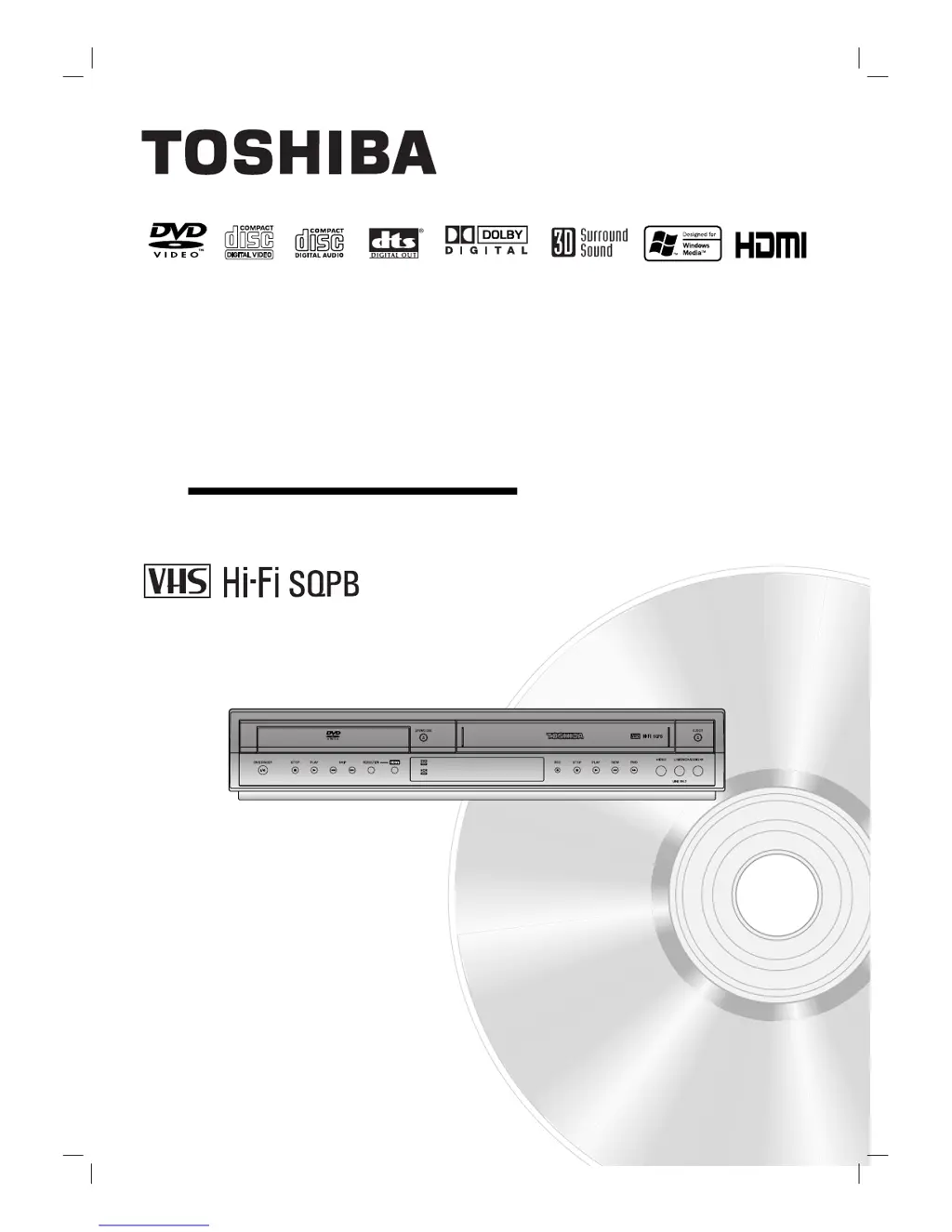
SD-V592SU
SD-V596SU
OWNER’S MANUAL
DVD VIDEO PLAYER &
VIDEO CASSETTE RECORDER
Before connecting, operating or adjusting this product,
please read this instruction booklet carefully and completely.
©2004 Toshiba Corporation
This device does not tape-record copy protected DVD Video Discs.

Table of Contents

Questions and Answers

  • S
    smithshaunJul 29, 2025
    Why is my Toshiba SD-V592SU remote control not working?
    • C
      Calvin ScottJul 30, 2025
      The remote control may not be pointed correctly. Ensure it is aimed at the remote sensor on the Toshiba DVD VCR Combo. The remote might be too far away; operate it within 23 ft (7 m). An obstacle could be blocking the signal; remove any obstructions. The batteries might be dead; replace them with new ones. Also, ensure the correct mode is selected: for VCR, press DVD/VCR SELECT until the VCR indicator lights up; for DVD, press DVD/VCR SELECT until the DVD indicator lights up.
  • K
    Kelly GonzalezAug 4, 2025
    Why is stereo audio not working on my Toshiba SD-V592SU DVD VCR Combo?
    • T
      Timothy BrownAug 4, 2025
      If you're not getting stereo audio record and/or playback on your Toshiba DVD VCR Combo, first ensure your TV is stereo-compatible. Note that no action is possible if your TV is not Stereo-compatible or if the broadcast program is not in stereo format. Check that the DVD VCR Combo A/V Out jacks are correctly connected to the TV A/V In jacks by making A/V connections. Ensure the DVD VCR Combo Audio/Video Out is selected for viewing on the TV by selecting AUX or A/V source as TV input. Finally, verify that the DVD VCR Combo BROADCAST TYPE mode is set to STEREO.
  • T
    Terry EricksonAug 8, 2025
    What to do if timer recording is not possible on Toshiba DVD VCR Combo?
    • K
      Kari BarkerAug 8, 2025
      Timer recording may not be working because the clock in the Toshiba DVD VCR Combo is not set to the correct time; set the clock to the correct time. The timer may have been programmed incorrectly; reprogram the timer. Also, make sure the timer indicator appears after programming the timer by reprogramming it. Note that if the DVD VCR Combo is in Timer Recording mode, this is the normal indication that the unit is in TIMER mode.
  • C
    Christopher EvansAug 13, 2025
    How to restore skipped channels on Toshiba DVD VCR Combo?
    • K
      Kristine WebbAug 13, 2025
      If some channels are skipped when using the CH/TRK (+/-) option on your Toshiba DVD VCR Combo, it's likely because those channels were previously deleted using the CH. ADD/DEL option. To restore these channels, use the CH. ADD/DEL function again.
  • A
    Alex YuAug 19, 2025
    What to do if picture and sound are weak on Toshiba SD-V592SU?
    • S
      stephaniefergusonSep 12, 2025
      If the picture and sound of a broadcasting channel are weak or missing on your Toshiba DVD VCR Combo, check that the antenna or cables are not loose; tighten the connections or replace the cable. Also, try all TUNING BAND options, as the wrong TUNING BAND option might be in use.
  • J
    Jacqueline WilliamsAug 23, 2025
    Why is camcorder image not showing on Toshiba SD-V592SU?
    • M
      matthewwilsonAug 23, 2025
      If the camcorder image is not shown on your Toshiba DVD VCR Combo, first, ensure the camcorder is turned on and operating properly. Next, check that the DVD VCR Combo SOURCE SELECT is set to LINE1 or LINE2 by pressing INPUT SELECT to select LINE input to DVD VCR.

Summary

Safety Precautions

General Electrical and Fire Safety Warnings

Crucial warnings about electrical shock, fire hazards, and product exposure to moisture.

Important Safety Instructions

Comprehensive Safety Guidelines for Operation

Detailed instructions covering reading, heeding warnings, and proper product usage.

Front Panel Controls and Indicators

Description of Front Panel Components

Detailed explanation of buttons, ports, and indicators located on the front panel.

Rear Panel Connectivity

Overview of Rear Panel Ports

Details of all input and output jacks for connecting external audio and video devices.

Remote Control Operation

Remote Control Functions and Button Explanations

Explanation of each button's function for both DVD and VCR operations.

Connecting Your Device to TV and Antenna

Antenna and Cable TV Connection Methods

Instructions for connecting antennas and cable boxes for signal reception.

HDMI Connection for High-Quality Output

Connecting via HDMI Cable

Instructions for connecting to a TV using an HDMI cable for digital audio and video.

VCR Setup Menu and Channel Tuning

Configuring VCR Setup Menu Options

Adjusting settings like audio mode, broadcast type, and audio output.

VCR Clock Setting Procedures

Setting the Clock Automatically and Manually

Instructions for setting the clock using auto or manual methods, including DST and time zones.

DVD Initial Setup and General Operation

Initial Settings for Language, Audio, and Subtitles

Configuring language, audio, and subtitle preferences via the setup menu.

DVD Display and Audio Configuration

Adjusting TV Aspect Ratio and Display Mode

Options for screen aspect ratio and display modes like LetterBox and Panscan.

Configuring Dolby Digital, DTS, and MPEG Audio

Settings for audio output options like Bitstream, PCM, Sample Freq., DRC, and Vocal.

DVD Parental Control and Lock Settings

Setting Ratings, Passwords, and Country Codes

Managing parental controls for movie ratings, security codes, and country code restrictions.

VCR Tape Operation: Playback and Special Effects

Normal Playback and Tracking Control

How to play tapes normally, adjust tracking, and use fast forward/rewind.

VCR Tape Operation: Recording and Index Search

VCR Timer Recording Setup

Programming Timer Recordings

Setting up automatic recordings for up to 8 programs with channel and time details.

VCR Timer Program Management and OTR

Checking and Erasing Timer Programs

Reviewing and deleting programmed timer recordings.

DVD and Video CD Playback Operations

Advanced DVD and Video CD Playback Features

DVD Advanced Features and Menus

Controlling External Devices with Remote

Controlling Cable Boxes and Satellite Receivers

Troubleshooting Common Issues

Resolving Power, Picture, and Sound Problems

Solutions for issues like no power, abnormal picture, distorted sound, or poor playback.

Troubleshooting Playback and Disc Errors

Addressing problems with disc insertion, unplayable discs, and rating level issues.

Troubleshooting Device and Signal Issues

Remote Control and Channel Reception Issues

Fixing remote control malfunctions and problems with channel reception.

Timer Recording and Stereo Audio Problems

Resolving issues with timer recording, indicator lights, and stereo audio playback.

Toshiba SD-V592SU Specifications

General IconGeneral
BrandToshiba
ModelSD-V592SU
CategoryDVD VCR Combo
LanguageEnglish

Related product manuals