English - 6 -
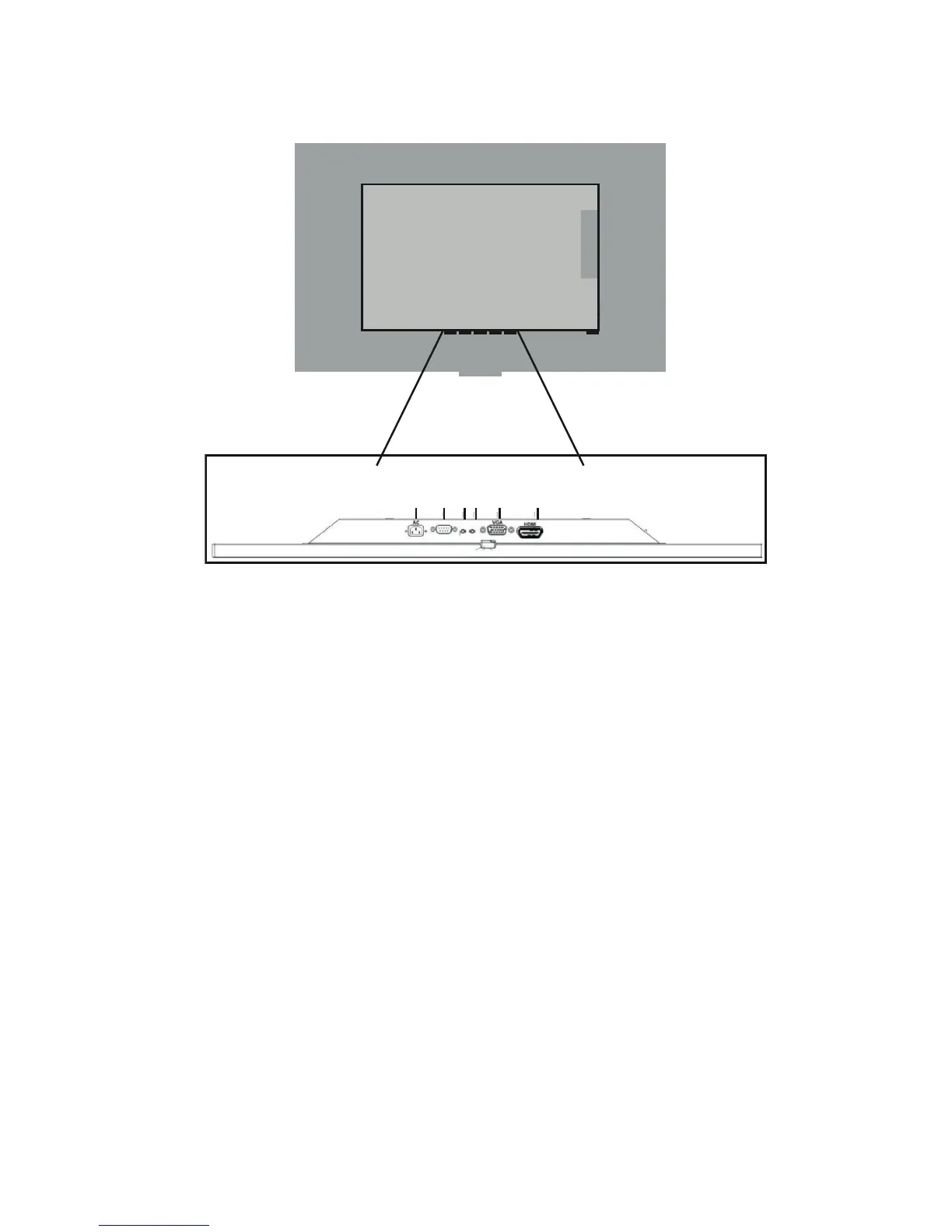
AC (Power): The mains cable provides power to
the display device.
Line IN: Line-in recording is a term often used by
manufacturers of sound equipment to refer to the
capability of a device to record line level audio feeds.
Microphone and instrument inputs, by contrast,
are designed for devices which require further
amplication to be at line-level.
Line OUT: Alternatively referred to as audio out
and sound out, the line out or line-out is a jack
found on computer sound cards that allow external
speakers, headphones, or other output devices to be
connected to the computer, which enables computer
generated sound and audio to be heard.
VGA : Analogue video signal input sometimes
refereed to as D-Sub.
HDMI : High Denition Multimedia Interface input
used for transfer of digital video and audio.
RS232: Serial communication port.
Connecting External Equipment
Before connecting any external equipment, remove the mains plug from the wall socket.



 To Next Page