English - 8 -
Function Buttons
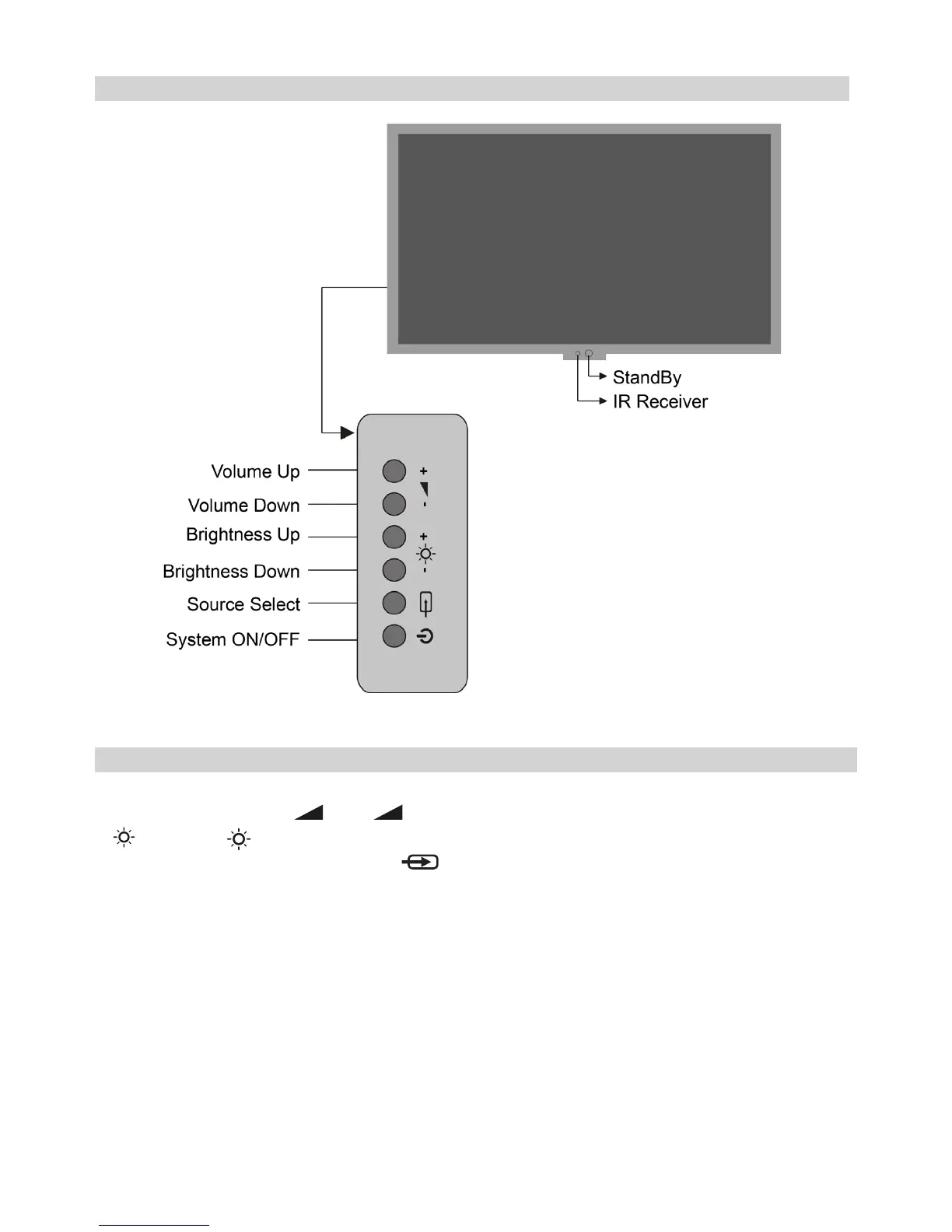
Using the Controls On the Monitor
Using the control buttons on the Back of the monitor:
• To alter the volume press
+
or -
•
-
Increase or
decrease the brightness setting of the screen.
• To select an external input, press button until the appropriate input source is selected.
Please always refer to the owner’s manual of the equipment to be connected for full details.
The video inputs will be switched automatically if the current source is no longer detected. Priority of the
Signal is OPS->HDMI->VGA (D-Sub).



 To Next Page