GB
16
Presetting the Stations Automatically
☛ You do not need to preset the stations if you have already
set them automatically (see Plug & Auto Set Up on
page 11).
Your VCR contains a built-in tuner used to receive television
broadcasts.
You must preset the stations received through the tuner. This can
be done:
◆ Plug & Auto Set up (see page 11)
◆ Automatically
◆ Manually (see page 17)
You can store up to 80 stations.
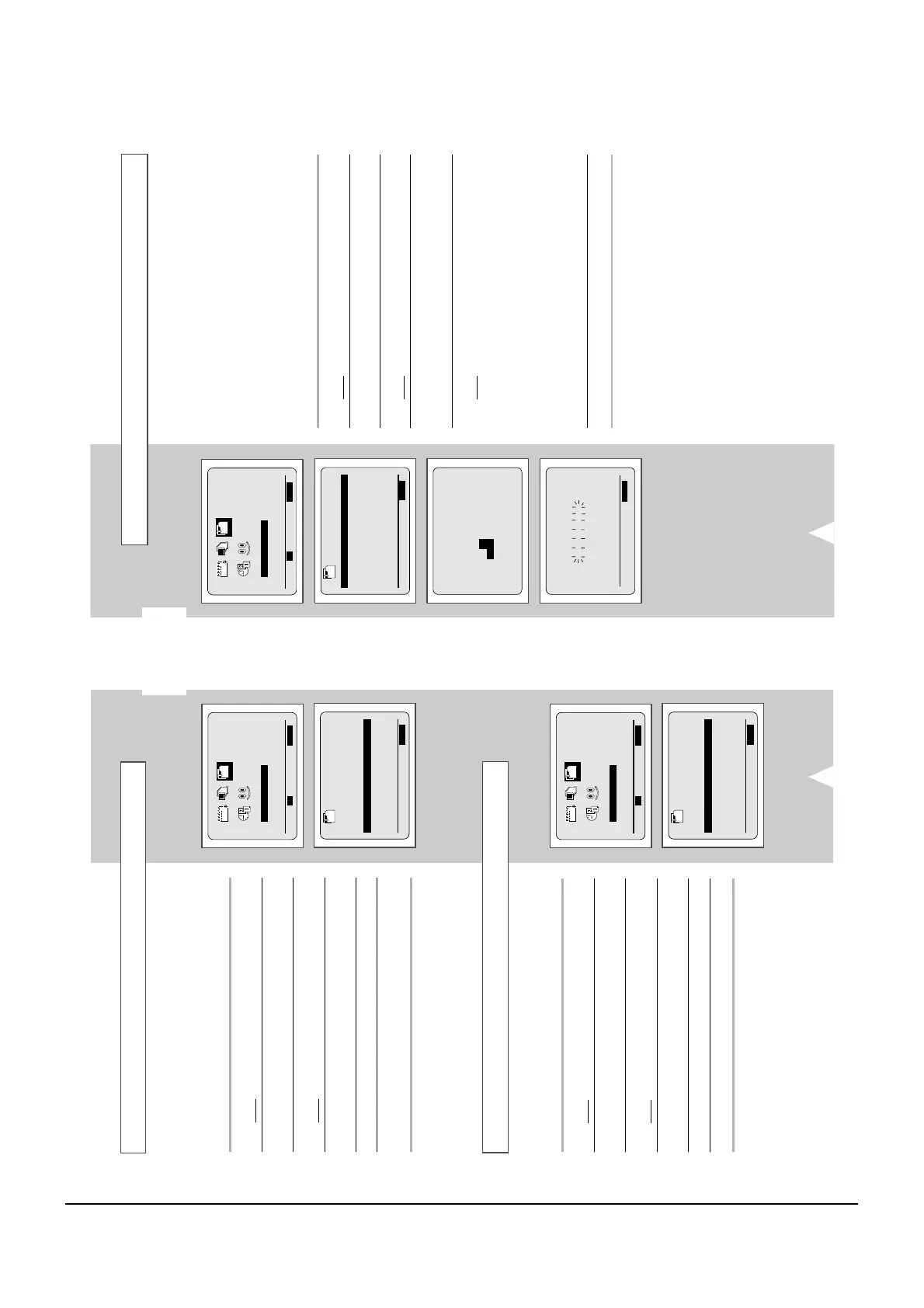
1 Press the MENU button on the remote control.
Result
: The programming menu is displayed.
2 Press the corresponding
,
or
¥
,
buttons to select the
INSTALLATION option.
3 Press the OK button to select this option.
Result
: The INSTALLATION menu is displayed.
4 Press the corresponding
or
buttons, until the AUTO SET
UP option is selected.
Press the
button to select this option.
5 Press OK to start the auto scanning.
Result
:
◆
The PLEASE WAIT indication flashes on the
television screen.
◆
The first frequency band is scanned and the first
station found is displayed and stored.
◆
The VCR then searches for the second station and
so on.
◆
When the automatic scanning procedure has
finished, the VCR switches automatically to
programme 1.
➢
The number of stations automatically stored by the VCR
depends on the number of stations that it has found.
6 If you wish to cancel the auto scanning before the end, press the
MENU button three times to exit the menu.
➢
◆ Once the auto scanning procedure has finished, some
stations may have been stored more than once; select
the stations with the best reception and delete the
ones no longer required (see page 18).
INSTALLATION
GB
15
Your VCR output channel may need to be changed if the pictures
suffer from interference or if your TV cannot find the pictures.
Also, you can change the VCR output channel to adjust the
frequency in which information is displayed on the screen.
1 Press MENU on the remote control.
Result
: The programming menu is displayed.
2 Press the corresponding
,
or
¥
,
buttons to select the
INSTALLATION option.
3 Press the OK button to select this option.
Result
: The INSTALLATION menu is displayed.
4 Press the corresponding
or
buttons, until the VCR OUTPUT
CH option is selected.
5 Select the required output channel by pressing the
¥
or
buttons.
6 On completion, press MENU twice to exit the menu.
Then tune your television again (see page 12).
Setting the VCR Output Channel
INSTALLATION
AUTO SET UP
MANUAL SET UP
TV SYSTEM :G
VCR OUTPUT CH :CH60
END:MENU
You must choose the sound mode (G, I or K) according to the TV
set connected to your VCR.
1 Press MENU on the remote control.
Result
: The programming menu is displayed.
2 Press the corresponding
,
or
¥
,
buttons to select the
INSTALLATION option.
3 Press the OK button to select this option.
Result
: The INSTALLATION menu is displayed.
4 Press the corresponding
or
buttons, until the TV SYSTEM
option is selected.
5
Press the
button to select G, I or K.
6 On completion, press MENU twice to exit the menu.
Selecting the RF OUT Sound Mode (G, I, or K)



 To Next Page