GB
20
Selecting the Cassette Type
If you wish to use the tape counter to display the time remaining on
a cassette, you must indicate the type of cassette inserted.
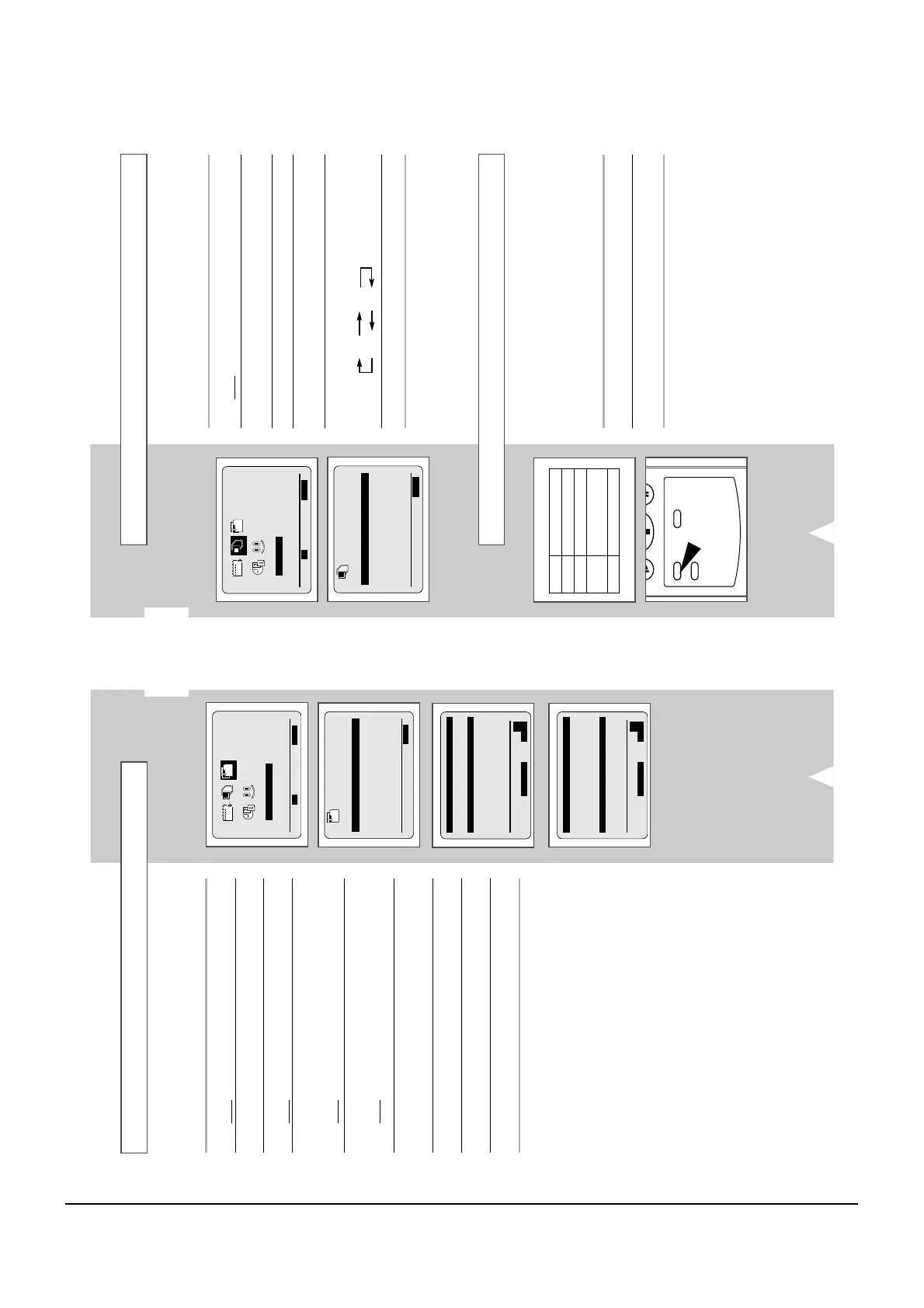
1 Press MENU on the remote control.
Result
: The programming menu is displayed.
2 Press the corresponding
,
or
¥
,
buttons to select the
USER SET option.
3 Press the OK button to select this option.
4 Press the corresponding
or
buttons, until the TAPE
SELECT option is selected.
5 Press the
¥
or
buttons as many times as required, until the
correct cassette length is displayed.
E180 E240
E 300 E260
6 Press MENU twice to exit the menu.
Selecting the Recording Speed
T
ype Recording Time (in SP)
E-180 180 mins. or 3 hours
E-240 240 mins. or 4 hours
E-260 260 mins. or
4 hours and 20 mins.
E-300 300 mins. or 5 hours
You can record a cassette at two different speeds:
◆ SP (Standard Play)
◆ LP (Long Play)
In Long Play modes:
◆ Each cassette lasts twice as long
To record a cassette... Press the SP/LP button on the
remote control, until...
In standard play mode SP is displayed.
In long play mode
LP is displayed.
GB
19
Changing the Preset Station Table
You can rearrange the preset TV stations according to your own
preferences programme number assigned to the station.
1 Press the MENU button on the remote control.
Result
: The programming menu is displayed.
2 Press the corresponding
,
or
¥
,
buttons to select the
INSTALLATION option.
3 Press the OK button to select this option.
Result
: The INSTALLATION menu is displayed.
4 Press the corresponding
or
buttons, until the MANUAL SET
UP option is selected.
And then press the
button to select this option.
Result
: The
TV STATION TABLE menu is displayed.
5 Press the corresponding
or
buttons, until the required preset
TV programme is selected.
Result
: The selected station is displayed at the same time on
the television screen.
6 To change the programme number assigned to a station press the
OK button on the remote control. (For example, To move a TV
station in programme 1 to programme 3)
7 Press the
or
buttons to select required position. And then
press OK again to swap the position.
8 You can modify this station by repeating the same procedure from
Step
5 onwards.
9 On completion, press the MENU button three times to exit the
menu.
INSTALLATION



 To Next Page