0:00:00
2
2
The tape counter:
◆ Indicates the elapsed time in the play and record modes
(hours, minutes and seconds)
◆ Is reset when a cassette is inserted in the VCR
◆ Allows you to find the beginning of a sequence easily
☛ If the remaining time is to be calculated correctly, you
must indicate the type of cassette being used.
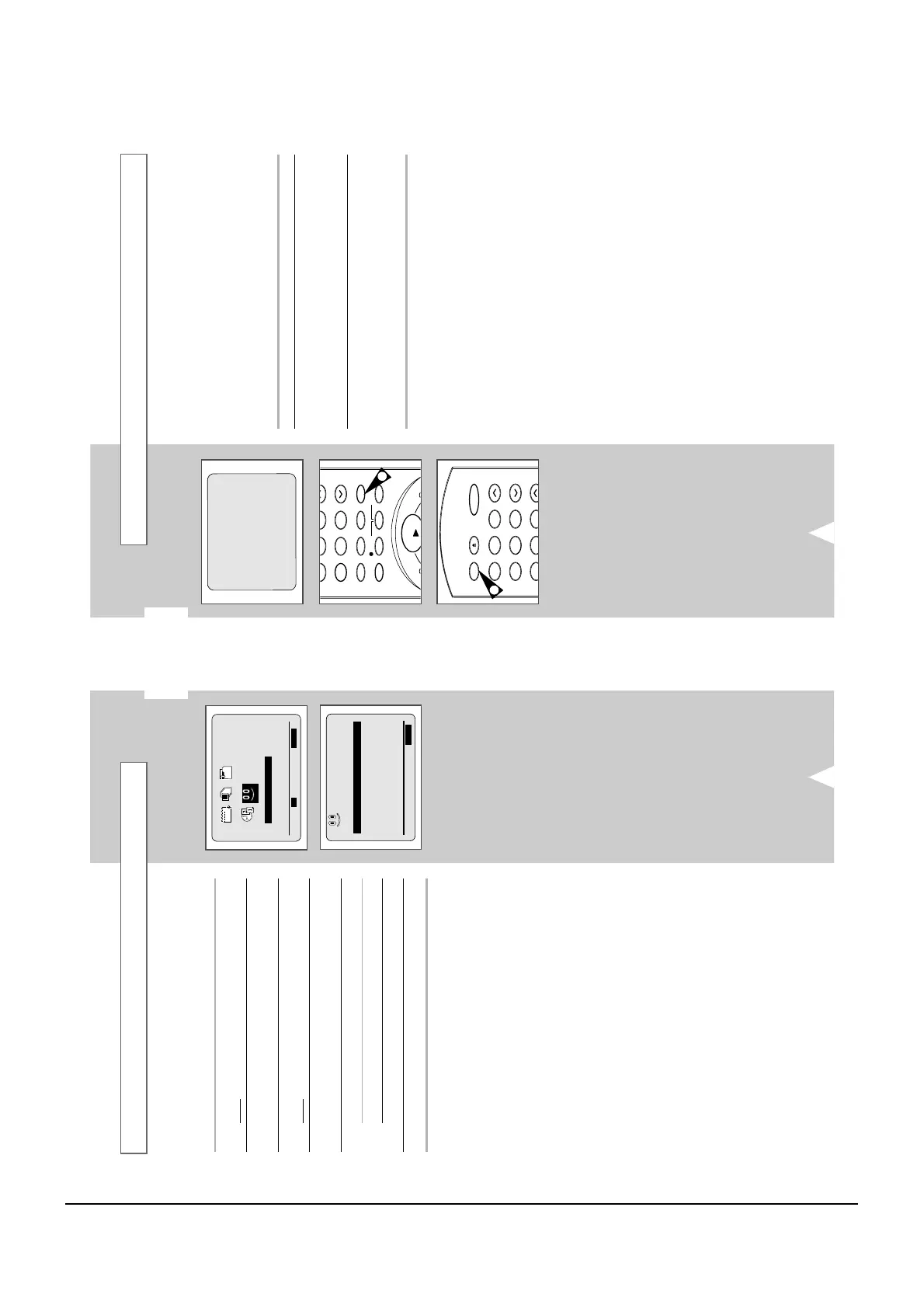
1 Insert a cassette in your VCR.
2 To set the tape counter to zero at the beginning of a sequence:
◆
Press DISPLAY. twice to display the counter
◆
Press CLR/RST when you want to set the tape counter to
zero
3 When you are ready,
◆
Start playback or Recording.
◆
Press the
■
button.
◆
To fast-froward or rewind to the sequence at which the
counter was set to zero, press
¥¥
or
.
➢ Some VCR information, such as the counter, can be
displayed on the television screen (unless you have
deactivated the OSD mode; refer to page 14).
Press DISPLAY:
◆ Once to display the current function, programme
number, recording speed, date, time and counter
◆ Twice to display the counter only
◆ Three times to display the time remaining on the
cassette
◆ Four times to clear the display
GB
31
You can set repeat play to repeat the tape continuously from
beginning to end.
1 Press MENU on the remote control.
Result
: The programming menu is displayed.
2 Press the corresponding
,
or
¥
,
buttons to select the
EASY OPERATION option.
3 Press the OK button to select this option.
Result
: The EASY OPERATION menu is displayed.
4 Press the corresponding
or
buttons, until the
REPEAT PLAY option is selected.
5 To... Press
¥
or
, until...
Repeat play ON is displayed.
Do not wish to repeat play OFF is displayed.
6 On completion, press MENU twice to exit the menu.
Auto Repeat Play
AUTO POWER OFF :OFF
REPEAT PLAY :OFF
END:MENU



 To Next Page