3.2 Advanced Set.
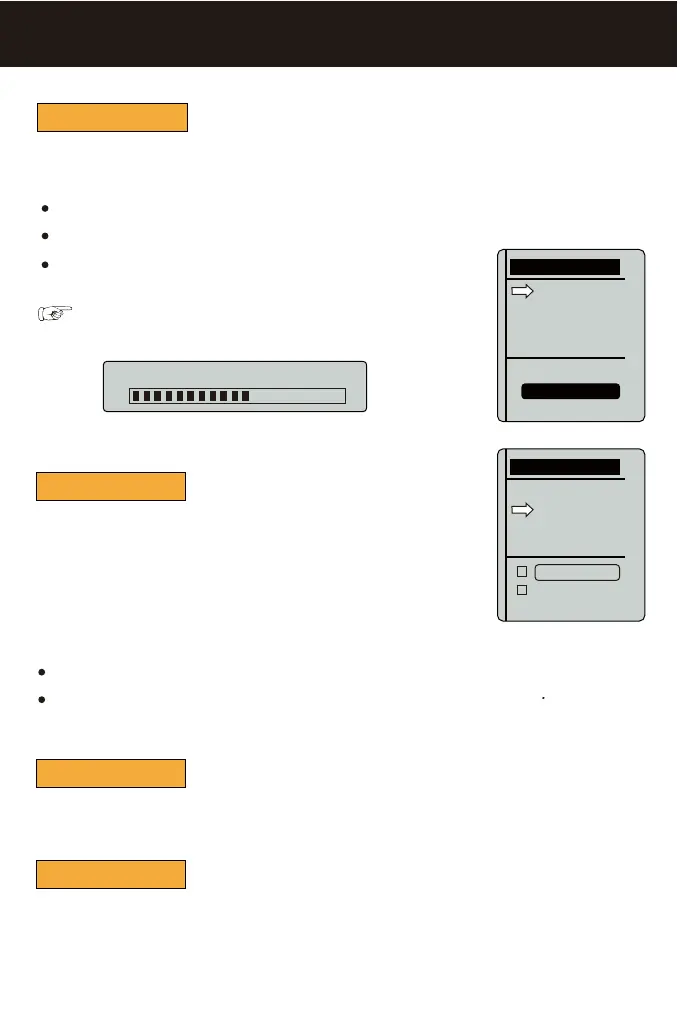
Boat Option
Boat Option
CH Reverse
Channel Limit
Dev. Mode
Advanced Set.
X-Boat
1 Engine
2 Engines
Boat Option
CH Reverse
Channel Limit
Dev. Mode
Advanced Set.
CH1 Reverse
CH2 Reverse
Used to limit the Max speed which your boat can get when it work with X-Pilot.
Channel Limit
Used to enter developing mode for engineer testing.
Dev. Mode
X-Pilot can work with most kinds of bait boats( with 2 engines or 1engine & rudder) . So, before
you start the operation, please select the corresponding boat type.
Mode Setting...
NOTE: after you changed and confirmed a new boat option, a
message-box will appear:
X-Boat: specially for Toslon X-Boat.
1 Engine: for the boat designed with 1 engine (and rudder).
2 Engines: for the boat designed with 2 engines.
CH Reverse
During you made [wiring test], [CH Reverse] is used to correct the
running direction of motor (or rudder) after you found them did not
run the correct direction as expected.
For example, if your boat are with 2 engines, and you found the motor
was running the counter direction when you push [Go Forwarder] in
the [wiring test], then please enter into [CH Reverse] and select
CH2 Reverse.
CH1 Reverse: to correct the running direction of rudder.
CH2 Reverse: to correct the running direction of motor.


 To Next Page