06
2
Pressing this button will cycle the fan speed through one of 4 fan modes, as shown
below:
Fan Button
4
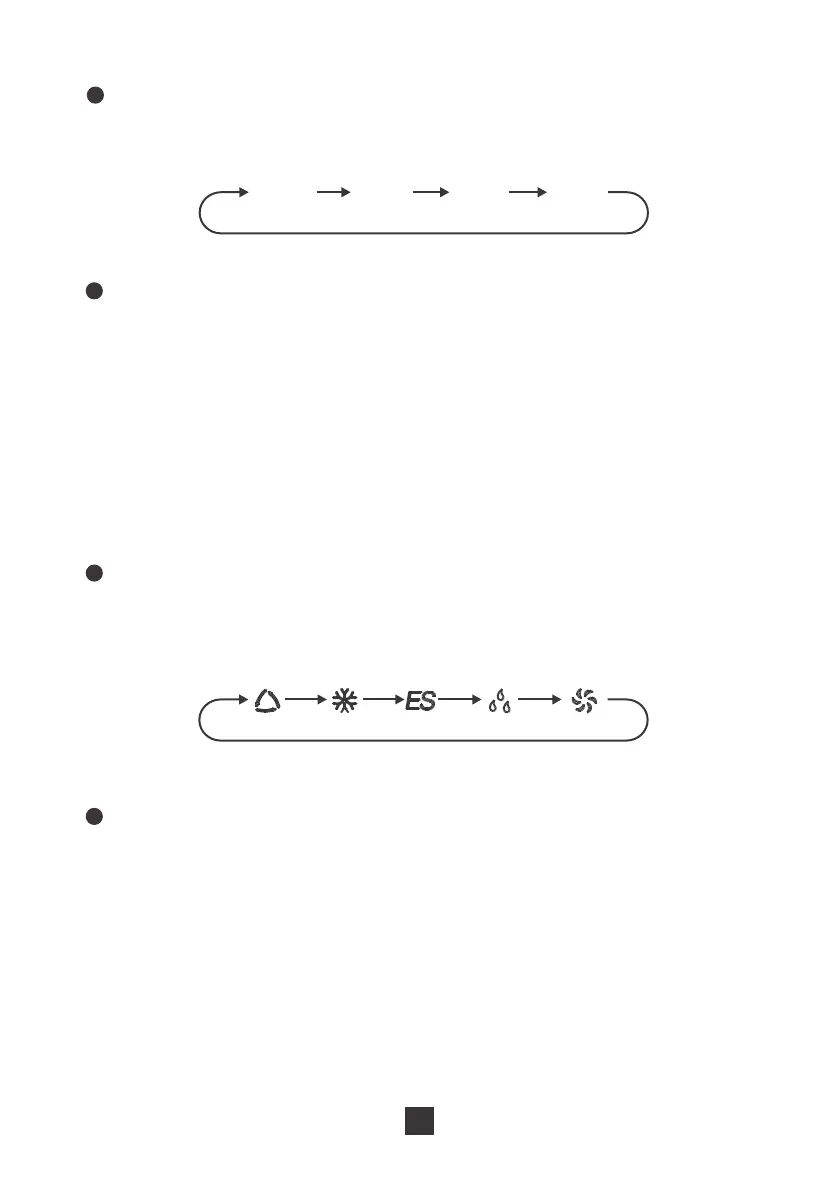
Pressing this button will cycle through one of the 5 function modes, as shown below:
Mode Button
5
When the unit is running, press this button to schedule when the unit will power off
by using the +/- button to adjust the length of time before powering off. When the
unit is not running, press this button to schedule when the unit will power on by using
the +/- button to adjust the length of time before powering on.
Timer Button
3
● Pressing this button will allow you to change the temperature setting. Holding
either button will increase or decrease automatically. It will take 3 seconds for the
temperature settings to be confirmed by the machine.
● After pressing the timer button, the +/- buttons will adjust the timer setting from
0.5-24 hours in 0.5-hour increments. After the 10-hour mark, the +/- button will
adjust the timer setting in 1-hour increments. It will take 5 seconds for the timer
settings to be confirmed by the machine.
+/- Button
AUTO LOW MED HIGH
Save
nergy
DRY FAN
AUTO COOL
E


 To Next Page
 Loading...