EasyManua.ls Logo

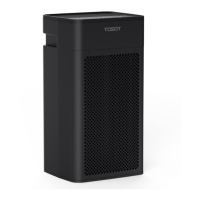
Tosot KJ350G - User Manual

Tosot KJ350G
16 pages
Print Icon
To Next Page IconTo Next Page
Loading...
User Manual
Air Purifier
Before using your TOSOT Portable Air Conditioner
please read this user manual in its entirety.
MO DEL NUMBERS
KJ350G

Questions and Answers

  • D
    Dennis BatesJul 28, 2025
    Why is my Tosot KJ350G not working?
    • M
      Martin WatkinsJul 29, 2025
      Your Tosot Air Cleaner might not be working because it is not properly connected to the power supply. Ensure the unit is plugged into the power outlet. Another reason could be that the filter or front grille cover isn't fully installed. Reinstall them, making sure they are correctly placed. Also, check if the timer setting has expired; if so, exit the timer setting mode.
  • K
    Kyle HoffmanAug 7, 2025
    What to do if my Tosot KJ350G Air Cleaner smells bad?
    • N
      nashgarrettAug 7, 2025
      If your Tosot Air Cleaner emits a bad smell, it might be due to a dirty filter with accumulated dust and contaminants. Replace it with a new air filter. Another possible cause is running the unit in a high humidity area, which can lead to bacteria accumulation. Ensure the unit operates in an area with low humidity.
  • F
    Frank CookAug 16, 2025
    How to fix unusual noise from Tosot KJ350G?
    • C
      Christopher RamosAug 16, 2025
      Unusual noise from your Tosot Air Cleaner may be due to the unit not being placed on a stable and flat surface. Ensure it is on a hard, stable surface, with an inclination angle of less than 10 degrees. Also, the filter may be dirty and in need of replacement with a new one. If the noise persists and seems to be coming from inside the machine, stop using the unit and contact Customer Support.

Summary

Important Safety Instructions

Installation and Setup

Guidelines for correct positioning and safe operation of the air purifier.

Electrical Safety Warning

Precautions for safe electrical connection, plug usage, and power cord handling.

Specifications

Parts List

Operation

Installing the Filter

Step-by-step guide for removing and replacing the air filter.

Connecting Power

Instructions for safely plugging the air purifier into a power source.

Display and Control Panel

Overview of the air purifier's interface, indicators, and button functions.

Cleaning and Maintenance

Filter Replacement Tips

Guidance on when and how to replace the air filter, including alarm signals.

Regular Cleaning Tips

Instructions for routine cleaning of the air purifier and its components.

Long-Term Storage Checklist Tips

Steps for safely storing the air purifier for extended periods.

Troubleshooting

Warranty & Customer Support

Warranty Information

Details about the product's warranty coverage and extension options.

Customer Support

Contact information and resources for obtaining product assistance.

Share your experience

Information on how users can share their feedback and experiences.

Tosot KJ350G Specifications

General IconGeneral
BrandTosot
ModelKJ350G
CategoryAir Cleaner
LanguageEnglish