Installing the MP/8 V.34 2-5
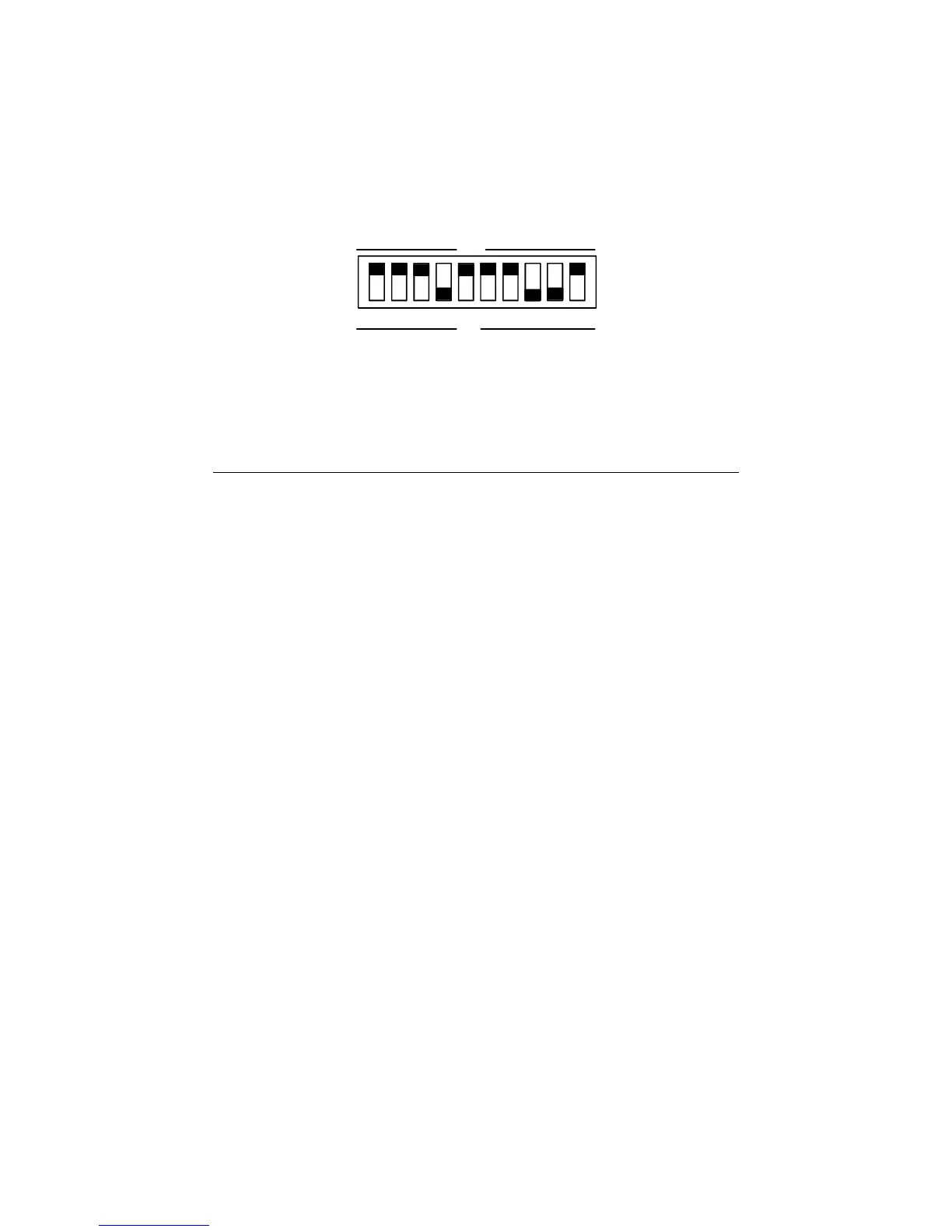
Figure 2.3—DIP Switch Factory Settings
Table 2.1—DIP Switch Functions
Factory
Switch Setting Function
1 OFF Data Terminal Ready Operations
OFF Normal DTR operations: computer must
provide DTR signal for modem to accept
commands; dropping DTR terminates a call
ON DTR always ON (Override)
2 OFF Verbal/Numeric Result Codes
OFF Verbal (word) results
ON Numeric results
3 OFF Result Code Display
OFF Result Codes suppressed
ON Result Codes displayed
4 ON Command Mode Local Echo
OFF Keyboard commands displayed
ON Echo suppressed
5 OFF Auto Answer
OFF Modem answers on first ring
ON Auto answer disabled
6 OFF Carrier Detect Operations
OFF Normal CD operations. Courier sends CD
signal when it connects with another modem,
drops CD on disconnect
ON CD always ON (Override)
7 OFF Auxiliary, DIP Switch 3 ON



 To Next Page