TRWS indicator user’s manual
SECTION 12 TECHNICAL PARAMETERS
Press UNIT key and PRINT/M+ key together when normal weighing mode, display
shows “F0 H-L”, press TARE key until display shows “PrOG”, press ZERO key,
display shows “PIN”, press momentarily G/N、then UNIT、then ZERO key to enter
setting mode, press TARE key to select parameter, press ZERO key to enter into
Function and Sub-function, press UNIT key to escape.
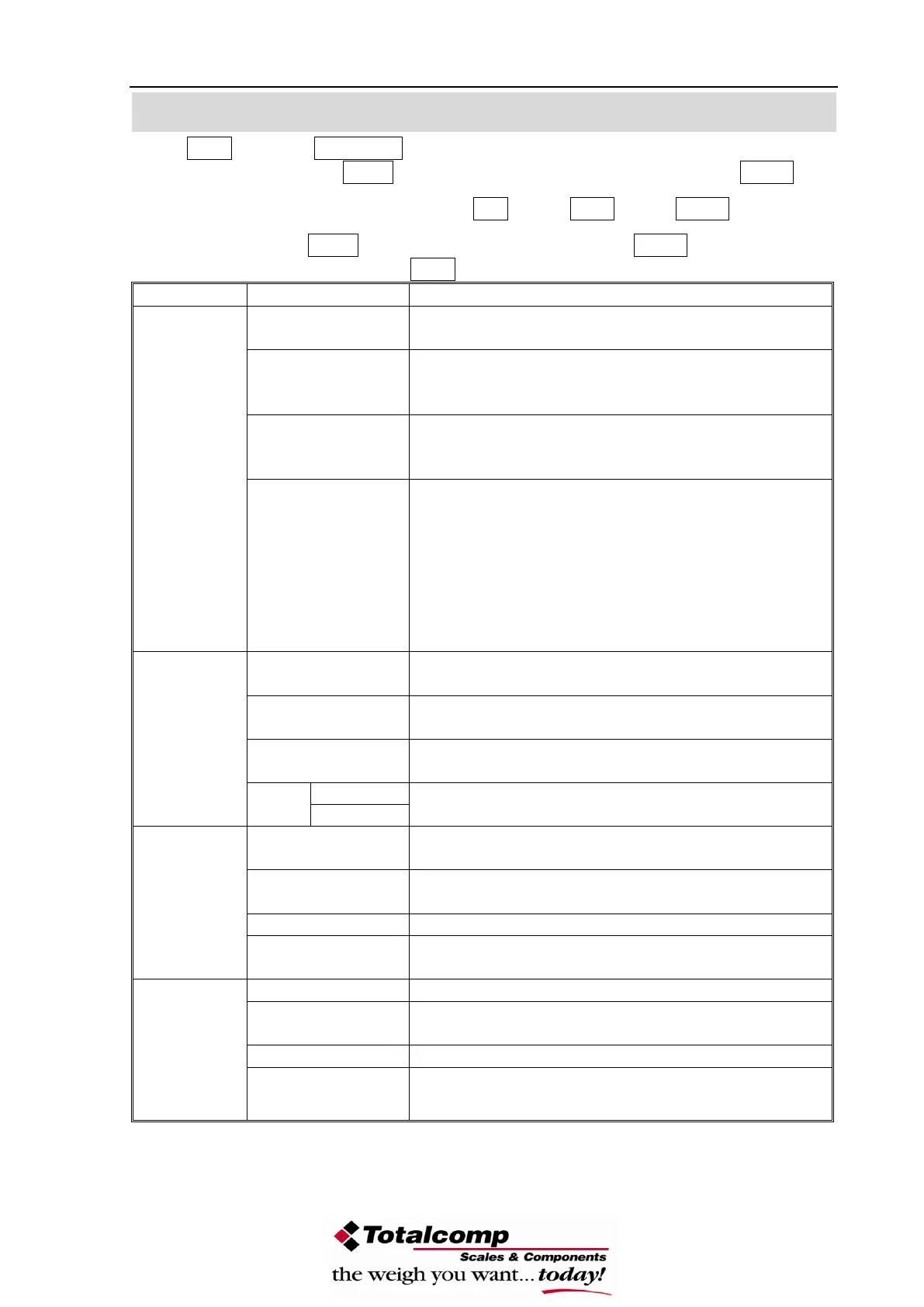
This option is used to select the auto zero range;
Options : 0.5d, 1d, 2d, 4d
This option is used to select the auto zero range
when the indicator is turned on and off.
Options : 0%, 2%, 5%, 10%, 20%
This option is used to select the manual zero
range when press the ZERO key.
Options: 2%, 4%, 10%, 20%, 50%, 100%
Set ADC speed, press U. Wt. Key to select ADC
speed, press Tare key to enter
7.5: 7.5 times per second
15: 15 times per second
30: 30 times per second
60: 60 times per second
Note: 15 times per second or 30 times per
second are recommendatory
This option is used to select the decimal
Options : 0, 0.0, 0.00, 0.000
This option is used to select the division
Options : 1, 2, 5, 10, 20, 50
This display will show xxxxxx for setting the
capacity.
Calibrate, see detail in section 10.
This display will show xxxxxx for trimming the
load cells, see detail in service manual.
This display will show xxxxxx for indicating the
internal counts.
This display will show SURE for recovering the
factory default setting.
This is mode of the natural scale
This is animal scale
Scale can lock reading when little unstable
This is a subtraction scale (PRINT out “-“ weight)
Peak Hold mode. (Scale can hold maximum
reading)
-18-


 To Next Page