EN
Please call Customer Care before returning item to store: 1-888-412-6001
7
Flow Rates (GPH)
Lift (feet)
23 0
18 1680
17 420 1960
16
660
2260
15 880 2550
14 1090 2770
13 1320 3020
12 1550 3230
11 1780 3410
10 2009 3580
9 2210 3720
8 2360 3870
7 2501 4020
6 2648 4150
5 2770 4320
4 2900 4480
3 3080 4660
2 3310 4830
1 3480 5000
0 3600 5100
52323 52322
PUMPSHIELD
• Clean the pumpshield and (if necessary the pump) regularly
depending upon the environment in which it is operated. A
drop in water ow is an indication that your pumpshield and/
or pump require cleaning. The pumpshield not only protects
your pump but signicantly reduces the need for pump
maintenance.
• Before cleaning, always disconnect the pump from the power
source.
• Remove any large debris from pumpshield. Use a garden
hose to rinse off any other dirt from the pumpshield.
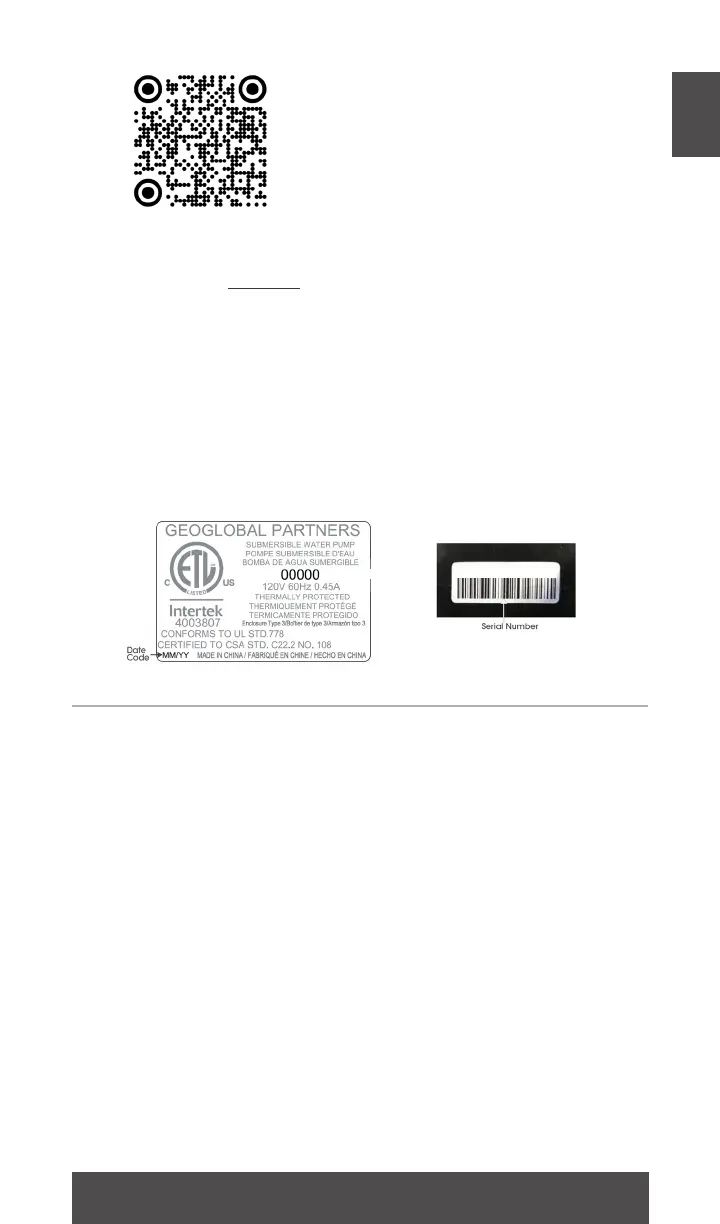
Register your product online!
Use your smartphone camera
to scan the QR code or visit our
website totalpond.com/register
The 14 digit serial number located on the pump
___ ___ ___ ___ ___ ___ ___ ___ ___ ___ ___ ___ ___ ___
Date of purchase:
___ /___ /___
Item number:
______
Before installing your pump please write down the following
information:
00000000000000
Pump date code:
____ /____
mm yy
MAINTENANCE & TROUBLESHOOTING
Always disconnect units from the power source before
beginning any maintenance or work on the unit
item number



 To Next Page