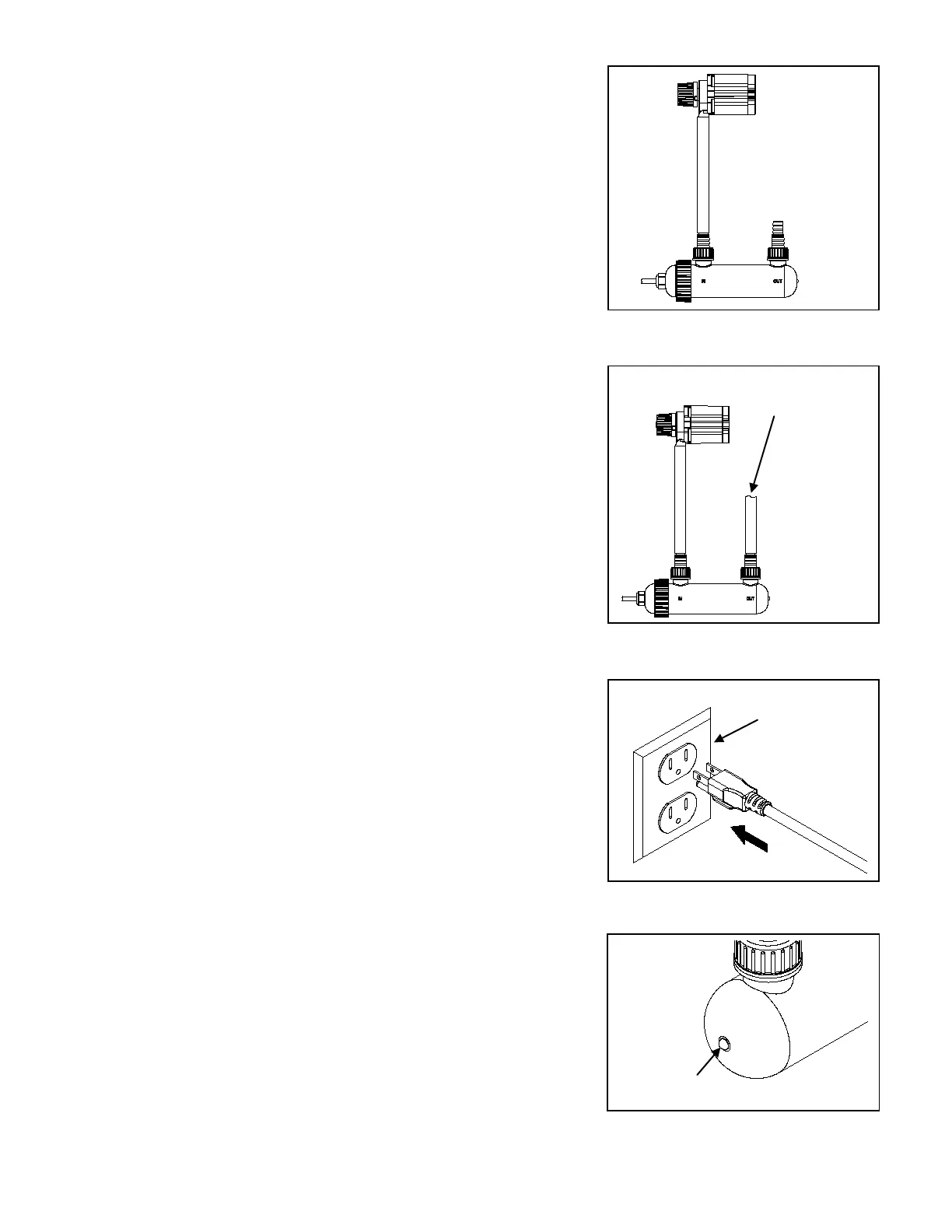
3. Connect tubing from the outlet of your pump to the inlet of the
PCUV9. Fig. 3
NOTE: The inlet is marked “IN” on the lamp housing.
Fig. 3
4. Connect tubing to the outlet of the PCUV9. The other end
can be connected to a spitter, waterfall, or any other water
feature for your pond. Fig. 4
NOTE: The outlet is marked “OUT” on the lamp housing.
Fig. 4
5. Plug the PCUV9 into a properly grounded electrical outlet.
Fig. 5
Fig. 5
6. Wait several seconds for the light to turn on then check the
indicator light to verify if the light is functioning correctly.
Fig. 6
NOTE: This clarifier has a safety feature that only allows the
UV light to turn on if the lamp holder is fully seated
into the lamp housing.
Fig. 6
end to a
water
Submersible
pump in water
3



 To Next Page