3-3
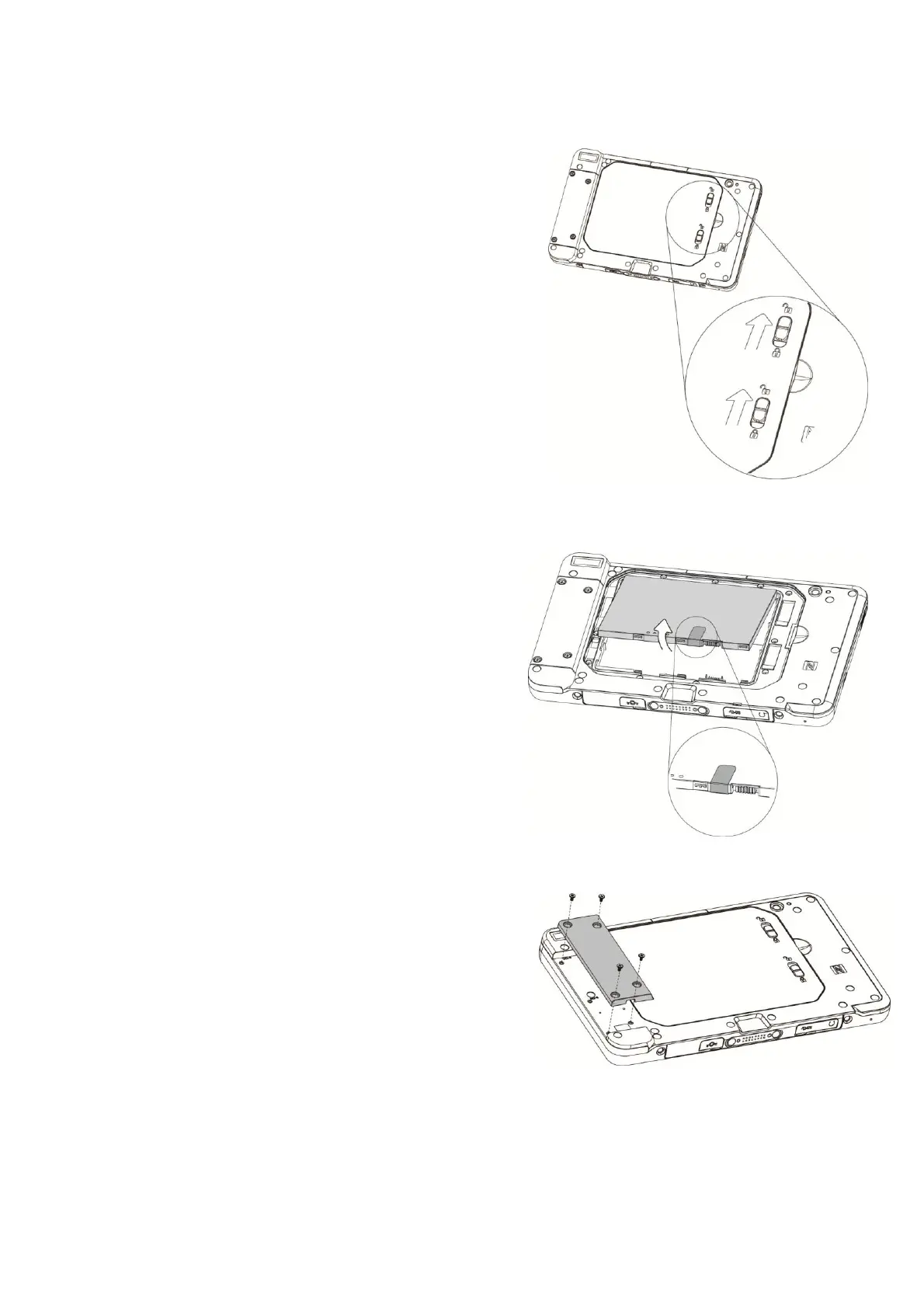
Replacing the Battery
1.
Unplug the AC cable if connected directly
to the DC-inport on the tablet.
Place the
tablet facedown on a flat surface. Next, slide
the latches
up
as shown to unlock and release
the battery
cover.
2. A plastic tab is attached to the battery
module. For easier removal pull the
plastic tab upwards to release the battery
from the unit.
3-4 Installing Peripheral Kits
1. Remove the screws (x4) to release the
dummy cover first.


 To Next Page