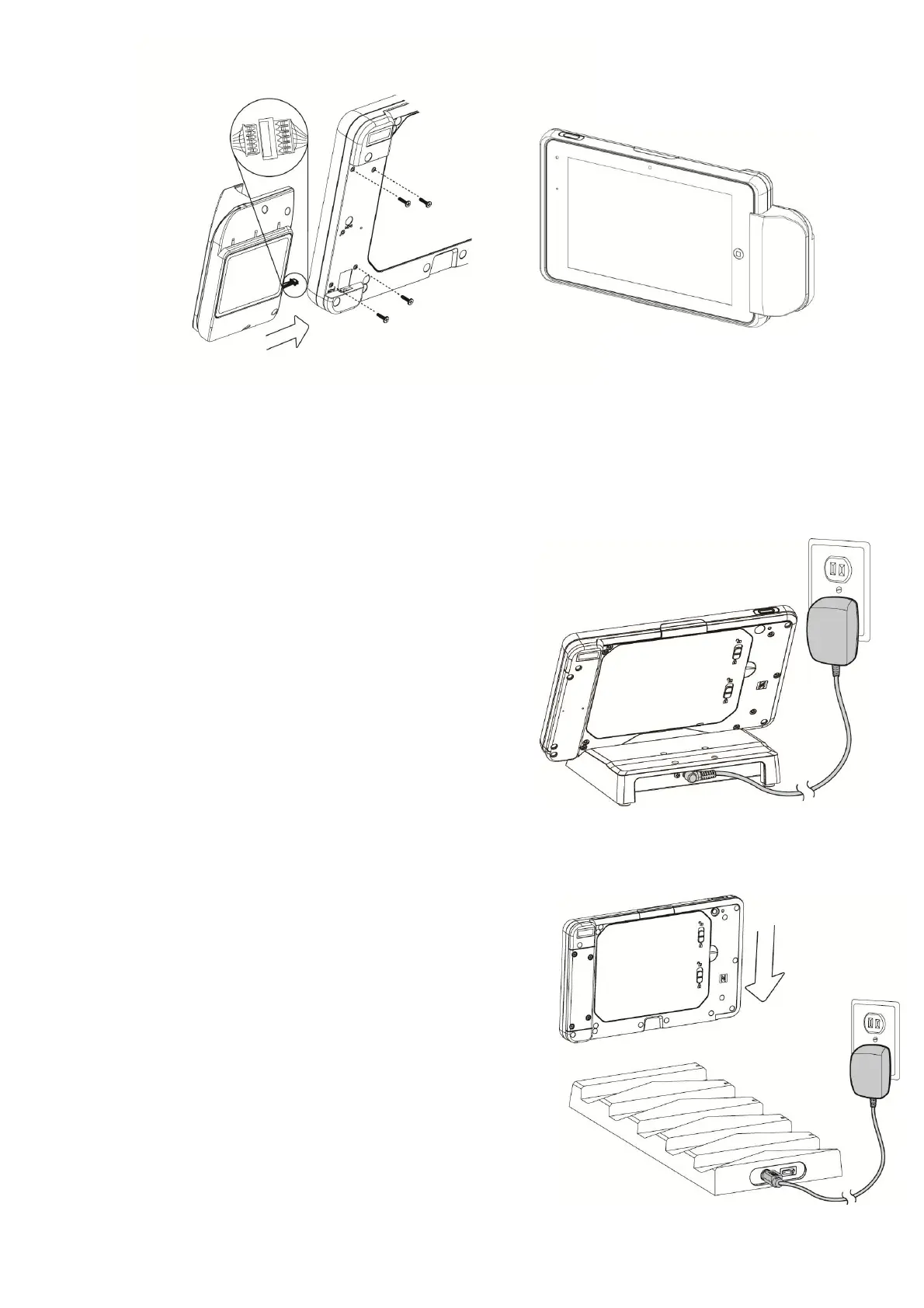
2. Connect the cable to the connector on the system side.
3. Insert the peripheral module in place and fasten the screws (x4) on the back to secure the
module.
Note: The variety of peripheral kits (MSR/ Augusta combo reader/ MSR & Smart card combo
reader/ Ingenico RP457C/ VP3300) all follow the same installation method.
3-5 Using the Charging Cradle
To charge your
Quest VIII tablet, put it
into
the cradle. Then connect the AC
adapter to the DC-in input and connect
the other end to the power outlet.
3-6 Using the Tablet Charger
Put the tablet into the 5-bay charger and
then
connect the AC adapter to the DC-in
input
and connect the other end to
the
power
outlet.


 To Next Page