Need help?
Do you have a question about the Touchstone VALUELINE 30003 and is the answer not in the manual?
Details key features of the Valueline TV lift, including construction and operation.
Crucial safety guidelines and preparatory steps before installing the TV lift.
Lists and identifies the various parts included in the TV lift system.
Details the specific hardware required for TV installation and lift mounting.
Lists the necessary tools for assembling and installing the TV lift.
Provides detailed dimensions for the Valueline 29" TV Lift model.
Provides detailed dimensions for the Valueline 39" TV Lift model.
Instructions for securely mounting the TV lift mechanism within a cabinet.
Steps for connecting the control box to the lift mechanism.
Guide for connecting the wired handset to the control box.
Instructions for connecting the power supply to the control box.
How to use the wired handset to control the TV lift's movement.
Instructions for using the wireless remote to operate the lift.
Steps to pair the wireless RF remote with the lift's control box.
How to attach the mounting brackets to the back of the flat panel TV.
Instructions for assembling the TV mount assembly.
Steps for attaching the assembled TV mount to the lift mechanism.
Guide on how to hang and secure the TV onto the mounted bracket.
How to lock the TV securely to the mounting bracket to prevent slippage.
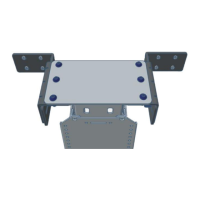
Instructions for installing the C bracket and flat top lid mount.
Explains error codes displayed on the handset and how to resolve them.
Procedure to reset the TV lift mechanism.
 General
| Brand | Touchstone |
|---|---|
| Model | VALUELINE 30003 |
| Category | TV Mount |
| Language | English |

 To Next Page