TouchTunes PhotoBooth Installation and Setup Guide 900757-001 Rev 00
1
Welcome To TouchTunes
PhotoBooth
About TouchTunes PhotoBooth
TouchTunes’ PhotoBooth is a new service that makes it easy for consumers to own the moment and remember it
forever. Fun, social and spontaneous, TouchTunes PhotoBooth encourages consumer interaction and draws
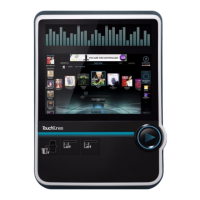
attention to the Virtuo SmartJuke with its luminous yellow LED light.
TouchTunes PhotoBooth’s high quality, wide-angle camera lens makes taking group photos a snap, even in low-light
settings like bars and restaurants. PhotoBooth presents a new non-music source of revenue and because it will not
interrupt Virtuo’s standard music mode, you now have simultaneous revenue streams available to you!
Setting up a PhotoBooth printer is simple, and the option to print is available automatically if a printer is connected to
Virtuo. The standalone PhotoBooth printer can be kept under a bar counter or in a separate office, where it will only
be accessible to location employees.
PhotoBooth Service Requirements Reminder
This guide was packaged with a one-page README document that explains what you will need to do, apart from
setting up a PhotoBooth printer, to provide your locations with the PhotoBooth service.
Ensure that you have read this README document before visiting your locations to install a PhotoBooth printer.
About This Guide
This guide is for Operators of TouchTunes Virtuo SmartJukes and their technicians, and TouchTunes technical
support and field service personnel. It provides important information about the installation, setup, and operation of
a TouchTunes PhotoBooth camera and printer.


 To Next Page