TouchTunes PhotoBooth Installation and Setup Guide 900757-001 Rev 00
2
Activating PhotoBooth
Topics
Ensuring Your Camera is Ready for PhotoBooth
Enabling PhotoBooth and Adjusting Surcharges
Adjusting the Virtuo Camera’s White Balance
Ensuring Your Camera is Ready for PhotoBooth
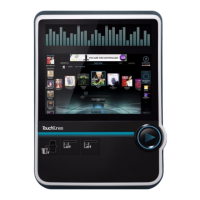
The most important aspect of optimizing the PhotoBooth experience for locations is ensuring Virtuo’s onboard
PhotoBooth camera is properly installed and calibrated.
Throughout April and May of 2012, as part of our In-Venue Virtuo Improvement Program, TouchTunes shipped a
PhotoBooth camera and/or a new PhotoBooth camera bracket to all operators with Virtuo SmartJukes.
Note: As part of the In-venue Virtuo Improvement Program, these parts were integrated into the production of all new
Virtuos. If you received a Virtuo directly from TouchTunes (and not a distributor) after April 2012, it is not necessary
to install the Virtuo Camera or replace the Virtuo Camera Bracket.
If you received a full PhotoBooth Camera kit for your Virtuo:
The instructions for installing your Virtuo camera, 900523-001 PhotoBooth Camera Kit Installation and
Alignment, were included with the PhotoBooth camera kit.
These instructions are also available on the Operator Dashboard at https://operator.touchtunes.com
If you only received a PhotoBooth Camera bracket for your Virtuo:
The instructions for replacing the original camera bracket and calibrating the camera, 900631-001 PhotoBooth
Camera Bracket Installation and Alignment, were included with the new PhotoBooth camera bracket.
These instructions are also available on the Operator Dashboard at https://operator.touchtunes.com


 To Next Page