02 03
PACKAGE CONTENTS
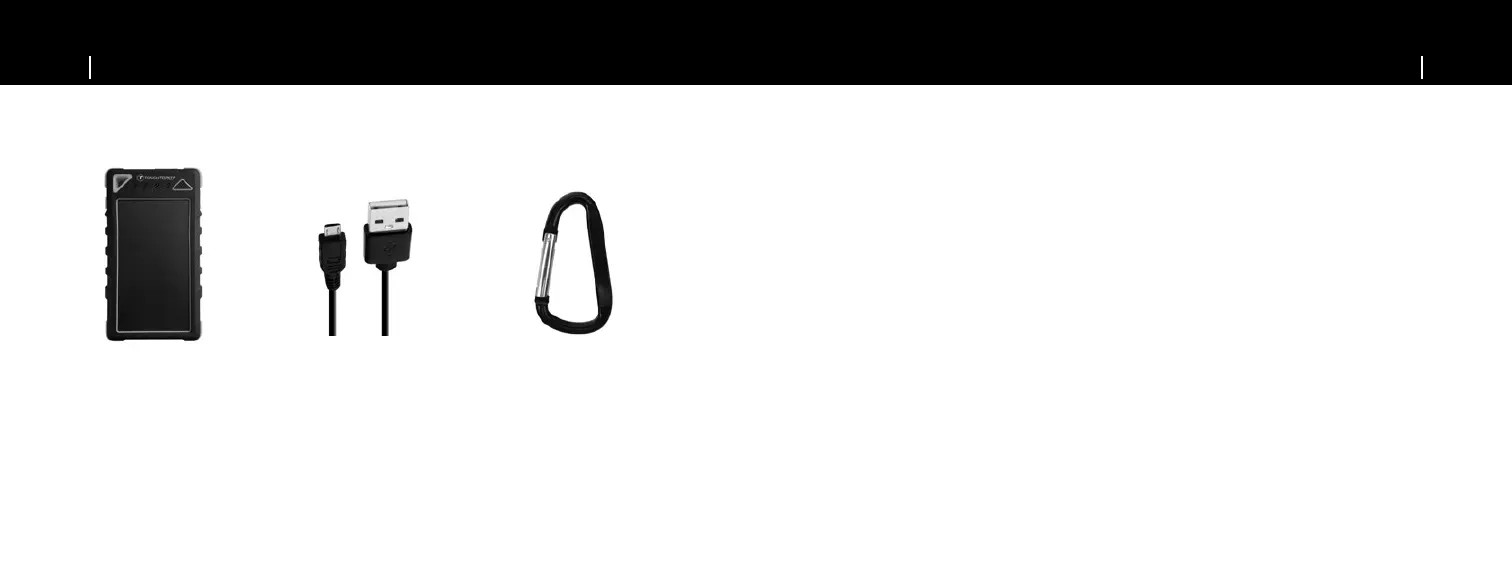
Package Includes:
• 1X 8000 mAh solar battery • 1X Micro USB charging cable • 1X Carabiner • 1X manual
Solar battery Micro USB
charging cable
Carabiner
CHARGING THE SOLAR CHARGER
Charging the solar charger via the solar panel
• Place the solar charger under direct sunlight
• The green LED indicator will stay on when the solar charger is charging by sunlight.
• When the solar charger is fully charged, the LED indicators will turn off.
NOTE: Solar charging Is only an emergency charging method, please avoid prolonged exposure under direct sunlight.
Charging the solar charger from an external power source
• Connect the charging cable provided with the solar charger to your computer or laptops USB port, or you can
connect cable to a USB Home or Car charger.
• Blue LED indicators light up to indicate that the solar charger is being charged.
• When the solar charger is fully charged, the LED indicator will shut off.
• An external power source takes approx. 5-8 hours to fully charge the solar charger.


 To Next Page