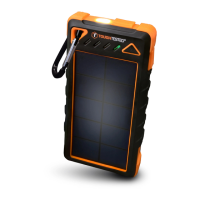
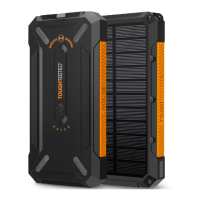
Need help?
Do you have a question about the ToughTested TT-SOLAR and is the answer not in the manual?
Instructions for replenishing the battery using solar panels and sunlight.
Guidance on charging the battery using USB wall, car, or computer ports.
Details on estimated time for solar charging from 50% to 100%.
Explanation of how LED lights indicate the remaining battery charge levels.
Instructions for connecting your portable devices to the battery pack's USB ports.
Procedure for turning the battery pack on and off using the power button.
Information on the specific functions and compatibility of USB I and USB S ports.
Details on using both USB ports concurrently and their respective outputs.
Table detailing typical charging times for smartphones and tablets.
Examples of device runtimes (movies, web, games) on the battery pack.
Step-by-step guide for attaching the battery pack to a window.
Instructions for securing the battery pack onto a car dashboard.
Guidance on positioning the solar panel to face outward for optimal charging.
Important precautions for safe handling, storage, and operation of the device.
Warnings regarding exposure to heat, moisture, liquids, and lightning storms.
Recommendation to turn off the battery when not in use for best results.
Instructions for cleaning and maintaining the suction cups for optimal adhesion.
Guidance on cleaning the sticky pad for the dashboard mount.
Instructions for cleaning the solar panel surface to remove dirt or dust.
 General
| Capacity | 10000mAh |
|---|---|
| Solar Panel | Yes |
| Output Ports | 2 USB ports |
| Water Resistance | IP67 |
| Output | 5V/2.1A |
| Input | 5V/2A |
| Drop Protection | Yes |

 To Next Page