04 05
CHARGING AN EXTERNAL DEVICE VIA THE SOLAR CHARGER
Charging an external device via the solar charger
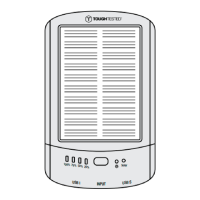
• Check that the solar charger is adequately charged by pressing the power button. The solar charger’s
capacity is indicated by the 4 LED Lights indicators :
1st LED indicator- if green this means the solar power bank is charging by sunlight,
if blue It means power bank is at 25% power capacity
2nd LED indicator- if blue,this means power bank is at 50% capacity
3rd LED indicator- if blue, this means power bank is at 75% capacity
4th LED indicator- if lit up blue, this means power banks is at 100% capacity
• After full charge LED indicators will turn off after 30 seconds.
• The solar charger needs to be fully charged if you wish to charge two devices at the same time.
NOTE: When the solar charger Is In use but the remaining capacity in the solar charger Is less than 2% , the
solar charger will automatically shut down In order to avoid over-discharge of the battery. When the solar
charger begins to recharge, It takes 3 minutes before it can output any charging current to an external device.
OPERATING THE LED FLASHLIGHT
Operating the LED flashlight
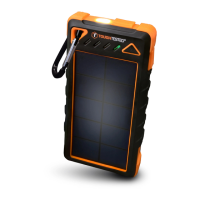
1. To turn on the Emergency LED Flashlight: Press the power button once flashlight will go into high-light
mode 100% brightness.
2. To change from high-light to low-light (25% brightness): follow steps above then press the power button once
3. Turning on SOS Mode: follow step 2 then press the power button once.
4. Turning on Flash Mode: press the power button for two seconds.
5. Turning off the lighting: press the power button once again to off.


 To Next Page