13
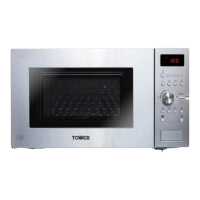
CONTROL PANEL
1
4
6
3
5
9
q
e
t
r
0w
2
7
8
KOC-9Q5T7S
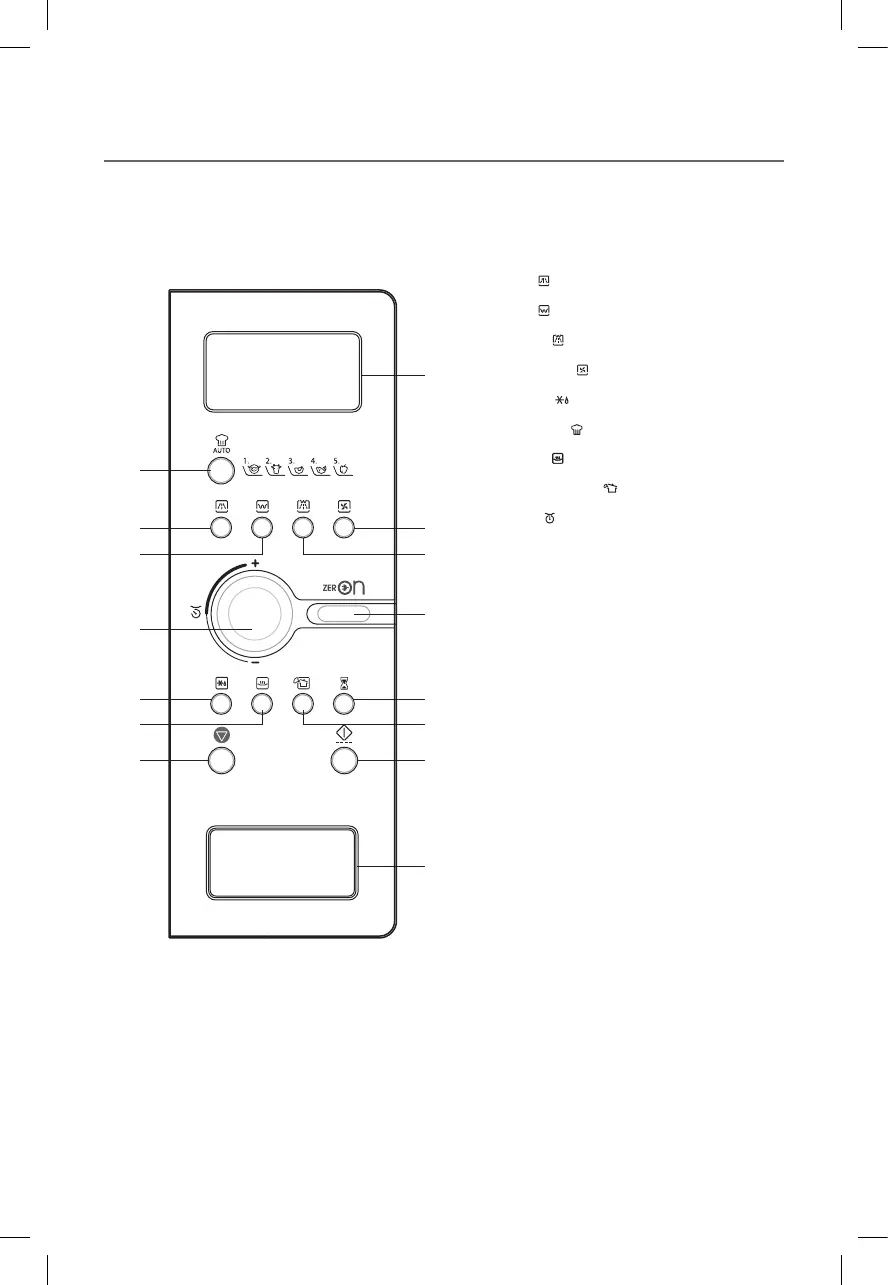
1 Display : Cooking time, power level, program
indicators and present time are displayed.
MW ( ): When blinking, the oven is operating in
MICROWAVE COOK mode.
Grill (
): When blinking, the oven is operating in
GRILL mode.
Combi (
): When blinking, the oven is operating
in COMBI mode.
Convection (
): When blinking, the oven is
operating in CONVECTION mode.
Defrost ( ): When blinking, the oven is operating
in DEFROST mode.
Auto-cook (
): When blinking, the oven is
operating in AUTO COOK mode.
Warm (
): When blinking, the oven is operating
in WARM mode.
Steam Cleaning (
): When blinking, the oven is
operating in STEAM CLEANING mode.
gram (
): When blinking, the oven is operating in
weight input mode.
2 Auto cook : Used to cook or reheat.
3 Combi : Used to select combi mode.
4 Convection : Used to select convection mode and
selected temp.
5 Grill : Used to select grill mode.
6 MW : Used to set power level of the microwave.
7 ZERO ON : Used to turn the AC power on the
oven.
8 Dial knob : Used to set time, weight and quantity.
9 Kitchen timer : Used as a minute timer.
0 STEAM CLEANING : Used to clean the inside of
the oven.
q Defrost : Used to defrost foods.
w Warm : Used to keep the food warm.
e START/SPEEDY COOK : Used to start a program
or a speedy start(each press adds 30 seconds of
microwave cooking time).
r STOP/CLEAR : Used to stop the oven operation or
to delete the cooking data.
t DOOR OPEN BUTTON : To open the door push
the door open button.
RKW(TOWER)_KOC9C5TT(KOC9Q5TTTUB017USC5)(�)_A5.indd 13 2020-07-17 �� 5:25:45


 To Next Page