
 Need help?
Do you have a question about the Toyota AYGO X-NAV RHD and is the answer not in the manual?
Navigating through the car's menu to find the software update option.
Checking current software version and initiating the update process.
Verifying functional components including USB, AUX, DAB, FM-AM, and GPS.
Recording installation date, technician details, and final stamp for completion.
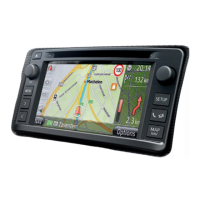
This document is an installation manual for the Toyota Aygo X-NAV RHD (Right-Hand Drive) system, specifically for model year 2014/05. The system includes an X-Nav unit and a Europe Map.
The Toyota Aygo X-NAV RHD system is an integrated navigation and infotainment unit designed for the Toyota Aygo vehicle. It provides navigation functionalities with Europe maps, audio playback, phone connectivity (Bluetooth), and car information display. The system is designed to enhance the driving experience by offering guidance, entertainment, and essential vehicle data.
Model Year: 2014/05 Vehicle Code: B40R-AKW Part Number (X-Nav Unit): PZ41C-90330-00 Part Number (Europe Map): PZ41C-EU330-* Manual Reference Number: AIM 003 194-4
Components included with PZ41C-90330-00:
Components included with PZ41C-EU330-:
Tools required for installation:
Electrical Specifications (Implied from installation steps):
The X-NAV system offers a range of user-friendly features accessible through its touchscreen interface:
Software Update: The manual details a software update procedure, indicating the system is designed to receive updates for improved functionality and bug fixes. The update process involves:
http://stream.toyota-motor-europe.com/aftersales/NAVI/MM/Aygo/XTOUCH+RC1+software+update.zip.Menu Navigation: The main menu provides access to various functions:
General Settings: Within the "Setup" menu, "General settings" allows customization of:
Audio Settings: The "Audio" menu allows adjustment of sound preferences.
Display Settings: The "Display" menu allows configuration of screen-related options, including "Screen off" functionality.
Bluetooth and Phone: Dedicated menus for managing Bluetooth devices and phone functions.
Navigation: The system is primarily a navigation unit, providing turn-by-turn directions and map display for Europe, facilitated by the microSD card (K) and GPS antenna (C).
The manual primarily focuses on installation, but some aspects touch upon maintenance:
Software Updates: Regular software updates are a key maintenance feature, ensuring the system operates with the latest functionalities, bug fixes, and potentially updated map data (though map updates are typically separate). The detailed update procedure in the manual empowers users or technicians to perform this maintenance.
Component Replacement: The installation guide provides detailed steps for disassembling and reassembling parts of the dashboard, implying that individual components of the X-NAV system (e.g., the main unit, cables, antennas) can be replaced or serviced if necessary.
Battery Management: The instruction to disconnect and reconnect the vehicle battery with a specific torque (5.4 Nm) highlights the importance of proper electrical handling, which is a fundamental aspect of vehicle maintenance when working with electronic systems.
Surface Cleaning: The inclusion of "3M VHB Surface Cleaner" (H) in the parts list suggests that proper cleaning of surfaces is important for secure adhesion of components (e.g., antennas, cable ties), contributing to the long-term reliability of the installation.
Check Sheet: The "CHECK SHEET" on the last page serves as a quality control and maintenance record. It includes fields for:
This check sheet ensures that all critical installation steps are verified and documented, which is crucial for future troubleshooting and maintenance. It also confirms the operational status of key features like USB, AUX, DAB, FM-AM, and GPS, indicating that these are points of regular check-up or verification.
 General
| Brand | Toyota |
|---|---|
| Model | AYGO X-NAV RHD |
| Category | Car Navigation system |
| Language | English |







 To Next Page