342
5-2. Using the audio system
Corolla_TMMT_EE (OM12F04E)
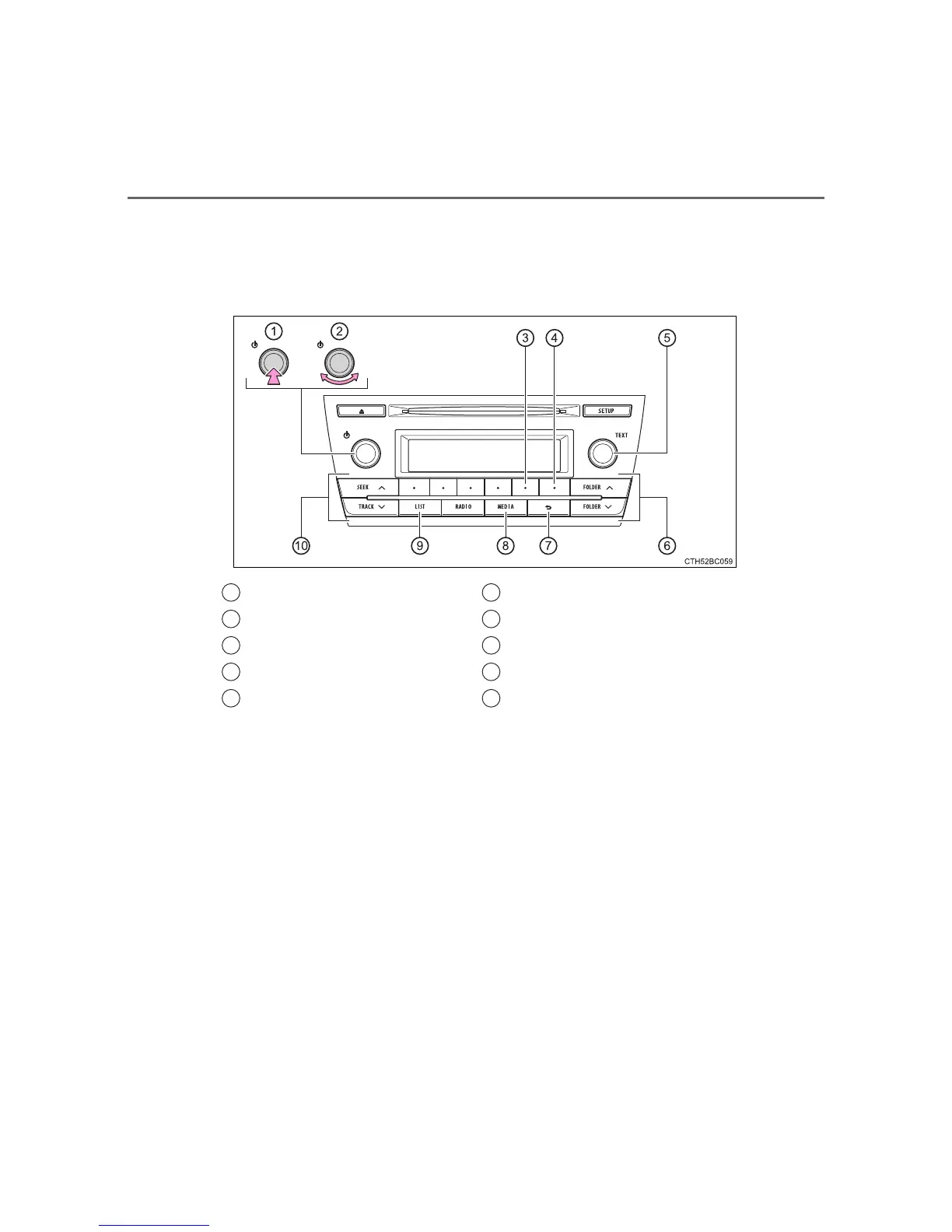
Control panel
The illustration below is for left-hand drive vehicles.
The button positions may differ slightly for right-hand drive vehicles.
Type A
Power
Volume
Repeat play
Random playback
File selector or displaying a
text message
Selecting a folder
Back button
Playback
Displaying a folder list
Selecting a file, fast-forward-
ing or reversing
1
2
3
4
5
6
7
8
9









 To Next Page