341
5-2. Using the audio system
Corolla_TMMT_EE (OM12F04E)
5
Interior features
Connecting a USB memory
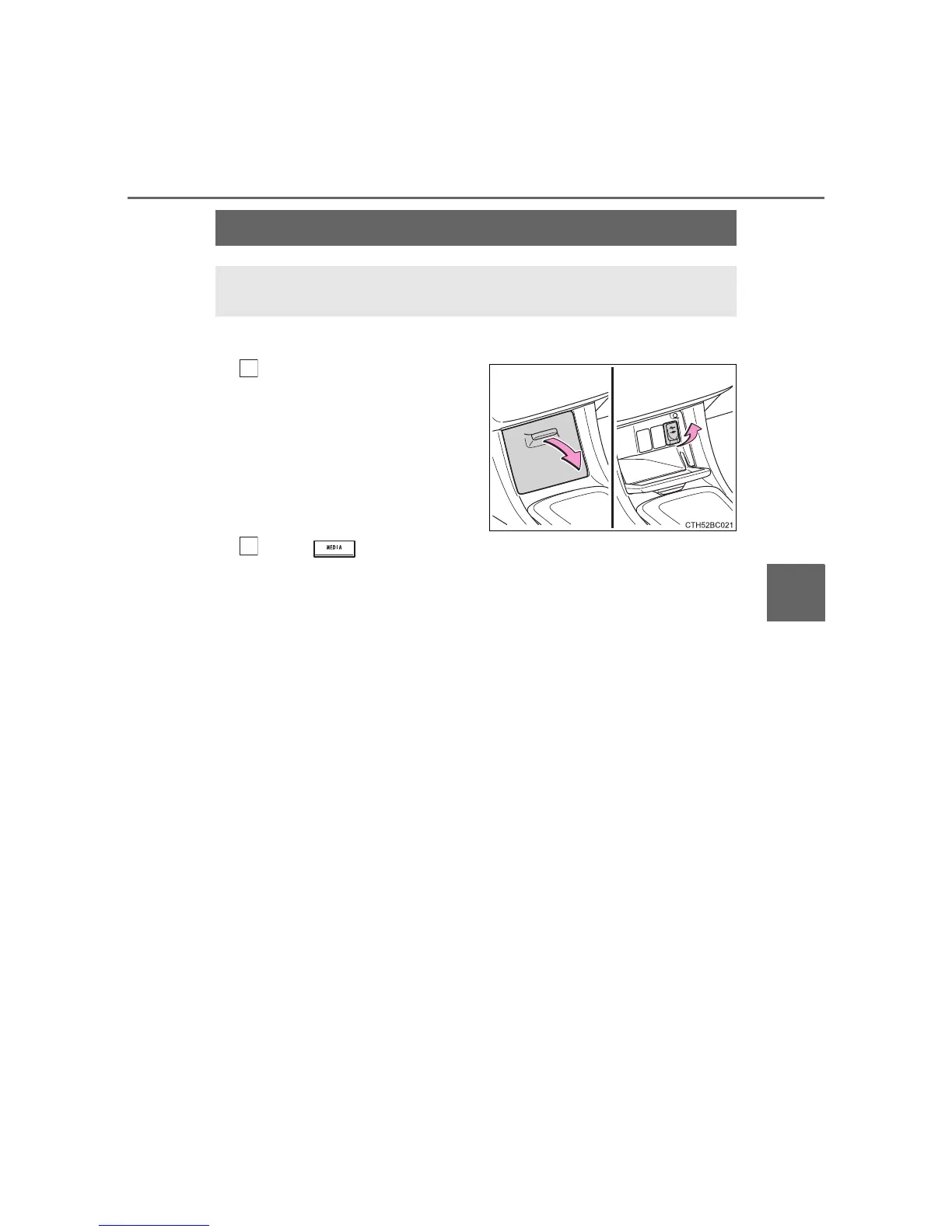
After pulling the lid to open,
open the cover and connect
a USB memory.
Turn on the power of the USB
memory if it is not turned on.
Press repeatedly until “USB” is displayed.
Operating a USB memory
Connecting a USB memory enables you to enjoy music from the
vehicle speakers.
1
2






 To Next Page