352
5-2. Using the audio system
Corolla_TMMT_EE (OM12F04E)
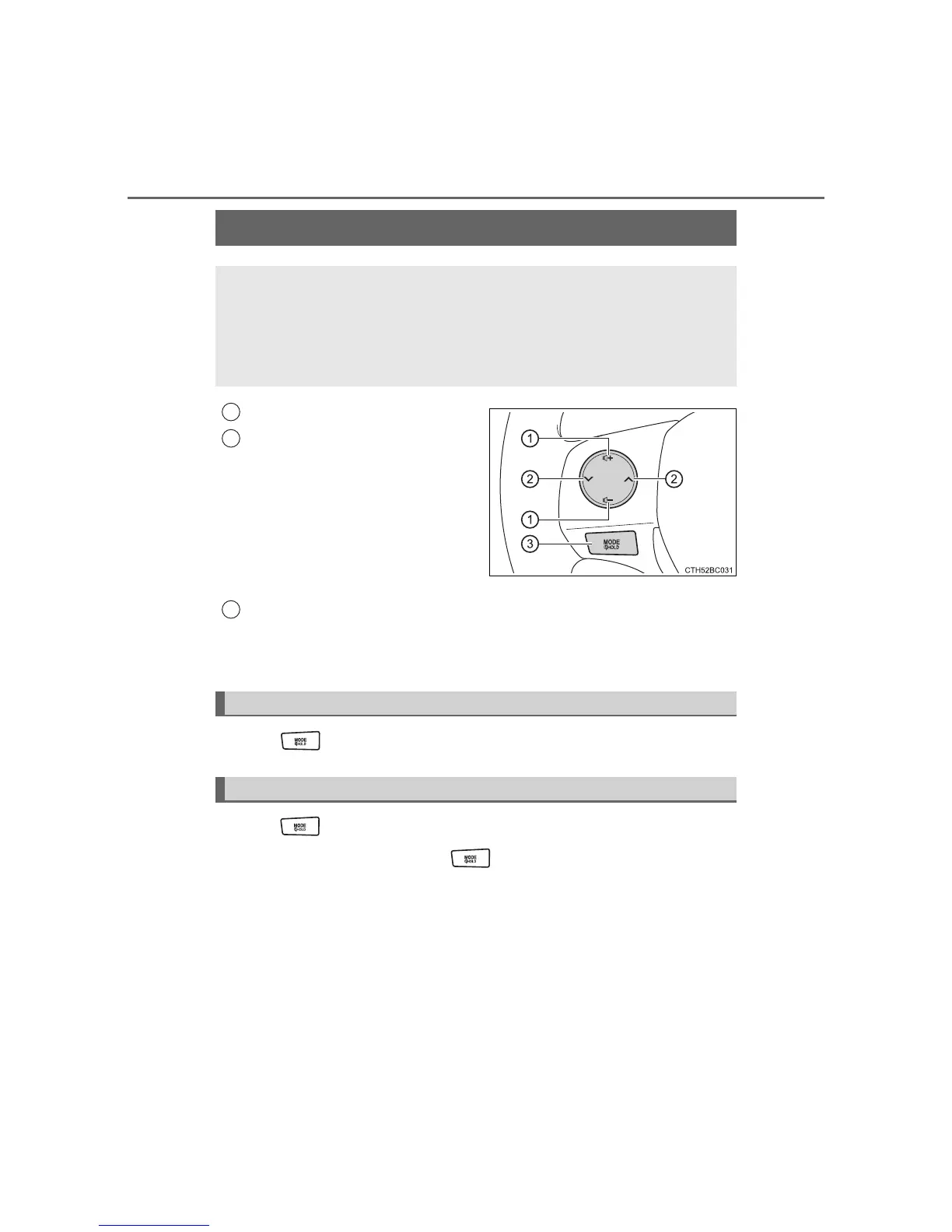
Volume
Radio mode: Selects a radio
station
CD mode: Selects a track and
file (MP3 and WMA)
iPod mode: Selects a song
USB memory mode: Selects a
file and folder
Press: Power on, selects an
audio source
Press and hold: Mute
Press when the audio system is turned off.
Press when the audio system is turned on. The audio source
changes as follows each time is pressed.
AM FMCD mode iPod or USB memory mode Bluetooth
®
audio (if equipped) AUX
Using the steering wheel audio switches
Some audio features can be controlled using the switches on
the steering wheel.
Operation may differ depending on the type of audio system or
navigation system. For details, refer to the manual provided with
the audio system or navigation system.
1
2
3
Turning on the power
Changing the audio source













 To Next Page