92
2. Instrument cluster
Corolla_TMMT_EE (OM12F04E)
Displays the driving range, average fuel consumption and other cruis-
ing related information. The display can be switched by pressing the
display change button/“DISP” switch.
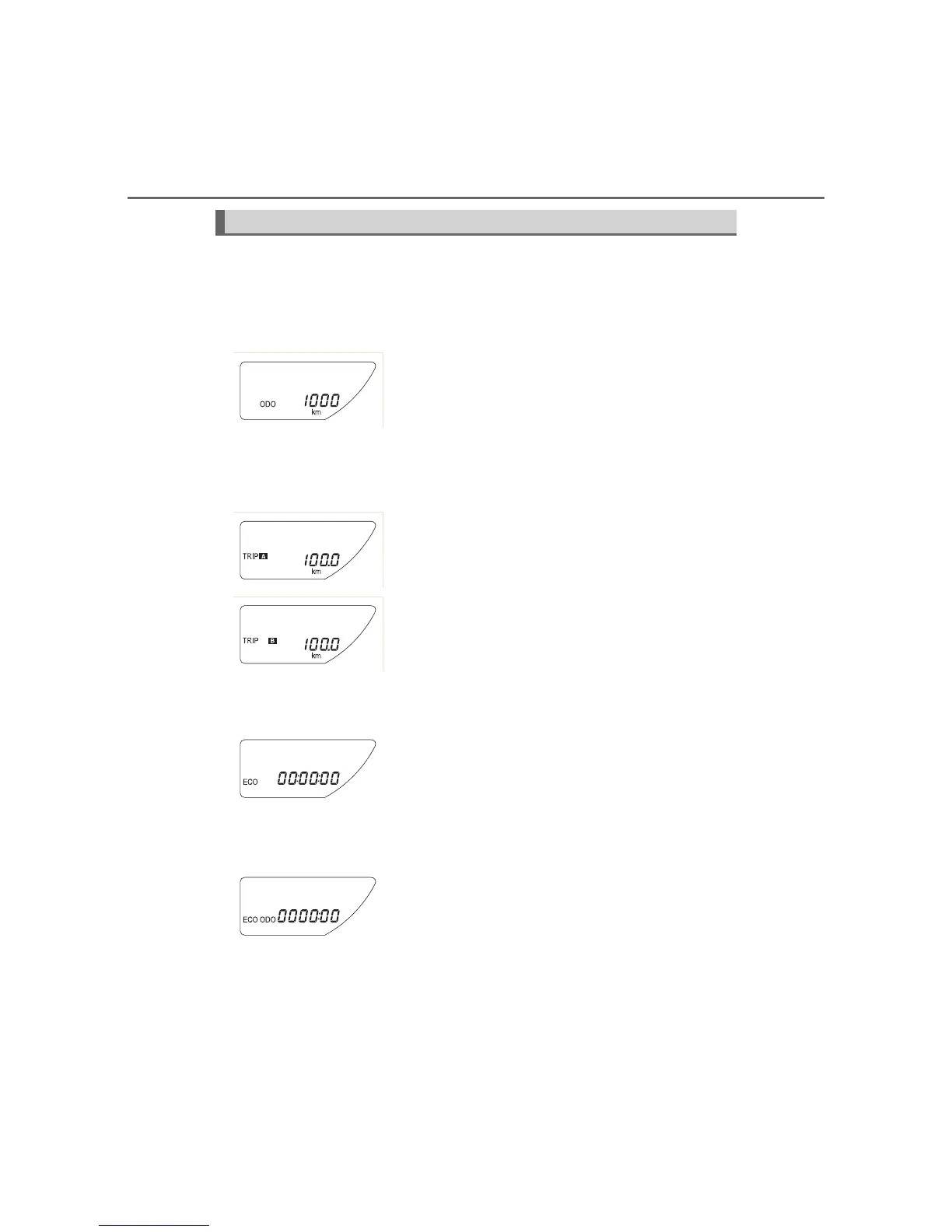
Odometer
Trip meter A/trip meter B
Stop & Start system operation time (if equipped)
Stop & Start system total operation time (if equipped)
Trip information
Displays the total distance the vehicle has
been driven.
Press and hold the display change button/“DISP”
switch to change the display to the Eco Driving
Indicator Light customization screen. (P. 108)
Displays the distance the vehicle has been
driven since the meter was last reset. Trip
meters A and B can be used to record and dis-
play different distances independently.
Press and hold the display change button/“DISP”
switch to reset.
Displays the amount of time the engine was
stopped due to the operation of the Stop &
Start system during the current trip (from when
the engine was started until it is turned off).
Displays the total amount of time that the
engine has been stopped due to the operation
of the Stop & Start system since the system
was last reset.
Press and hold the display change button/“DISP”
switch to reset.









 To Next Page