Need help?
Do you have a question about the TOZO NC2 and is the answer not in the manual?
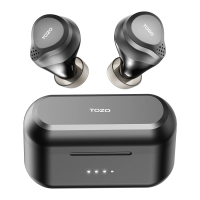
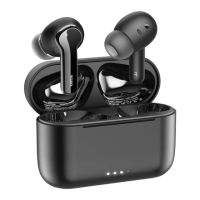
The TOZO NC2 TWS ANC Earbuds offer a premium audio experience with advanced features designed for convenience and immersive sound. These truly wireless earbuds provide stable voice calls and peaceful music listening, even in noisy environments, thanks to their active noise cancellation technology. Their fashionable appearance and multiple functions make them an excellent choice for various activities, including working, going out, and driving.
The core functionality of the TOZO NC2 earbuds revolves around their Active Noise Cancellation (ANC) technology. This system utilizes microphones to collect ambient noise, which is then processed by a sophisticated acoustic engineering algorithm. The circuit generates a reverse sound wave, opposite to the noise, and emits it through the earbud's horn, effectively canceling out the unwanted sounds. This allows users to enjoy their music or calls with enhanced clarity and reduced distractions.
The earbuds operate wirelessly, connecting to compatible communication devices via Bluetooth 5.2. They do not require the phone to be directly facing the earphones, offering a maximum operating distance of approximately 10 meters (about 30 feet). This provides users with freedom of movement while maintaining a stable connection.
Power Management: The TOZO NC2 earbuds offer seamless power management. They automatically power on when the charging box cover is opened and power off when placed back into the charging box and the cover is closed. For manual control, holding either the left (L) or right (R) earbud for 5 seconds will turn them off when not playing media. A longer hold of 20 seconds on either earbud will initiate a reset.
Pairing: The earbuds come pre-paired from the factory for convenient use. When the charging box cover is opened, they automatically turn on, pair with each other, and enter a connection or pairing status. To force the earbuds into pairing status without clearing previous Bluetooth records, users can hold the charging box button for 3 seconds while the earbuds are inside. After initial pairing, the earbuds will automatically reconnect to the last paired device when used again. For single earbud use, simply take one out while keeping the other in the charging box. If the taken-out earbud fails to reconnect to TWS, it will enter a reconnecting mode after 2 seconds, allowing it to pair with another device. Once connected, the other earbud can be taken out to automatically enter binaural mode.
Touch Controls: The earbuds feature intuitive touch controls located on the upper part of the earphone handle. These controls allow users to manage music playback, calls, and ANC modes.
Light Sensor Function: The earbuds incorporate a light sensor for intelligent music control.
Low Battery Alarm: When the battery power is low, an alarm will sound every 2 minutes until the battery is depleted and the earbuds turn off.
Wearing Comfort: Choosing the right earbud size is crucial for optimal noise cancellation, sound quality, and comfort. The package includes 6 sizes of ear tips (XS, S, M, L, XL, XXL), with the M size pre-installed. Users are encouraged to try different sizes, as they may need different sizes for their left and right ears. For the best noise cancellation effect, the wearing angle can be adjusted appropriately after wearing, ensuring the earbuds are slightly pushed into the ear canal.
Charging: The earbuds are charged by simply placing them into the charging box. The charging box itself can be charged via a USB-C cable or a wireless charging pad, offering flexibility and convenience.
Charging Box Power Display: The charging box features indicators to display its battery level. A single or double click of the charging box button will show the battery level for 3 seconds. Opening the charging box without earbuds will display the battery level for 3 seconds, while opening it with earbuds inside will display the battery level for 5 seconds.
Resetting Earbuds: To reset the earbuds and clear pairing information, place them in the charging box and long press the charging box button for 10 seconds until the charging box LED lights flash 5 times. The earbuds will restart, clear pairing, and enter pairing status. To disconnect Bluetooth and enter pairing status, long press the charging box button for 3 seconds until the first and fourth charging box LED lights flash 3 times. To interconnect the left and right earphones, long press the charging box button for 15 seconds while the earbuds are in the box with the cover open.
Bluetooth Lost: If the mobile phone's Bluetooth is turned off, the earbuds will enter pairing mode and will not reconnect automatically. If the earbuds remain in pairing or reconnecting state for 5 minutes in ANC or Transparency mode, they will enter standby mode. In normal mode, they will turn off. If the connection range is exceeded, the earbuds will enter back-connection mode and can pair with other devices simultaneously. Similar to the previous point, if they remain in pairing or reconnecting state for 5 minutes in ANC or Transparency mode, they will enter standby mode, and in normal mode, they will turn off.

 To Next Page
 General