71
Chapter 12
Customize Your Network Settings
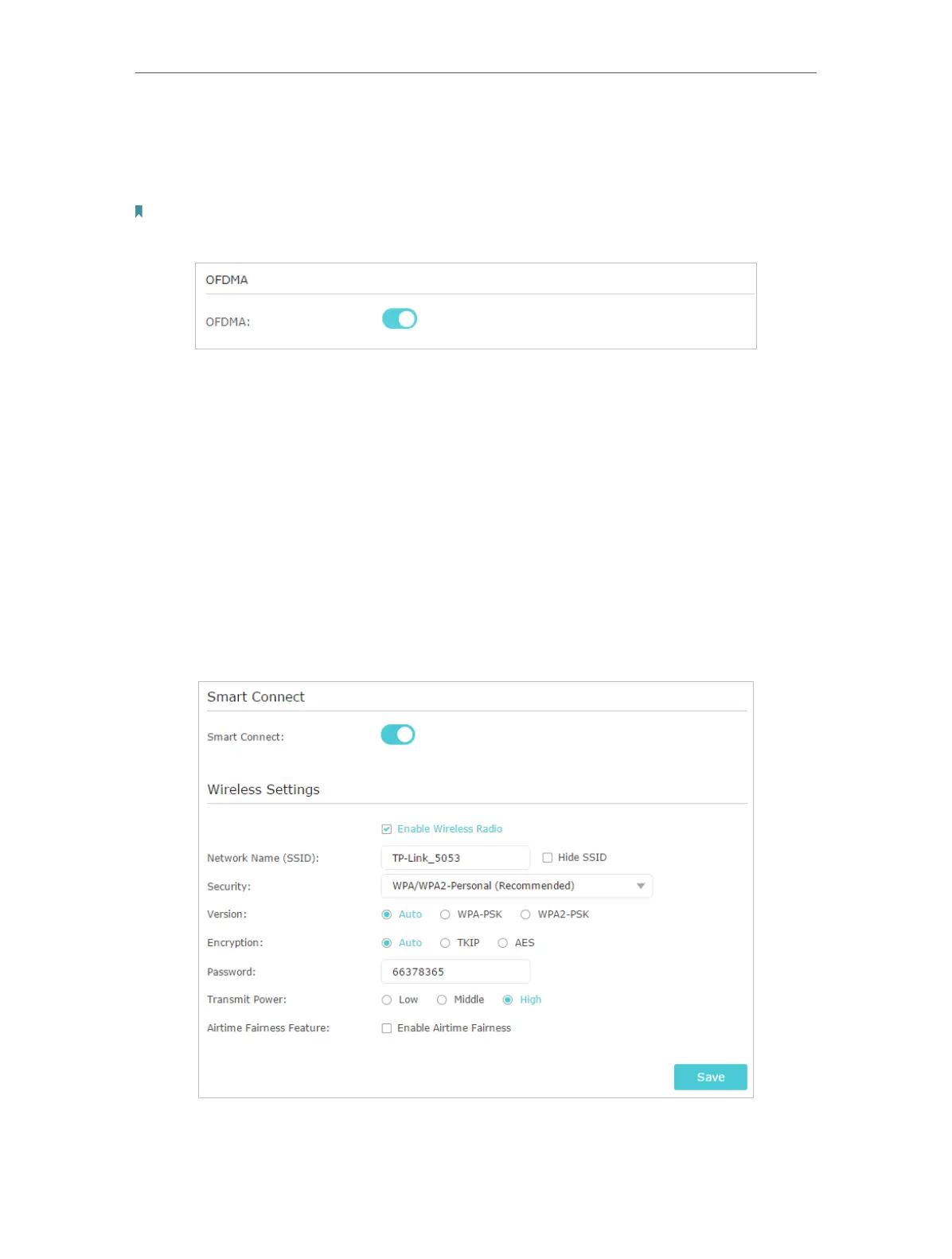
• To use OFDMA function:
The OFDMA feature enables multiple users to transmit data simultaneously, and thus
greatly improves speed and efficiency.
Note:
Only when your clients also support OFDMA can you fully enjoy the benefits.
1. Go to Advanced > Wireless > Wireless Settings.
2. Enable OFDMA.
• To use the Smart Connect function
The smart connect function lets you to enjoy a more high-speed network by assigning
your devices to best wireless bands based on actual conditions to balance network
demands.
1. Go to Advanced > Wireless > Wireless Settings.
2. Enable Smart Connect.
3. Keep the default or set a new SSID and password, and click Save. This SSID and
password will be applied both for 2.4GHz and 5GHz wireless networks.






 To Next Page