95
Chapter 14
Manage the Router
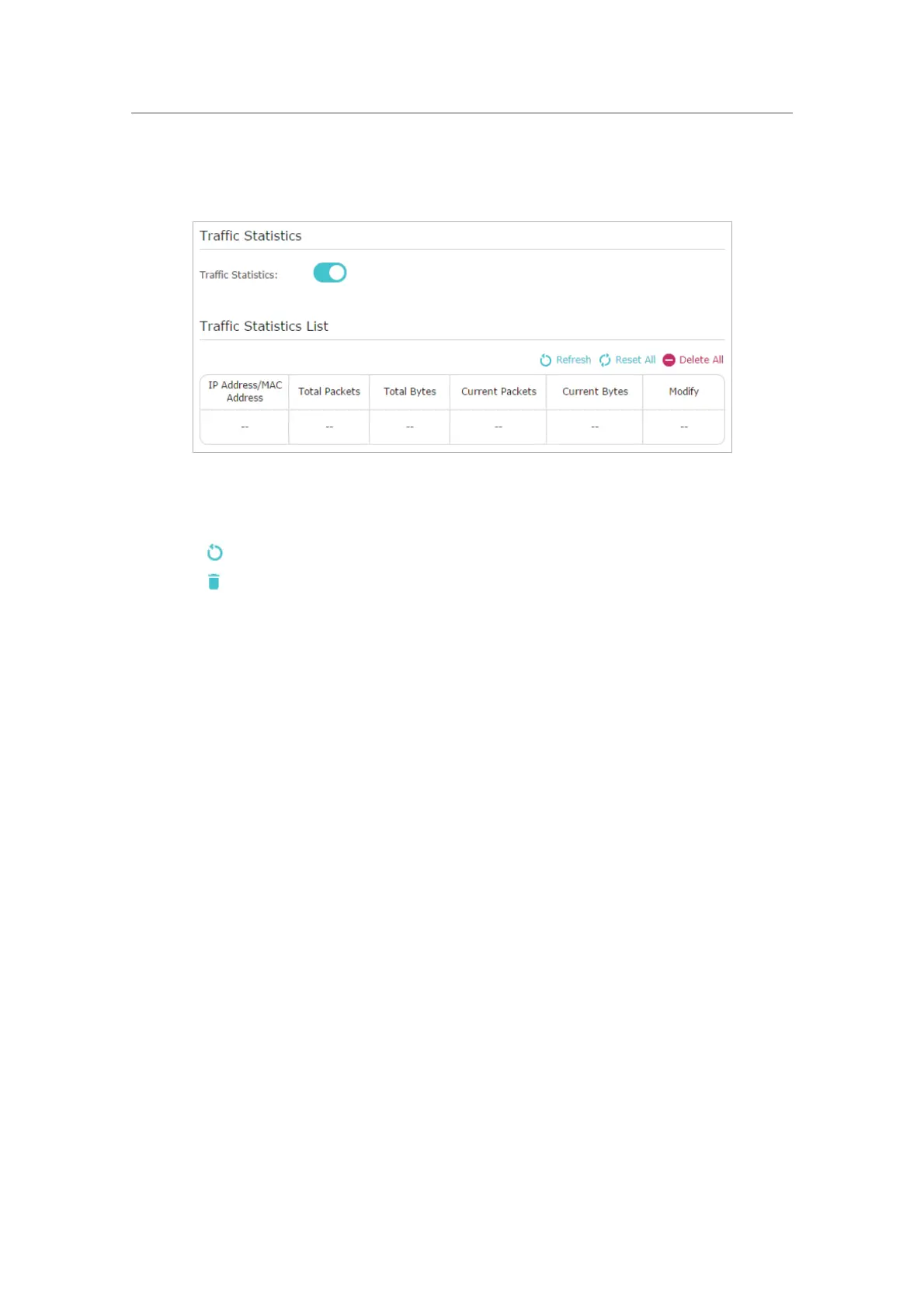
3. Toggle on Traffic Statistics, and then you can monitor the traffic statistics in Traffic
Statistics List
section.
Click Refresh to update the statistic information on the page.
Click
Reset All to reset all statistic values in the list to zero.
Click
Delete All to delete all statistic information in the list.
Click
to reset the statistic information of the specific device.
Click
to delete the specific device item in the list.











 To Next Page