75
Chapter 14
Customize Your Network Settings
Note:
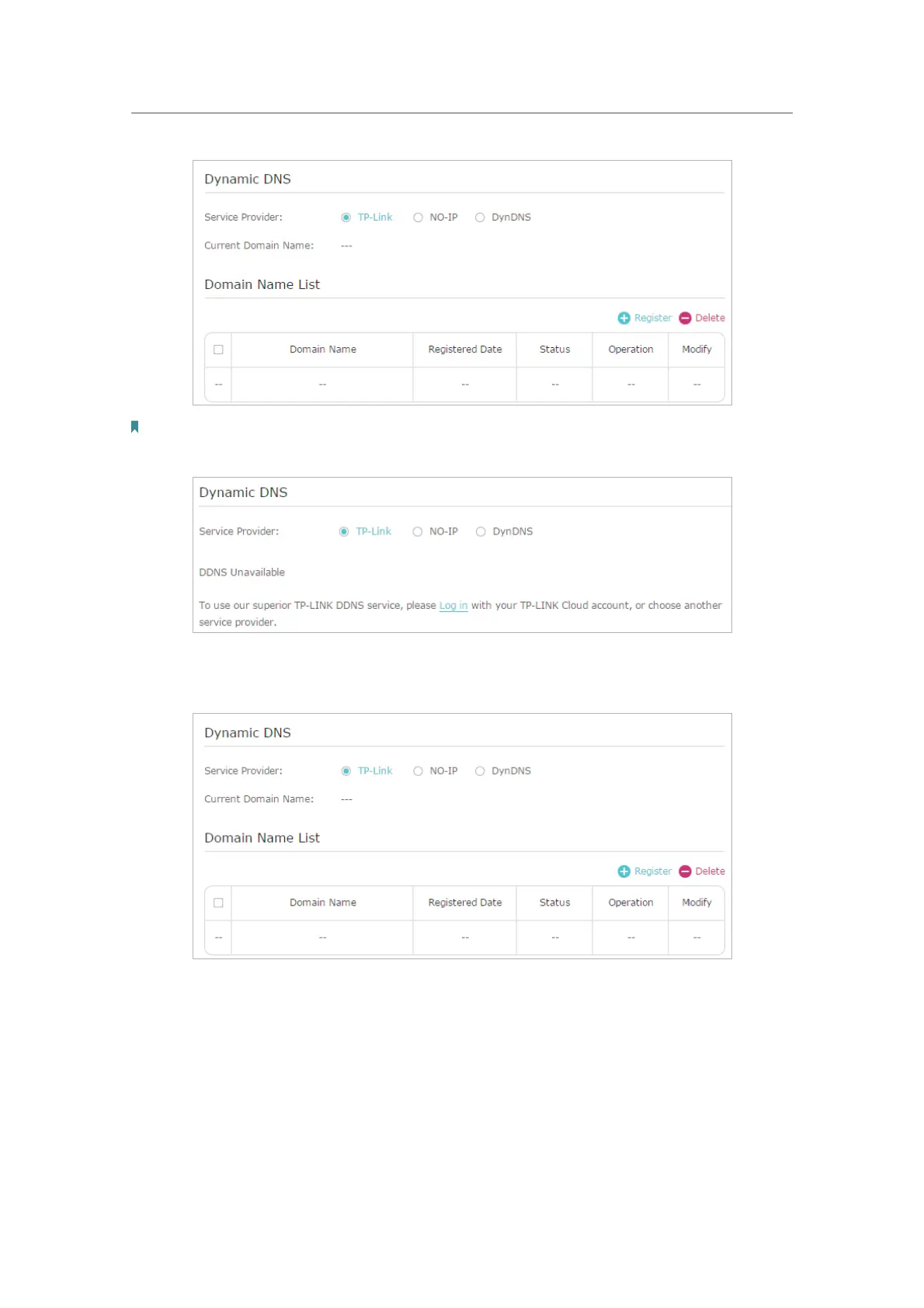
To enjoy TP-Link’s DDNS service, you have to log in with a TP-Link ID. If you have not logged in with one, click Log in.
4. Click Register in the Domain Name List if you have selected TP-Link, and enter the
Domain Name as needed.
If you have selected NO-IP or DynDNS, enter the username, password and domain
name of your account.











 To Next Page