31
Chapter 7
Parental Controls
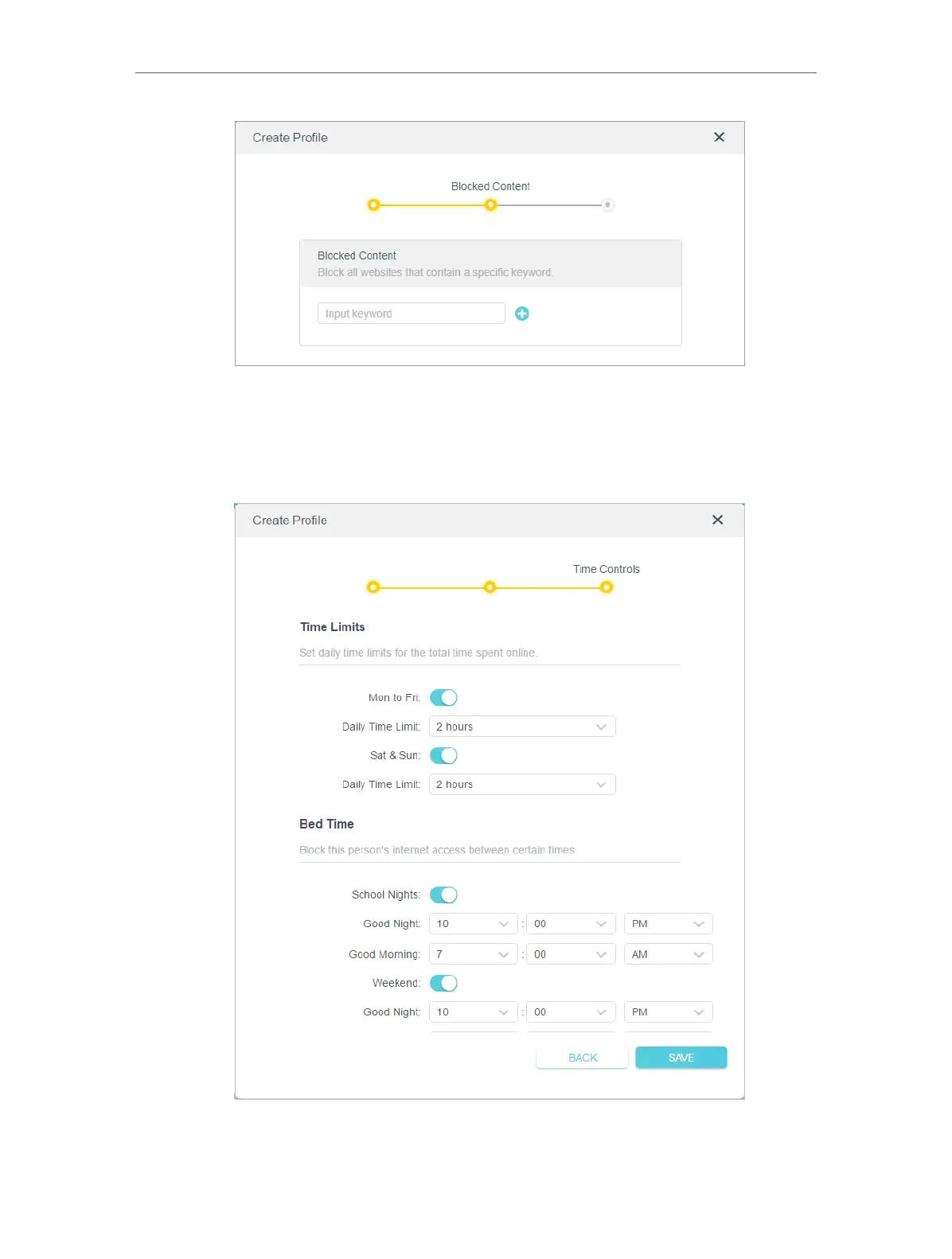
1 ) Enter a keyword (for example, “Facebook”) or a URL (for example, “www.
facebook.com”). All websites containing the keywords will be blocked.
2 ) Click Next.
6. Set time restrictions on internet access.
1 ) Enable Time Limits on Monday to Friday and Saturday & Sunday then set the
allowed online time to 2 hours each day.













 To Next Page