39
Chapter 9
Network Security
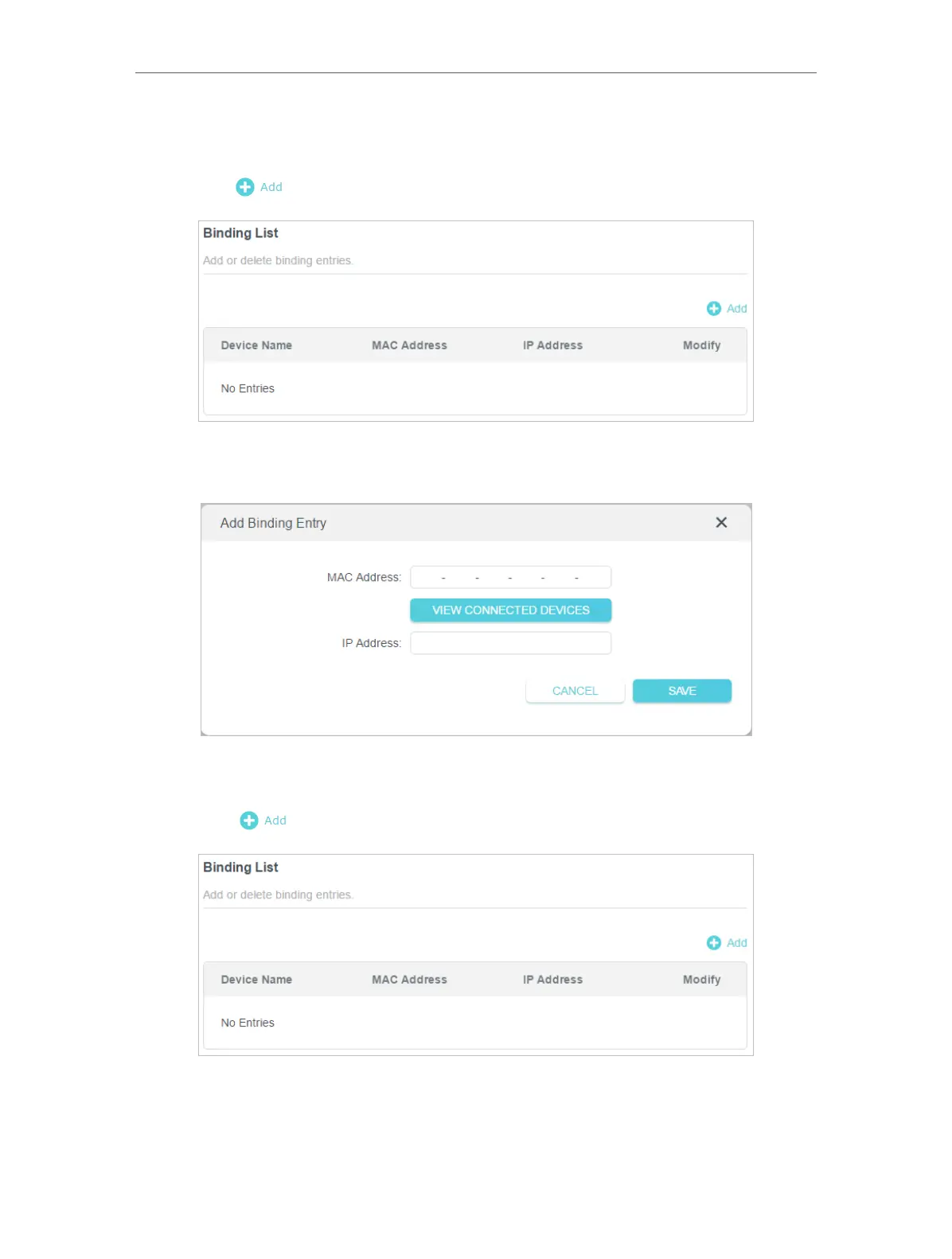
4. Bind your device(s) according to your need.
To bind the connected device(s):
1 ) Click in the Binding List section.
2 ) Click VIEW CONNECTED DEVICES and select the device you want to bind. The
MAC Address and IP Address fields will be automatically filled in.
3 ) Click SAVE .
To bind the unconnected device:
1 ) Click in the Binding List section.
2 ) Enter the MAC Address and IP Address that you want to bind.
Done!
Now you don’t need to worry about ARP spoofing and ARP attacks!













 To Next Page