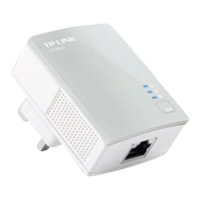
Appendix: Using the Pair Button (Setting up a private network)
Troubleshooting
Q1. I have followed the above instructions, but my adapters
are still not working. What can I do?
Q2. The adapters were working ne but no longer work
now that they've been moved. How do I make them
work again?
Plug the adapters into the same power strip and follow Appendix
Using the Pair Button to pair them. If they still don’t work, please
check for possible interference causes:
To set up a private network :
1. Press the pair button on adapter A for 1 second and the Power
LED will begin ashing. If pressed till all the LEDs turn o (about
10 seconds), the adapter will leave the network.
2. Within 2 minutes, press the pair button on adapter B for 1 second
and the Power LED will begin ashing as well.
3. In about 60 seconds you’ll see the Powerline LEDs on both
adapters light up, indicating the two adapters have
intercommunicated with each other successfully.
If you want to add adapter C to the existing private network,
please follow the steps.
* It is highly recommended to rst set up the two adapters in the same
room or on the same power strip and then place them in a suitable
location.
1. Press the pair button on the adapter A or B for 1 second (do not press
both), and the Power LED will begin ashing.
2. Within 2 minutes press the pair button on adapter C for 1 second,
the Powerline LED on the adapter C will light up in about 60
seconds.
* You can follow the steps above to add more adapters to the private
network one by one.
2.
1.
Air-conditioners, washing machines, and other similar household
appliances are working too close to the adapters.
Air switch may lead to failed communication among PLC devices;
check whether there are air switches hindering communication.
Set-Top Box&TV
Desktop
Router
A B
C
Make sure all the adapters are under the same electric meter.
If the Power LED does not light up at all, there may be a hardware
problem.
The PLC devices might not communicate with each other if they are
in dierent phrases of a four-wire three-phase circuit.
As some power strips have surge protector, please make sure the
adapters are not separated by the power strips.
4.
3.
2.
1.
NOTE:
More advanced conguration, such as reset, rmware upgrade and rename device can be accessed through the utility, so install the Powerline
Utility if necessary. (Only for Windows)
For detailed instructions, please refer to the User Guide on the Resource CD.
pair
pair
pair
To join an existing private network:
www.tp-link.com
TP-LINK TECHNOLOGIES CO., LTD.
Technical Support
For more troubleshooting help, go to:
http://www.tp-link.com/en/support/faq
To download the latest Firmware, Driver, Utility and User Guide, go to:
http://www.tp-link.com/en/support/download
For all other technical support, please contact us by using the following details:
Singapore
Tel: +65 6284 0493
E-mail: support.sg@tp-link.com
Service time: 24hrs, 7 days a week
USA/Canada
Toll Free: +1 866 225 8139
E-mail: support.usa@tp-link.com
Service time: 24hrs, 7 days a week
Australia/New Zealand
Tel: AU 1300 87 5465
NZ 0800 87 5465
E-mail: support.au@tp-link.com (Australia)
support.nz@tp-link.com (New Zealand)
Service time: 24hrs, 7 days a week
Italy
Tel: +39 023 051 9020
E-mail: support.it@tp-link.com
Service time: Monday to Friday
09:00 to13:00, 14:00 to 18:00
Indonesia
Tel: (+62) 021 6386 1936
E-mail : support.id@tp-link.com
Service time : Monday to Friday
09:00 to 18:00
*Except public holidays
Malaysia
Tel: 1300 88 875 465
Email: support.my@tp-link.com
Service time: 24hrs, 7 days a week
Poland
Tel: +48 (0) 801 080 618 / +48 227 217 563
(if calls from mobile phone)
E-mail: support.pl@tp-link.com
Service time: Monday to Friday, 09:00 to 17:00.
GMT+1 or GMT+2 (Daylight Saving Time)
Germany/Austria
Tel: +49 1805 875 465 (German Service)
+49 1805 TPLINK
+43 820 820 360
E-mail: support.de@tp-link.com
Fee: 0.14 EUR/min from the German xed
phone network and up to 0.42 EUR/min
from mobile phone
Service time: Monday to Friday 09:00 to 12:30
and 13:30 to 17:30. GMT+ 1 or GMT+ 2
(Daylight Saving Time in Germany)
*Except bank holidays in Hesse
Global
Tel: +86 755 2650 4400
E-mail: support@tp-link.com
Service time: 24hrs, 7 days a week
UK
Tel: +44 (0) 845 147 0017
E-mail: support.uk@tp-link.com
Service time: 24hrs, 7 days a week
Turkey
Tel: 0850 7244 488 (Turkish Service)
E-mail: support.tr@tp-link.com
Service time: 09:00 to 21:00
7 days a week
Ukraine
Tel: 0800 505 508
E-mail: support.ua@tp-link.com
Service time: Monday to Friday
10:00 to 22:00
Brazil
Toll Free: 0800 608 9799 (Portuguese
Service)
E-mail: suporte.br@tp-link.com
Service time: Monday to Friday, 09:00 to
20:00; Saturday, 09:00 to 15:00
France
Tel: +33 (0) 820 800 860 (French service)
Email: support.fr@tp-link.com
Fee: 0.118 EUR/min from France
Service time: Monday to Friday 09:00 to
18:00 *Except French Bank holidays
Russian Federation
Tel: 8 (499) 754 5560
8 (800) 250 5560 (toll-free call from
any RF region)
E-mail: support.ru@tp-link.com
Service time: From 10:00 to 18:00
(Moscow time)
*Except weekends and holidays in Russian
Federation
Switzerland
Tel: +41 (0) 848 800 998 (German Service)
E-mail: support.ch@tp-link.com
Fee: 4-8 Rp/min, depending on rate of
dierent time
Service time: Monday to Friday, 09:00 to
12:30 and 13:30 to 17:30. GMT+ 1 or
GMT+ 2 (Daylight Saving Time)


 To Previous Page
 Loading...