Browser
This chapter contains the following sections.
• Go to a webpage
• Browser tabs
• Bookmarks
• History
11. 1 Go to a webpage
View a website
1. On the Home screen, tap
Browser, then tap the address bar on top of the page and enter the web
address you want to visit.
2. Then tap
.
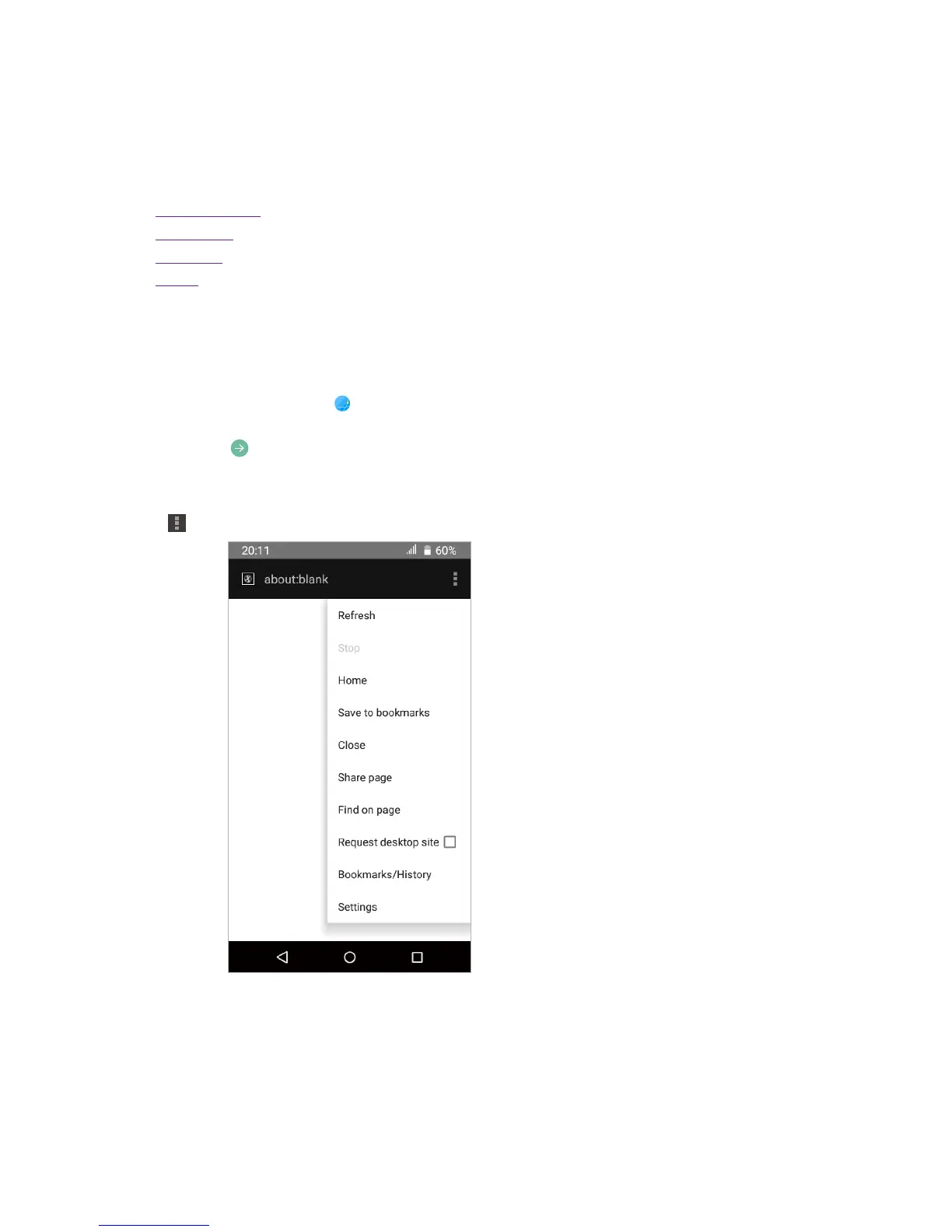
Do more options about the web page
Tap
and choose the options that you want to configure.
• Refresh: Tap to refresh the current page.
• Stop: Tap to stop loading the page.
• Home: Tap to turn the webpage to a Home page.
• Save to bookmarks: Tap to bookmark the page.
• Close: Tap to minimize or quit the page.
• Share page: Tap to choose a way to share the page.
11












 To Next Page