5
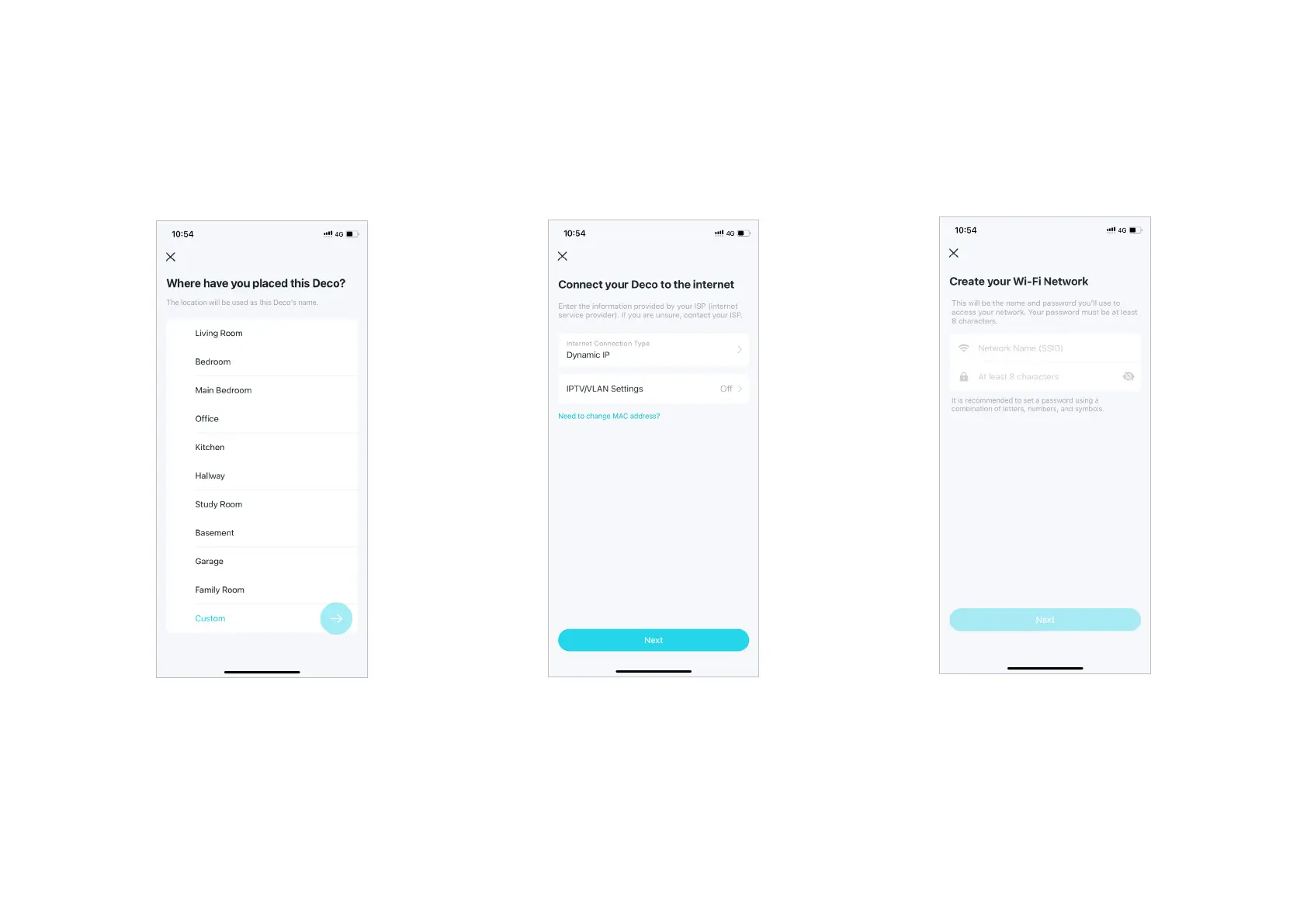
9. Create your Wi-Fi network
Set a network name and a password. These
will be the name and password you use to
connect your devices to Wi-Fi.
8. Connect your Deco to the internet
Select the internet connection type and enter
the information. If you are not sure, contact
your internet service provider.
7. Specify your Deco's location
Select or custom a location for your Deco.
The location will be used as the name of your
Deco.


 To Next Page