6
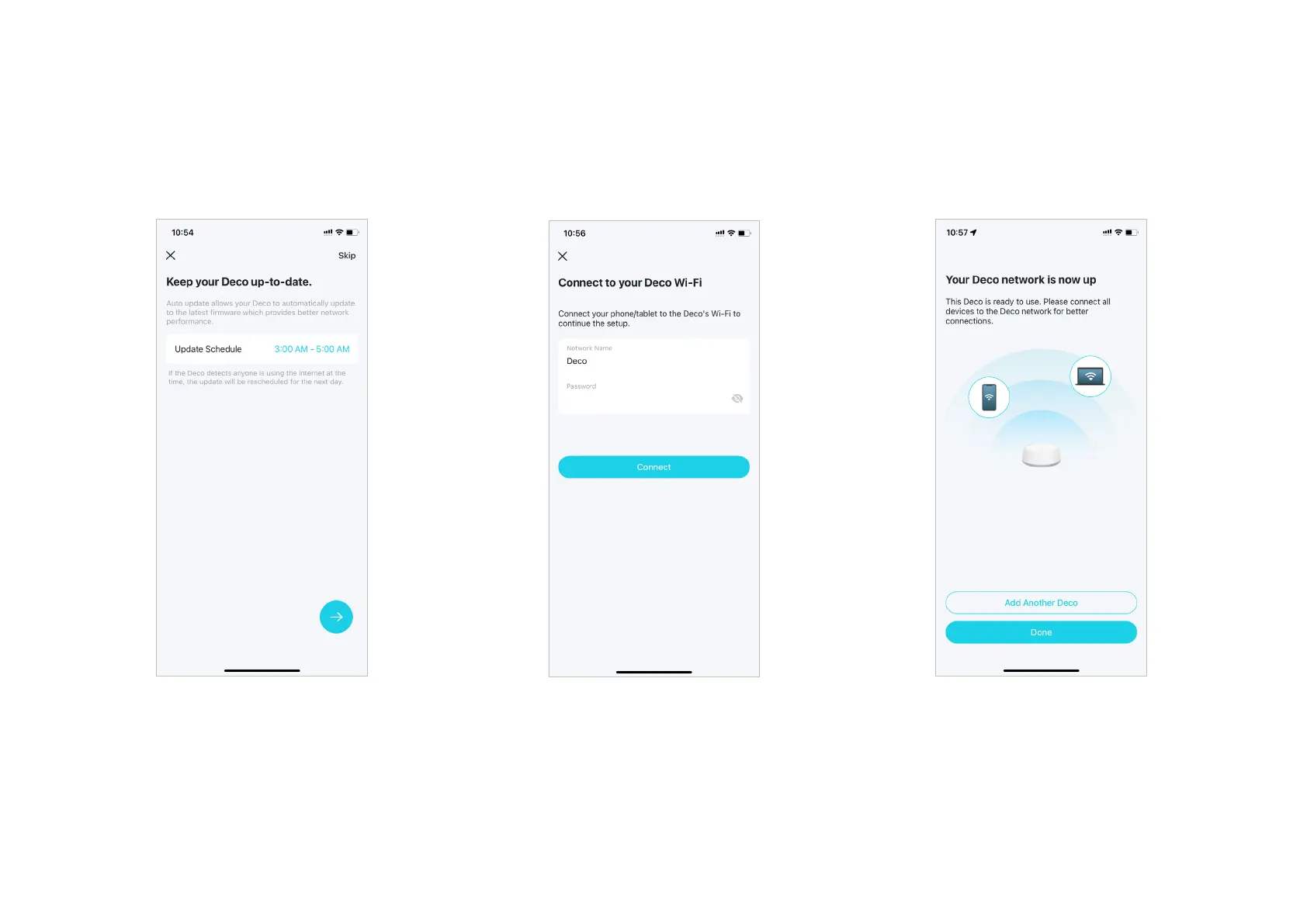
12. Setup complete
Your Deco network is now up. You can connect
your devices to the Deco network. You can also
add more Decos if any.
11. Connect to your Wi-Fi network
Connect your phone/tablet to the Deco's
Wi-Fi to continue the setup.
10. Keep your Deco up-to-date
Set auto update time. This allows your Deco
to automatically update to the latest rmware
which provides better network experience.


 To Next Page